Citrix SD-WAN Platforms
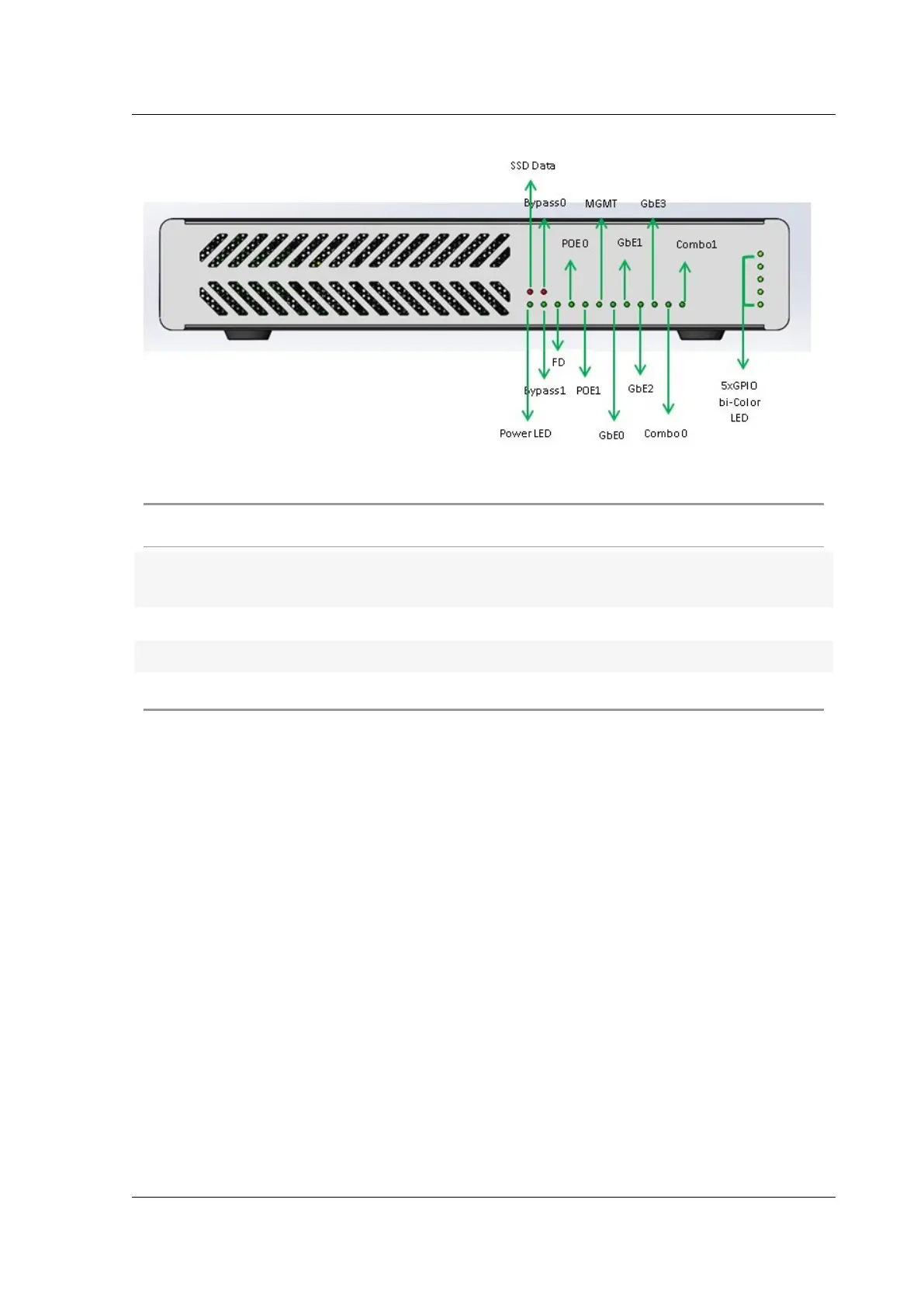
Table 1. LED power supply indicators
LED Color LED Indicates
Ethernet ports Active/Link: Green, Speed -1000 Orange,
Speed-100: Green, Speed-10: o
Bypass LEDs Normal Mode: Green, Bypass Mode: Orange
SFP Port LEDs Active/Link: Green, Speed- 1000: Orange
Power LEDs Power on: Green, Power o: o
The appliance has the following ports:
• Serial console port.
• One 10/100/1000 Base-T copper Ethernet management port (RJ45). The management port is
used to connect directly to the appliance for system administration functions.
• Two como ports (1/5 and 1/6). One can use RJ45 or SFP port at a time.
• 480 GB solid-state drive, which is used to store the Citrix SD-WAN soware and the user data.
• Power switch, which turns o power to the appliance, as if you were to unplug the power supply.
Press the switch for five seconds to turn o the power.
• Two Power over Ethernet (POE) ports (1/7 and 1/8).
• Two sets of FTW ports, (1/1, 1/2), and (1/3, 1/4).
• USB ports.
• Single power supply. Second power supply (optional) for redundancy, each rated at 150 W.
Accessory FRUs:
• Rackmount Kit
• Extra power adapter and power cord – connected to DC Jack 2
© 1999-2021 Citrix Systems, Inc. All rights reserved. 148



 To Next Page
 Loading...