Citrix SD-WAN Platforms
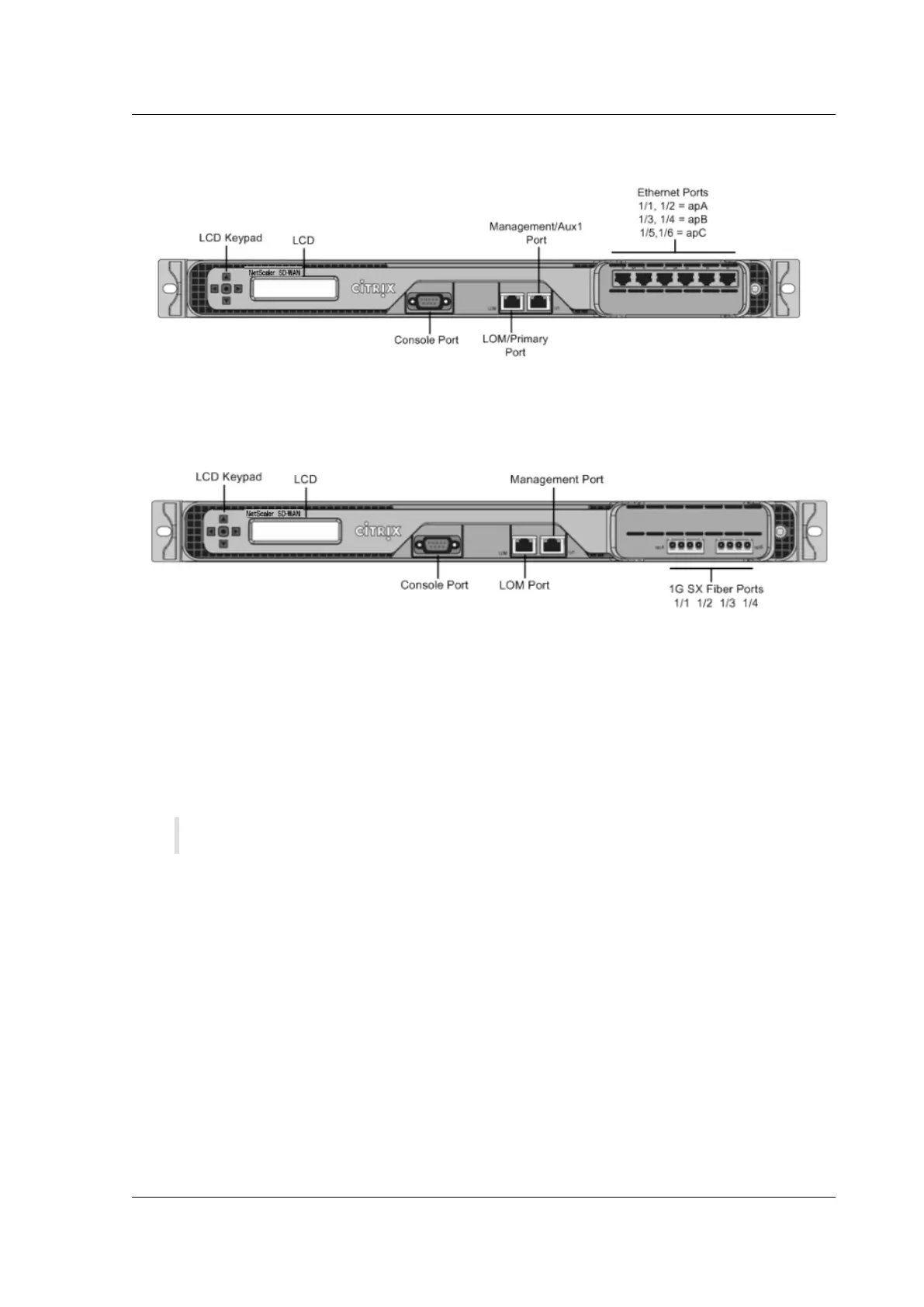
Figure 1. Citrix SD-WAN WANOP 3000 (6×10/100/1000 Base-T copper Ethernet ports), front panel
The following figure shows the front panel of an SD-WAN 3000 appliance with four 1G SX fiber ports.
Figure 2. Citrix SD-WAN WANOP 3000 (4×1G SX Fiber ports), front panel
The appliance has the following ports:
• An RS232 serial console port.
• A copper Ethernet (RJ45) Port called the Lights out Management (LOM) port. You can use this
port to remotely monitor and manage the appliance independently of the appliance’s soware.
• A copper Ethernet (RJ45) management port, numbered 0/1. The management port is used to
connect directly to the appliance for system administration functions.
Note: The LOM port also operates as a management port.
• Network Ports, in one of the following configurations:
– SD-WAN 3000 (6x10/100/1000 Base-T copper Ethernet ports). Six 10/100/1000 Base-T cop-
per Ethernet ports numbered 1/1, 1/2, 1/3, 1/4, 1/5, and 1/6 from le to right. The six ports
form three accelerated pairs, which function as accelerated bridges. Ports 1/1 and 1/2 are
accelerated pair A (apA), 1/3 and 1/4 are accelerated pair B (apB), and 1/5 and 1/6 are accel-
erated pair C (apC).
– SD-WAN 3000 (4x 1G SX Fiber ports). Four 1G SX fiber ports numbered 1/1, 1/2, 1/3, and 1/4
from le to right. The four ports form two accelerated pairs, which function as accelerated
bridges. Ports 1/1 and 1/2 are accelerated pair A (apA) and 1/3 and 1/4 are accelerated pair
B (apB).
© 1999-2021 Citrix Systems, Inc. All rights reserved. 17


 To Next Page
 Loading...