2.2.2 RHB LEXION 480 - 188 678.1
Steering
Removing the steering column
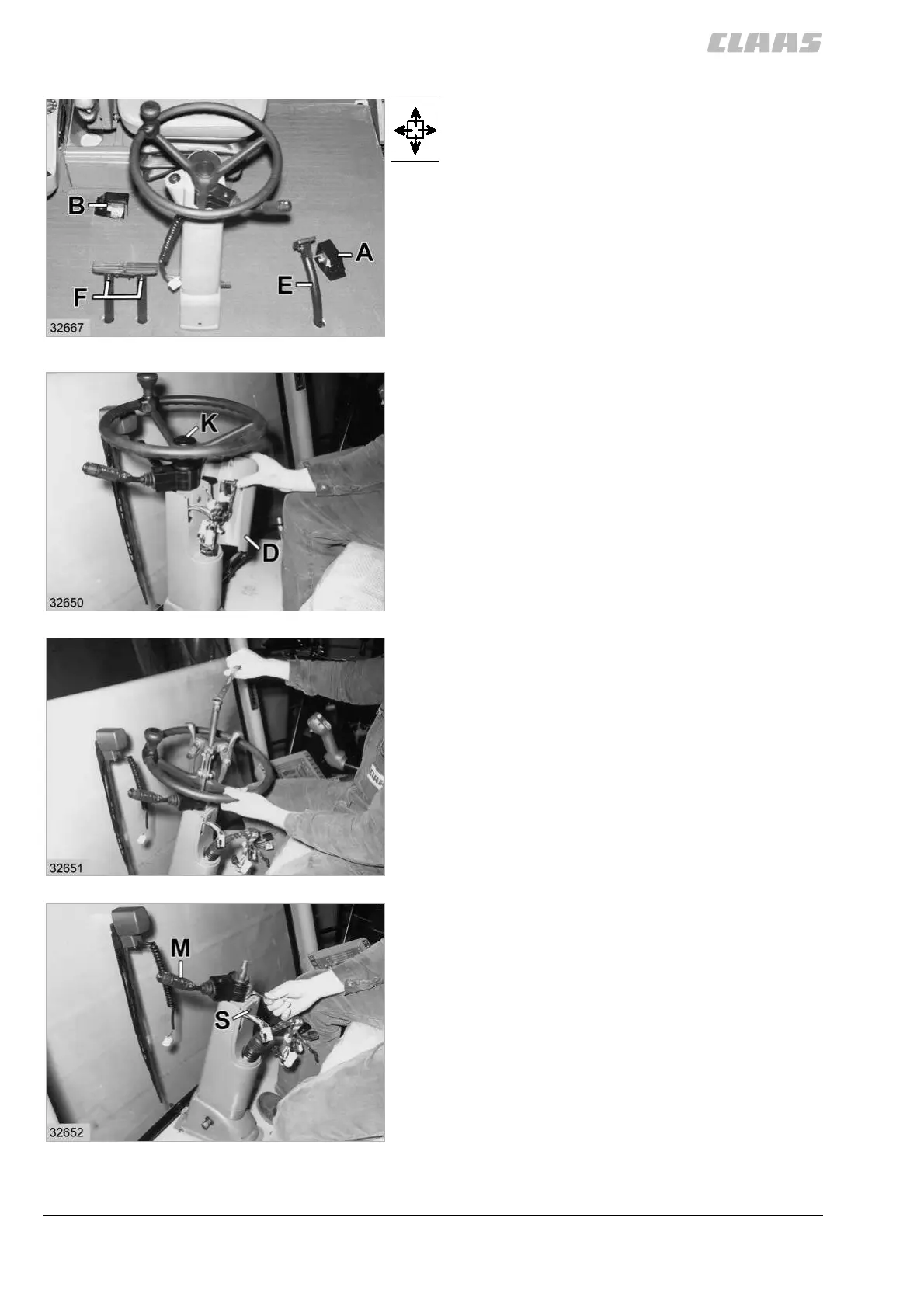
Unbolt the two foot switches (A and B) and disconnect
the cable plugs.
Remove the top from the parking brake pedal (E).
For this unscrew the M 6 bolt and drive out the pin.
Remove the tops from the two foot brake pedals (F) by
unscrewing one M 8 bolt each.
Pull the floor mat halves over the pedals (E and F) and
then remove them from the cab.
(Fig. 1)
Remove the inspection cover (D) from the cover to one
side and disconnect the five cable plugs.
Remove the centre cover (K).
(Fig. 2)
Unbolt the M 16 hex. nut.
Using a three-armed puller, pull the steering wheel off
the shaft.
(Fig. 3)
Remove the M 5 x 16 cheese-head screw and then the
multifunction switch (M).
Remove the screw (S) so that the upper section of the
steering column cover can be removed.
(Fig. 4)
1
2
3
4



 To Next Page