188 678.1 - RHB LEXION 480 2.2.9
Steering
Installing the steering column
1. Insert the steering column and secure it on the
platform at the bearing assembly (7).
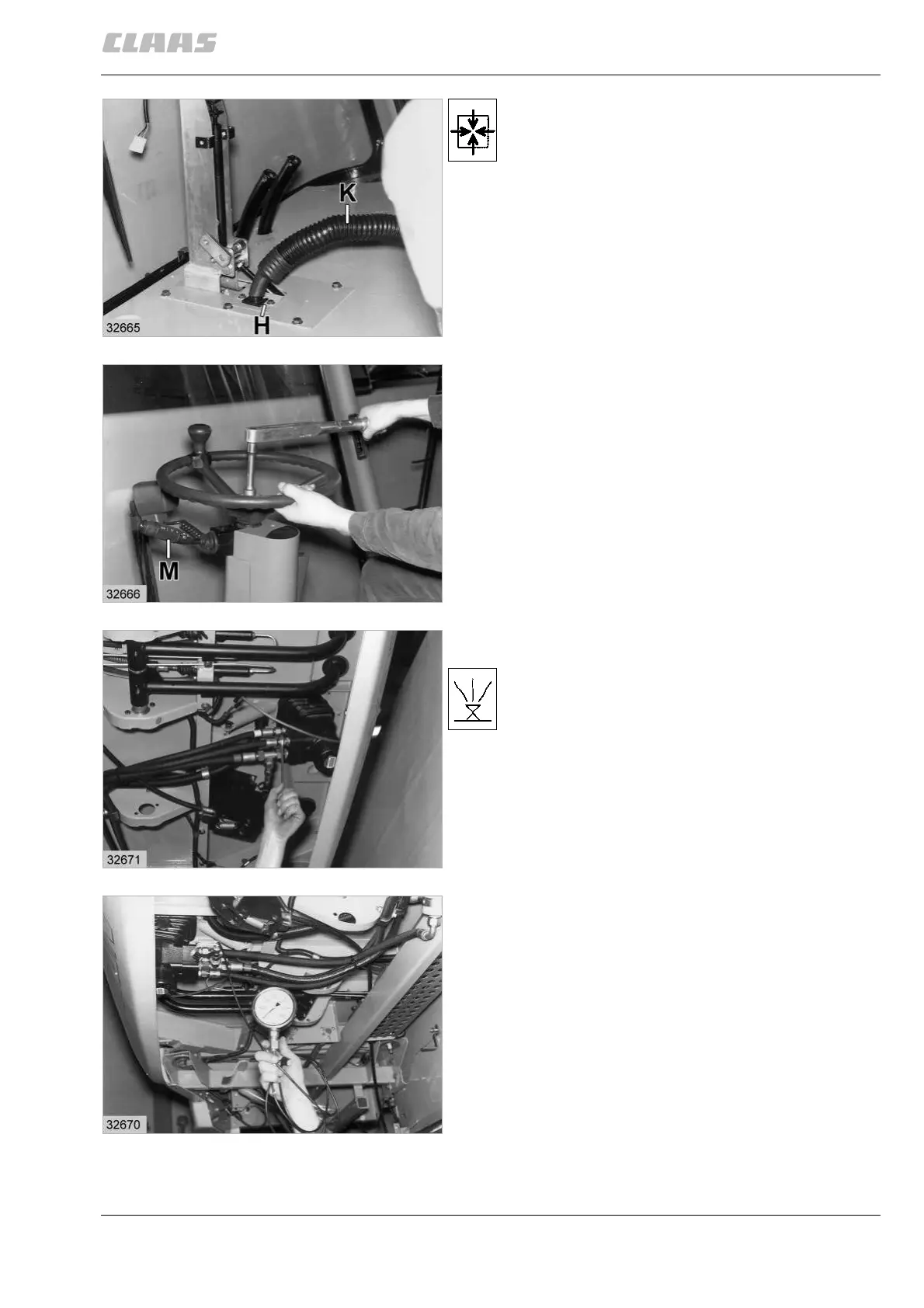
2. Pull the cable (K) up through the floor, then secure
it with the cable clamp (H).
3. Slide the floor section (9), the lower section (10)
and then the upper section (11) respectively into
position and secure them with screws.
4. Refit the multifunction switch (M) and reconnect all
cable plugs.
5. Refit the inspection cover (12) and the steering
wheel height adjuster.
6. Place the steering wheel (13) in position and bolt it
down.
Tightening torque = 35 Nm
Refit the dust cover.
7. Refit the floor mat halves over the pedals. Put the
parking brake and the two foot brake tops back
into place and secure them with bolts.
Screw on the two foot switches (A and B).
(Fig. 1)
8. Refit the hydraulic hoses to the steering unit valve
block. Ensure that absolutely no dirt enters the
system.
9. Bleeding the steering hydraulic system:
Jack the steering axle up in the centre, so that the
load is off the steered wheels. Start the engine
and bring the oil up to working temperature of
approx. 50 °C in the tank.
Keep the engine at max. no-load speed.
Turn the steering wheel from one end position to
the other several times, thus bleeding the system.
Check the oil level.
(Fig.20,21,22,23)
20
21
22
23



 To Next Page