Page 3 of 6
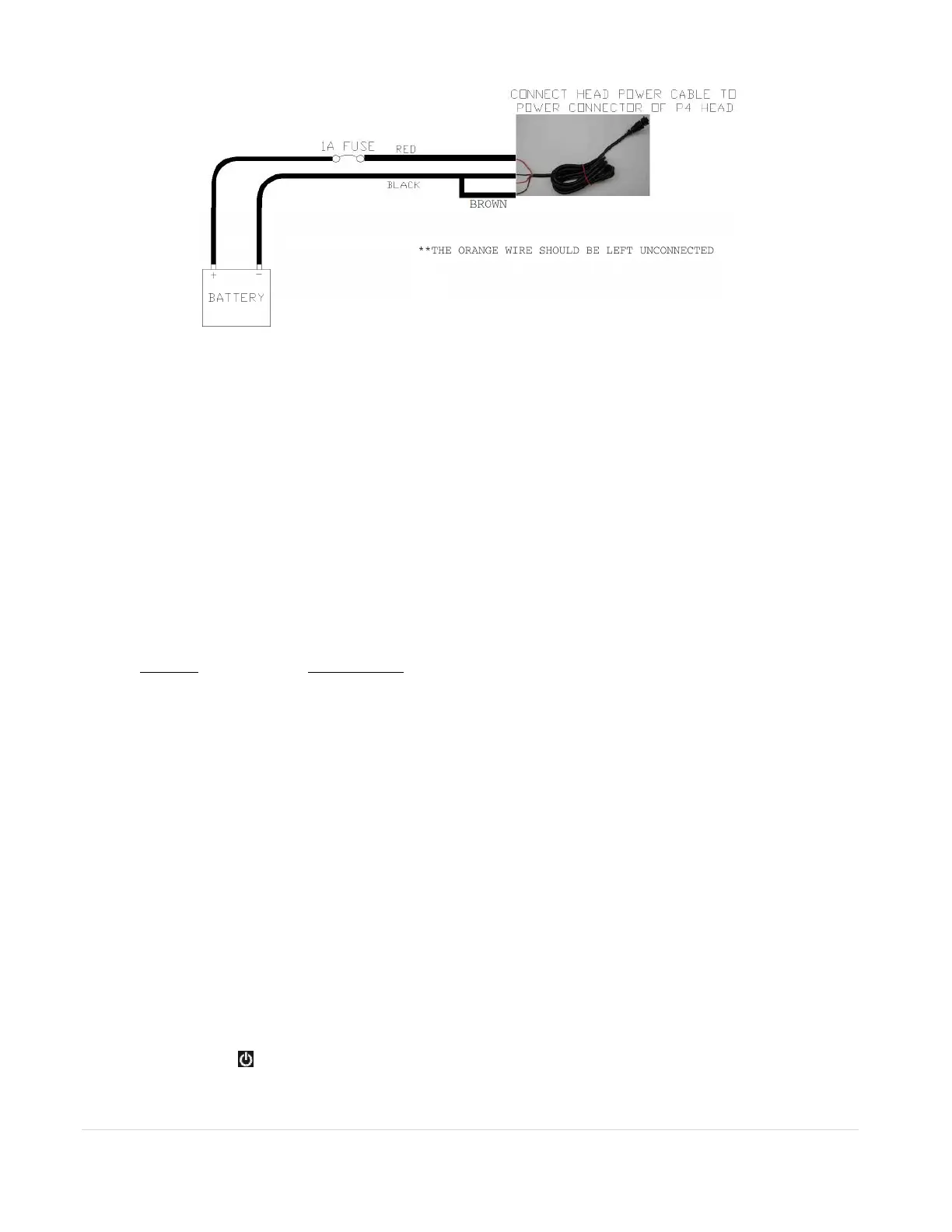
Figure A.2 – Battery Connection to Master P4 Head
NMEA Network Power Supply
It is important to follow the guidelines of NMEA 2000 installation to make sure a balanced network
structure is achieved.
Input Interface and Menus
Input Interface
The 10 buttons and the knob (with a push button on the top) serve as the input interface for the user. A
quick guide to the functions of each button is given below.
BUTTON
DESCRIPTION
ROTARY KNOB ALARM: Press knob to silence an alarm
When in MENUs, rotate to move between selections, press knob to gain submenus, press
to select an item for change. Rotate to change values or choices, press to go back,
choice will be saved. Knob press = enter.
When in AUTO, 1 click, left or right = 1 degree of course change, left or right. A quick spin
of the knob = 10 degrees of course change. Spins are additive. 3 spins = 30 degrees of
course change.
When in Power Steer (P-STR), each click, left or right = adds or subtracts 1 degree of
rudder. A quick spin adds or subtracts 10 degrees of rudder. Spins are additive in P-
STR. Use caution.
ALL MODE BUTTONS Applies for modes: AUTO, NAV, STANDBY, and P. STEER.
To change from one mode to another, press desired mode. Double pressing a given
mode button accesses a shortcut menu pertinent to that mode, double press to exit menu.
Double press timing, think; one, two.
STBY/ON-OFF Press until LCD display lights up for on, short press to re-enter Standby from a steering
mode. S will appear on screen. Use long 3 sec. press for off, screen will prompt with
count- down to off. Double press for shortcut to USER CONFIGURATION menu from
main SETUP menu.



 To Next Page