To disable project collaboration
1 In the Configuration tab's navigation pane, click Share > Collaboration.
The Share > Collaboration page appears.
2 Slide the Project Collaboration lever to the OFF position.
Project collaboration is disabled.
Configuring Project Collaboration Settings
To configure project collaboration settings
1 In the Configuration tab's navigation pane, click Share > Collaboration.
The Share > Collaboration page appears.
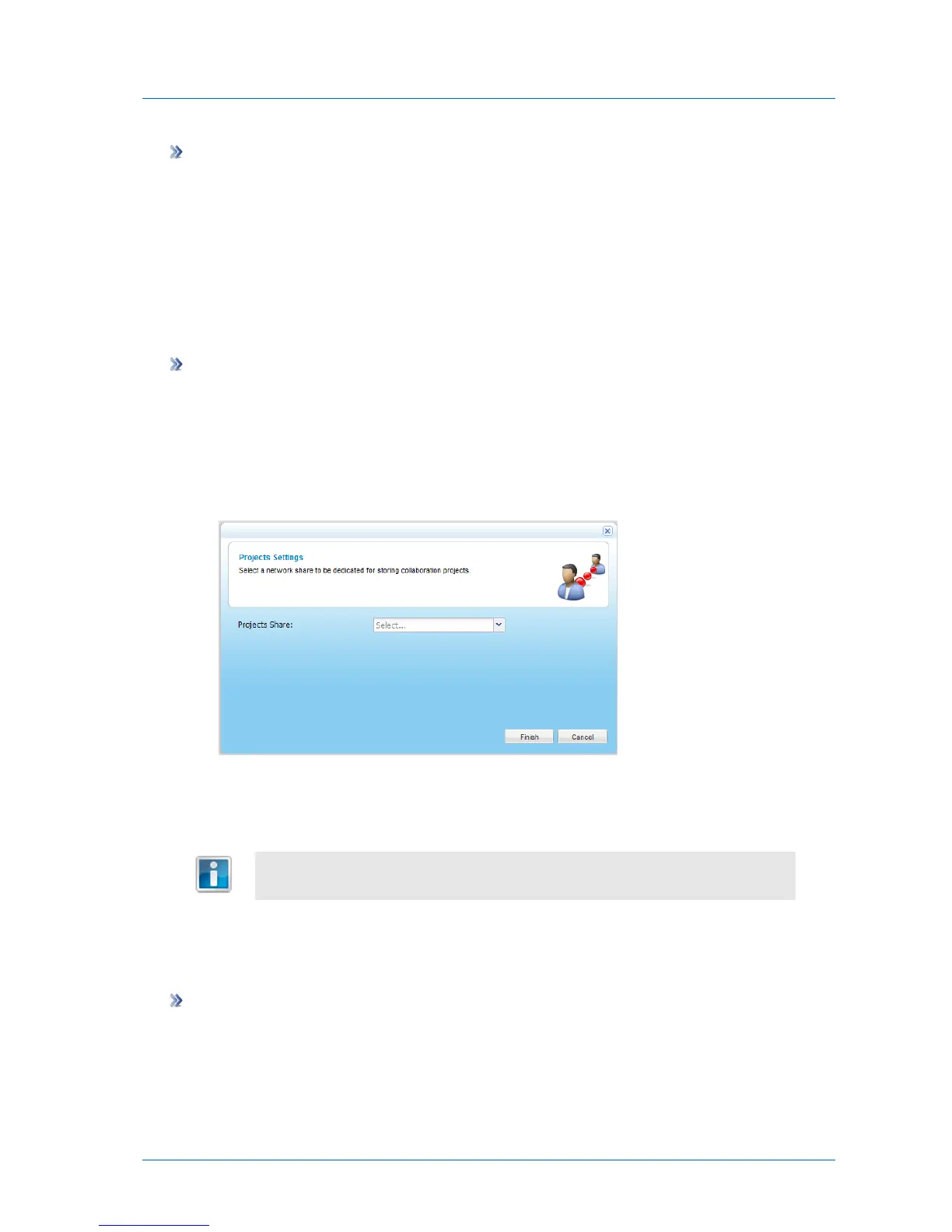
In the Project Collaboration area, click Settings.
The Projects Settings dialog box opens.
2 In the Projects Share drop-down list, select a share that should be dedicated to the
storage of collaboration projects.
Upon enabling project collaboration, the projects share was created for this
purpose; however, any share can be used.
3 Click Finish.
Creating Projects
To create a collaboration project
1 In the Files tab's Show Shares tree pane view, navigate to the project collaboration share
you specified in Configuring Project Collaboration Settings (on page 141).
For information on changing the tree pane view, see Changing the Tree Pane View (on
page 278).



 To Next Page