Front Panel
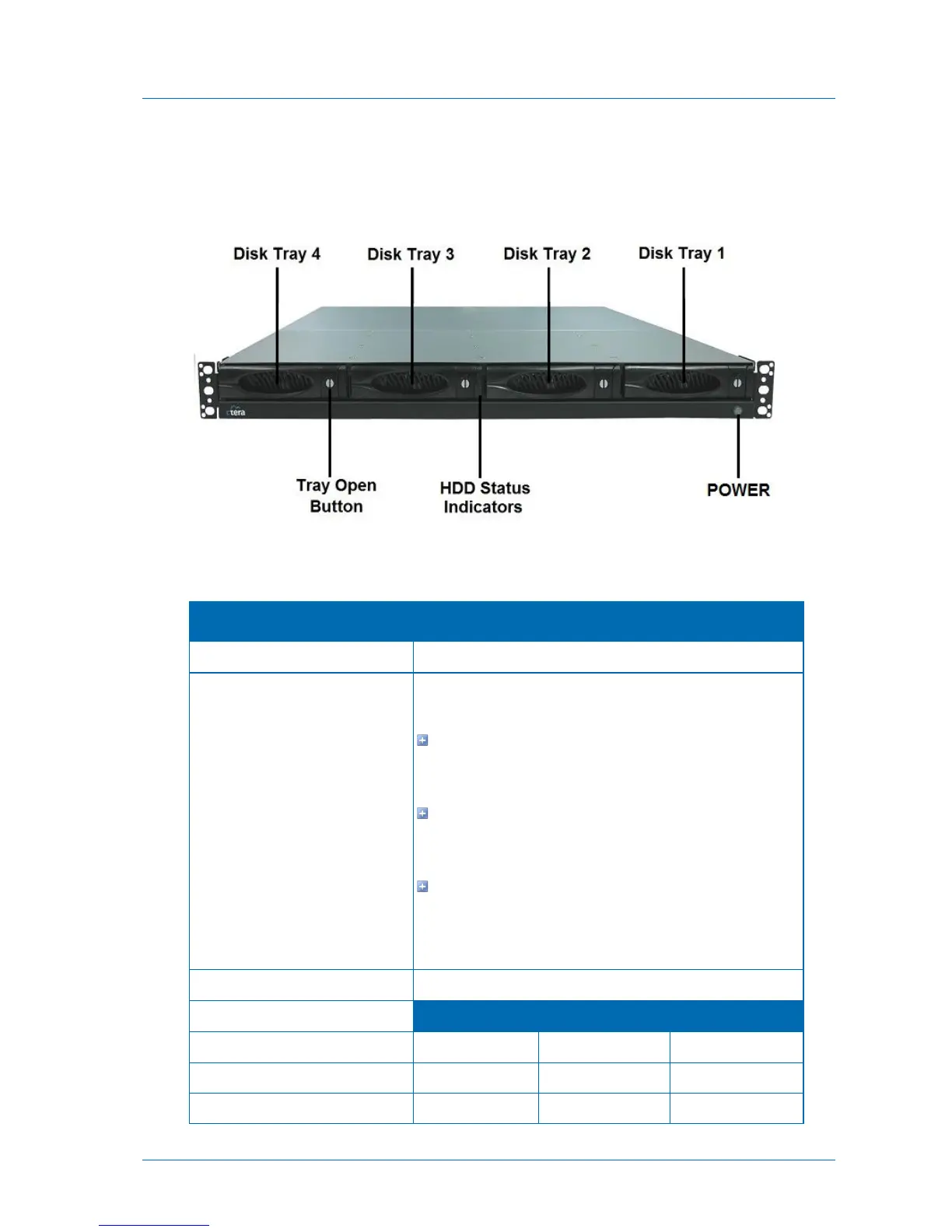
The C400's front panel appears as follows:
The front panel's interior contains the following elements:
Table 7: C400 Front Panel Interior Elements
Each disk tray has a Tray Open Button, which serves the
following purposes:
Indicates whether the disk tray is locked. When the
button's groove is horizontal, the disk tray is locked. When
it is vertical, the disk tray is open.
Enables you to lock/unlock the disk tray, by using a
flat-head screwdriver to turn the button until its groove is
horizontal/vertical.
Enables you to open the disk tray. Upon pressing the
button, the outer panel of the disk tray (visible in the
preceding diagram) becomes a lever that can be used to
pull the disk tray out of the appliance.



 To Next Page