17 Monitoring Your CTERA Appliance
298 CTERA C-Series User Guide
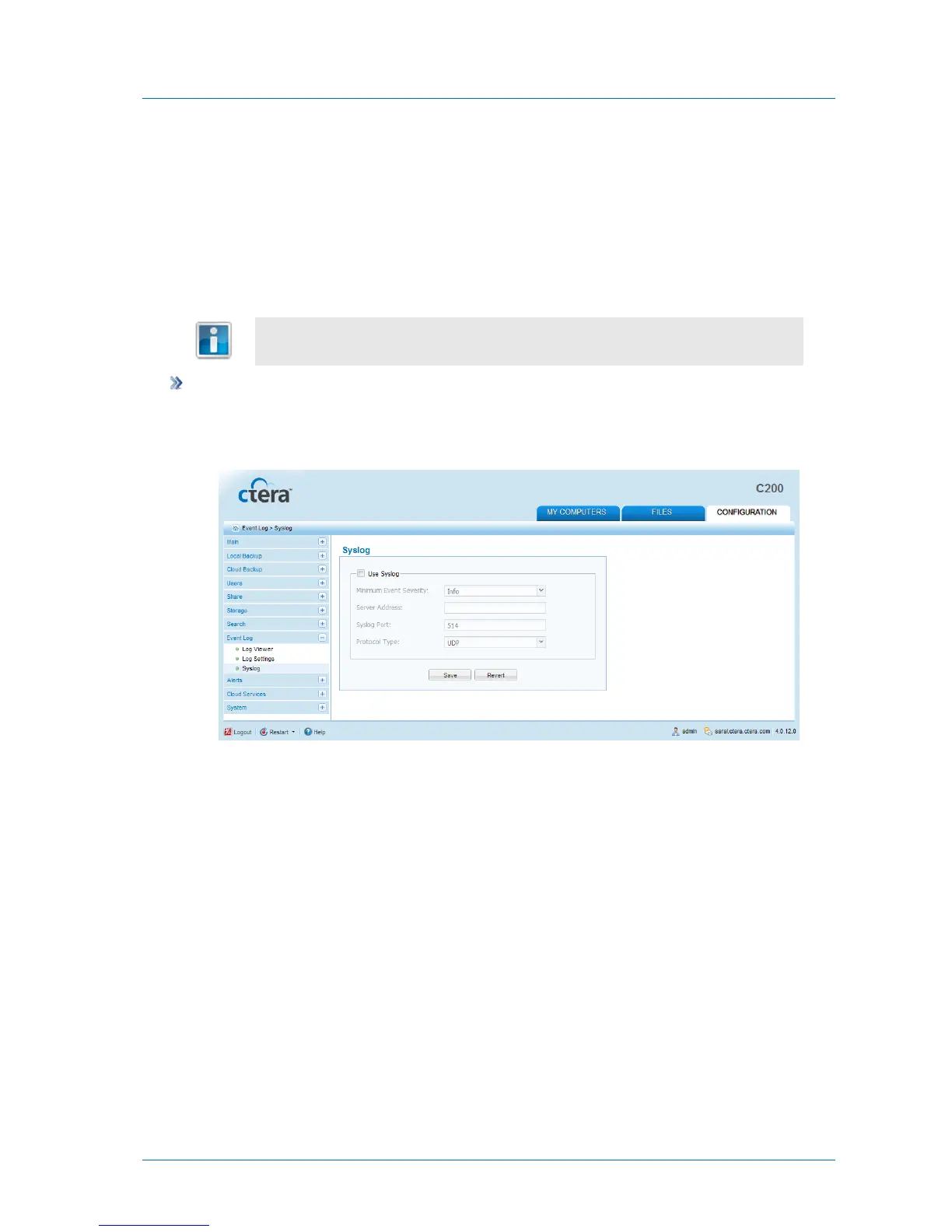
Configuring Syslog Logging
If desired, you can configure the appliance to send logs to a Syslog server located on your
network or on the Internet.
While the appliance Event Log is limited by the amount of available storage space, a Syslog
server can store an unlimited number of logs.
You can obtain free Syslog servers online, such as Kiwi Syslog Daemon
(http://www.kiwisyslog.com/).
To configure Syslog logging
1 In the Configuration tab's navigation pane, click Event Log > Syslog.
The Event Log > Syslog page appears.
2 Complete the fields using the information in the following table.
3 Click Save.



 To Next Page