EasyManua.ls Logo

Ctera C800 - Viewing Ctera Agents Logs

Ctera C800
370 pages
Print Icon
To Next Page IconTo Next Page
To Previous Page IconTo Previous Page
Loading...
Monitoring Your CTERA Appliance 17
CTERA C-Series User Guide 311
Formatted
A disk was formatted.
Expanded
An array was enlarged.
Disabled
A setting was disabled.
Enabled
A setting was enabled.
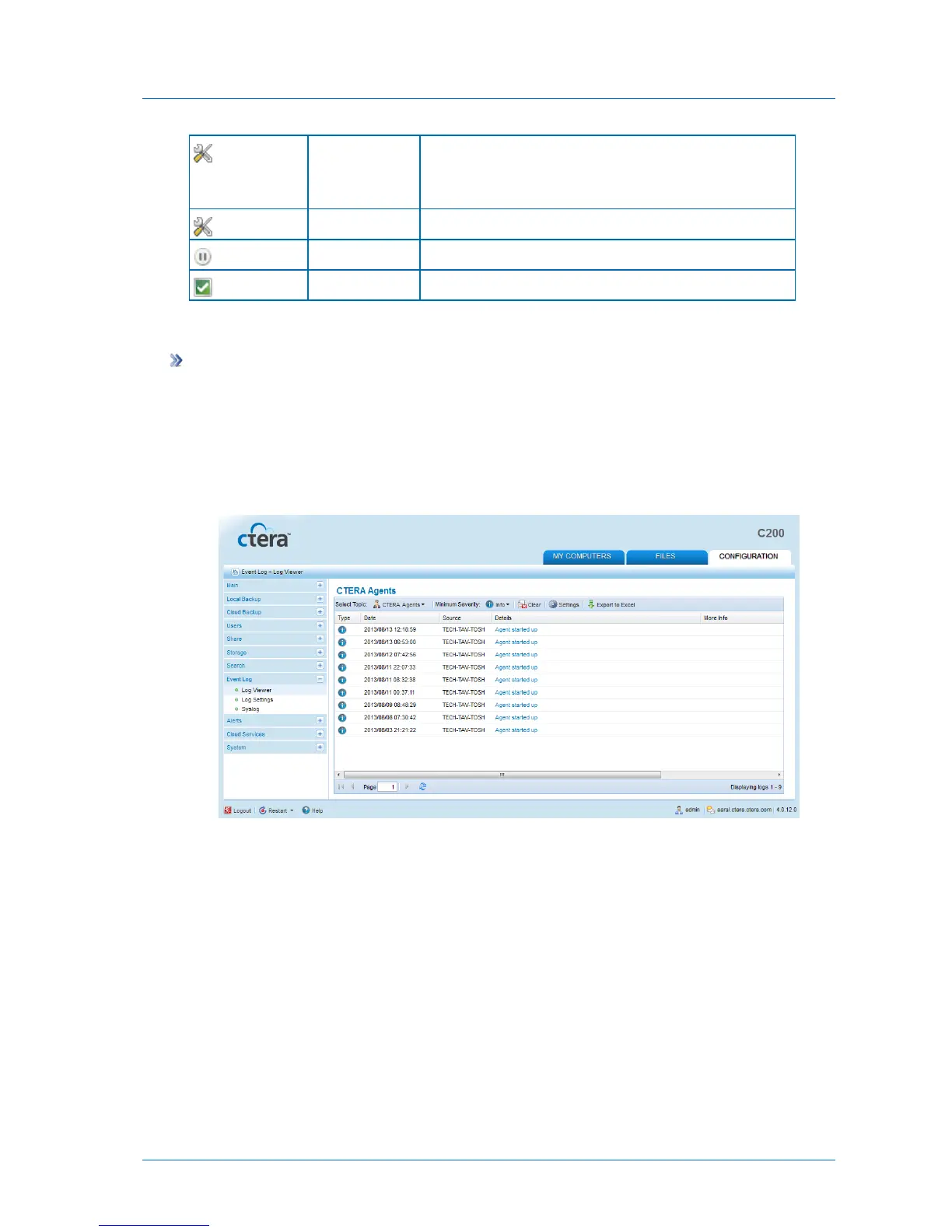
Viewing CTERA Agents Logs
To view CTERA Agents logs
1 In the Configuration tab's navigation pane, click Event Log > Log Viewer.
The Event Log > Log Viewer page appears.
2 In the Select Topic drop-down list, select CTERA Agents.
The CTERA Agents logs appear.
The following information is displayed:


Table of Contents

Related product manuals