CTERA C-Series User Guide 121
Configuring FTP Access
When FTP access is configured, users can access and download shared files from the CTERA
FTP Server.
Users must authenticate to the CTERA FTP Server using the user name and
password defined for them in the appliance, in order to access network shares.
However, if desired, you can enable anonymous (unauthenticated) downloads
from a specific directory.
To configure FTP access
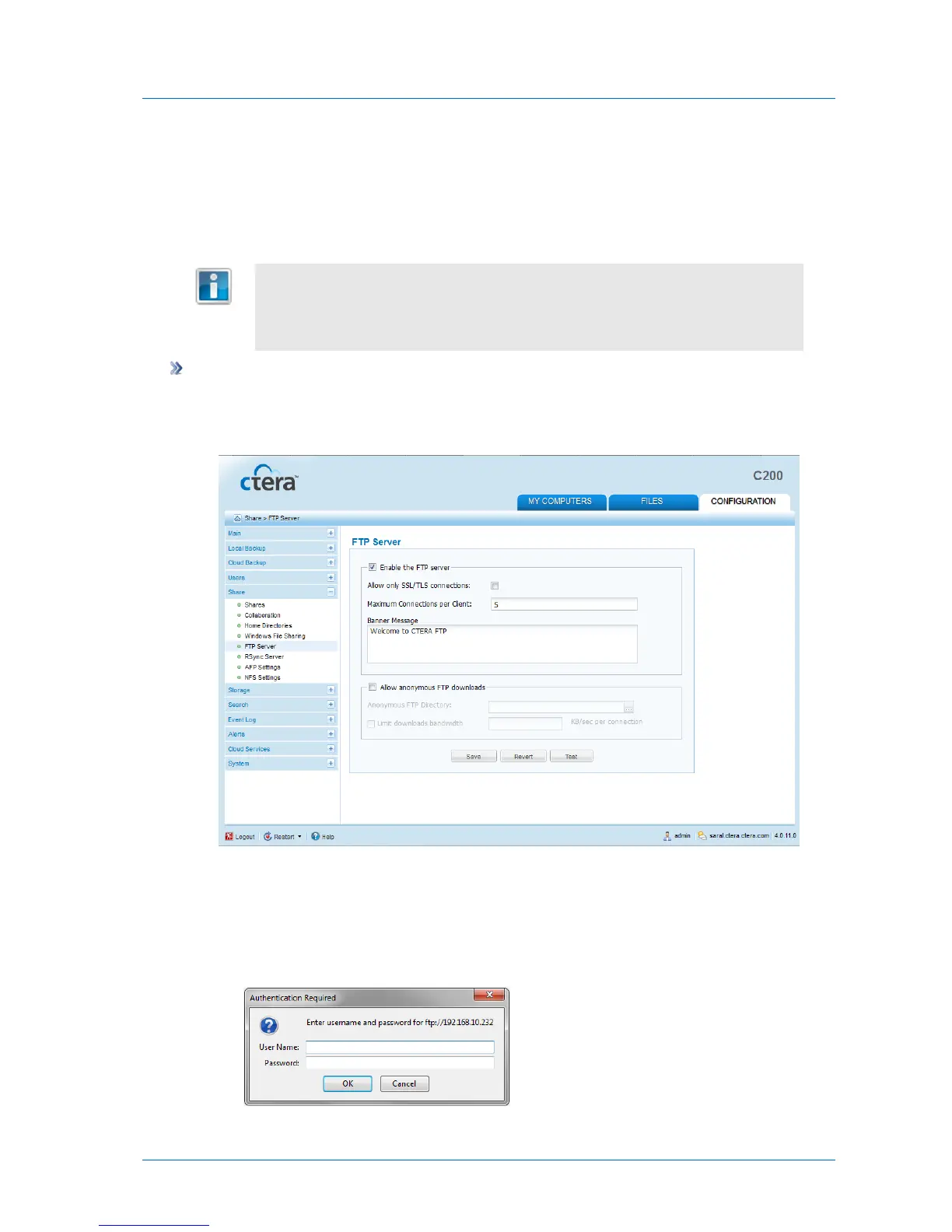
1 In the Configuration tab's navigation pane, click Share > FTP Server.
The Share > FTP Server page appears.
2 Complete the fields using the following table.
3 To test your settings, do the following:
a Click Test.
The Authentication Required dialog box appears.



 To Next Page