CTERA C-Series User Guide 181
Restoring Files and Folders Using Microsoft Windows Previous Versions
Interface
Microsoft Windows Previous Versions enables you to restore individual files or folders that
were backed up to cloud storage, directly from your PC. You can restore files to previous
versions, or recover deleted files.
Microsoft Windows Previous Versions is supported in Microsoft Windows Server
2003, as well as Windows Vista Ultimate, Business, and Enterprise editions, and
requires no special software in these editions. It is not supported in Windows
Vista Home edition. In earlier versions of Windows, in order to access previous file
and folder versions using Microsoft Windows Shadow Copy, you must download
and install the Shadow Copy Client from:
http://technet.microsoft.com/en-us/windowsserver/bb405951.asp
x
To restore an individual file or folder to a previous version
1 View the network share containing the desired file or folder.
See Viewing Network Shares Using Windows File Sharing (on page 146).
2 Open the relevant network share, and browse to the desired file or folder.
3 Right-click on the file or folder and click Properties.
The Properties dialog box appears.
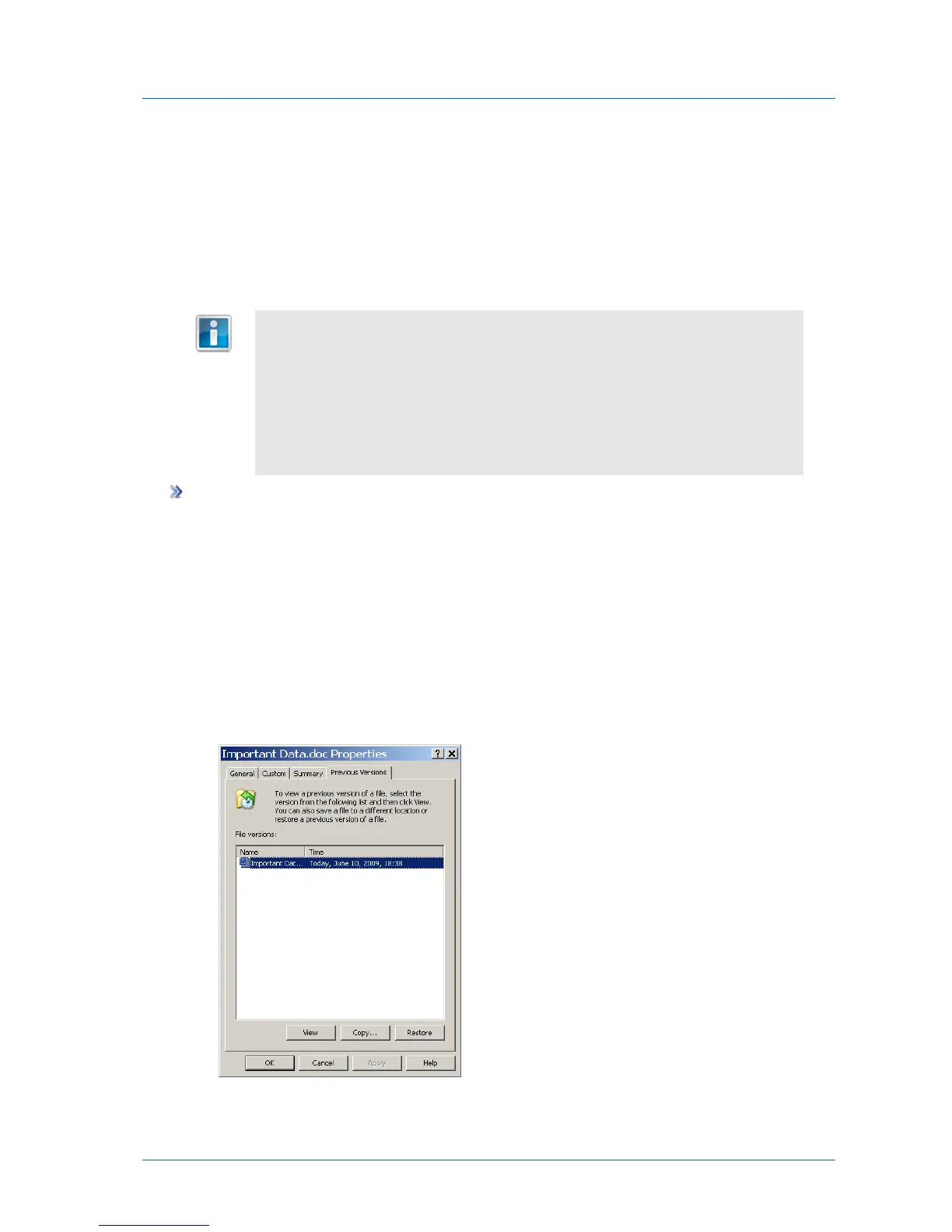
4 Click the Previous Versions tab.
The Previous Versions tab is displayed.
5 In the File Versions list, select the version you want to restore.



 To Next Page