V0913, 6.13
Note
After selecting a new bend this will be a copy of the preceding one; you only have to alter
those parameters which are different from the preceding bend.
Bend parameters - All Bends
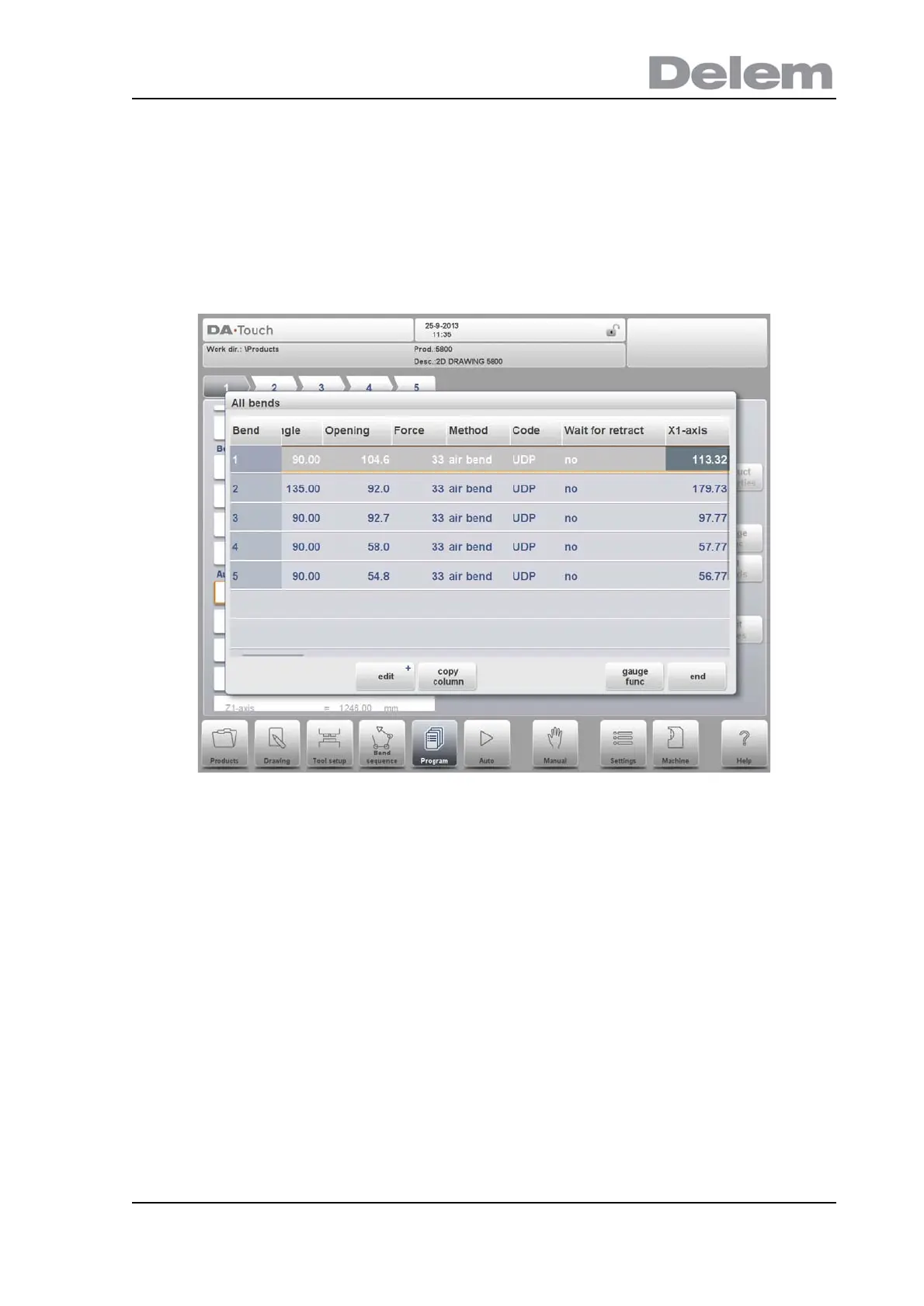
When the function All Bends has been pressed, a complete overview of the bends appears.
After pushing End the page from which this page was selected will be restored, with the cursor
on the parameter selected before.
Specific bend can be selected on the screen by putting the highlighted bar on that bend, then
selecting END.
From within this screen, the complete CNC program can be edited. All bend parameters can
be edited within the table and bends can be swapped, moved, added and deleted.
The available columns can be scrolled by finger movement / swipe.
Functions
Edit
Edit the program with one of the following commands:
• insert bend
• delete bend
• mark bend
Copy Column
Copy the value of the currently selected parameter in the current bend to all other bends.
Gauge Func
Program the gauge positions, as already explained earlier in this chapter.



 To Next Page