V0913, 7.6
7.2.1. Main
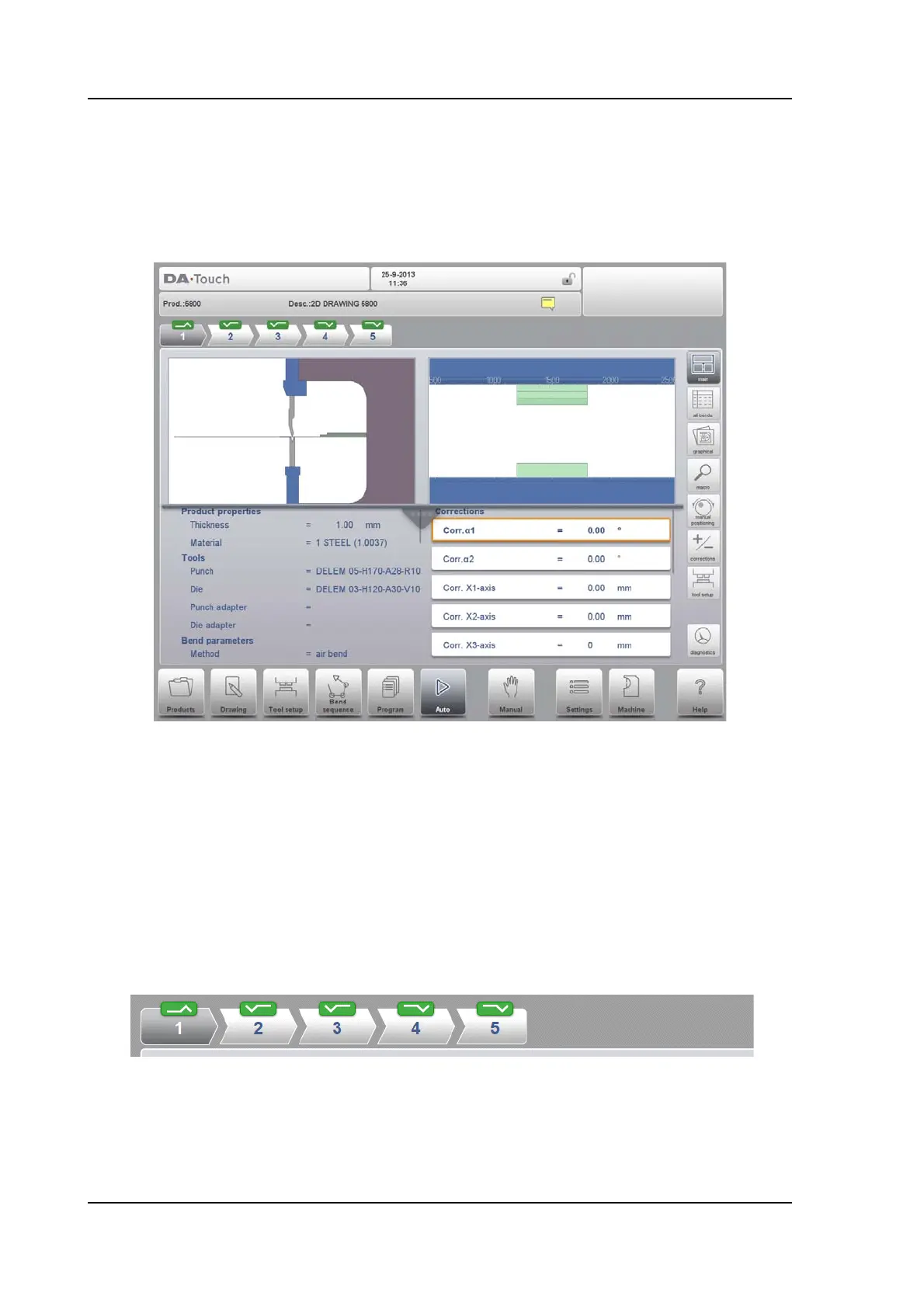
Main view shows the numerical data of the bend along with the corrections. The corrections
can be programmed here. The splitter control devides the screen in graphical visualisation
and the numerical data. This can be closed if only numerical data is required.
Both lower columns can be scrolled to see all data. In the graphical view quadrant zoom, pan
and rotate can be used to view the bend position in the machine.
The tool view quadrant zooms automatically in on the used tools. During the bending proces
the tool station to be used will be indicated to help the user to select the correct station.
Bend selector
The bend selector in the top of the screen can be used to navigate thru the bends. The
indicated bends can be tapped to easily select the desired bend data. In the bend selector the
turn indicator will be displayed showing green, yellow or red colors to indicate the level of
complying the assignments of the bend sequence.



 To Next Page