V0913, 2.18
2.2.3. Conversion
When the assignments have been set properly, conversion can be executed by tapping the
Convert button.
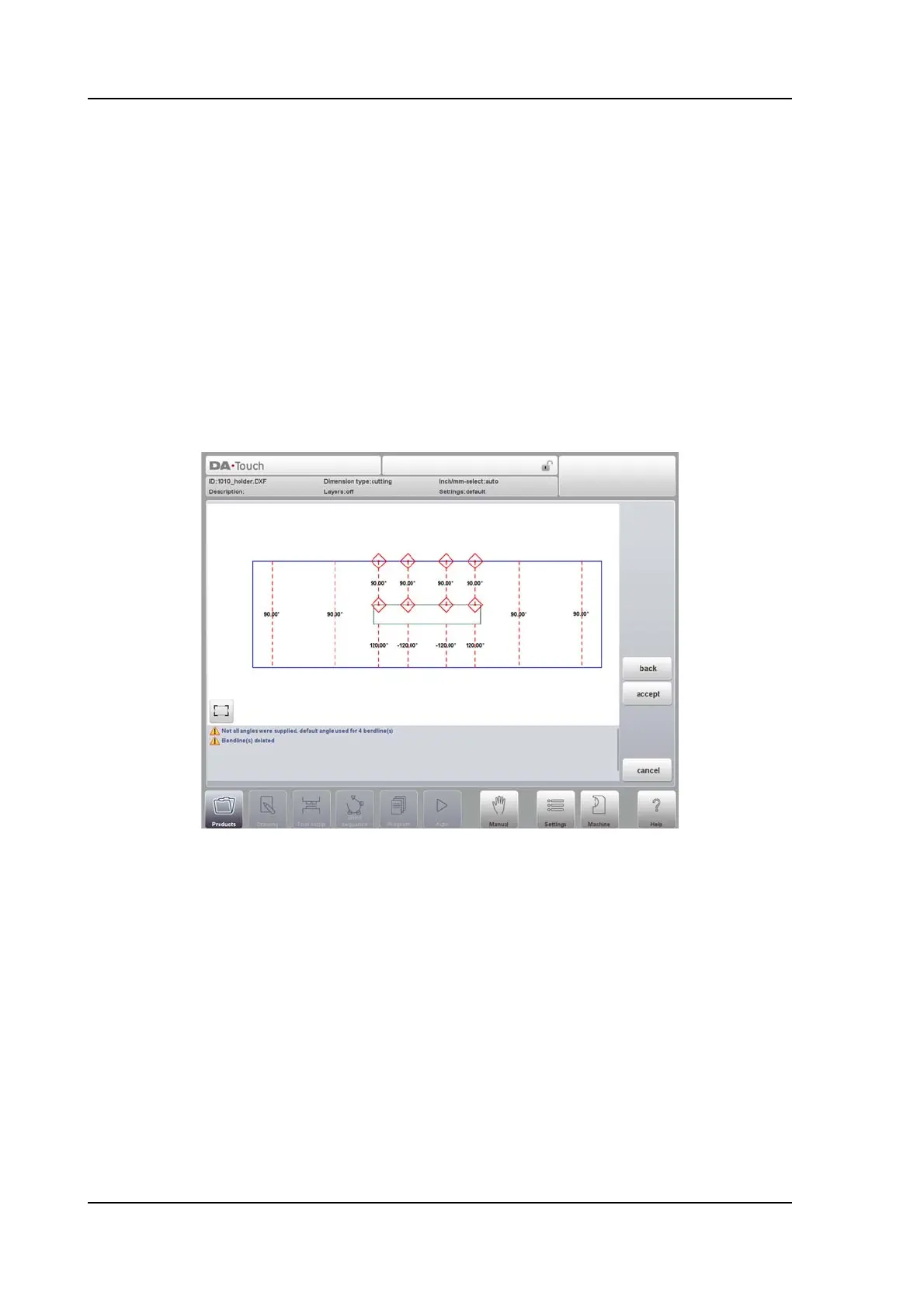
The conversion preview will be shown when there are warnings or errors.
During conversion the DXF drawing is represented by lines like contour line, bend line and
inside contour lines. Colors indicate the property for the line conversion.The lines of the
product drawing will have different colours after the conversion. Every colour has its own
meaning:
• Blue: Contour line, this line is a part of the outer contour of the product.
• Red: Bend line, this line is a bending.
• Green: Inside contour, this line is a part of the inner contour of the product.
• Black: Assigned texts will be shown in black.
At the bottom of the screen warnings and infos will be shown if applicable. In the preview itself
the warnings or errors will be indicated with red squares.
With tapping Accept the actual conversion will be done. If anything needs to be changed, the
Back command button will step back to the previous screen.



 To Next Page