V0913, 9.4
9.3. Materials
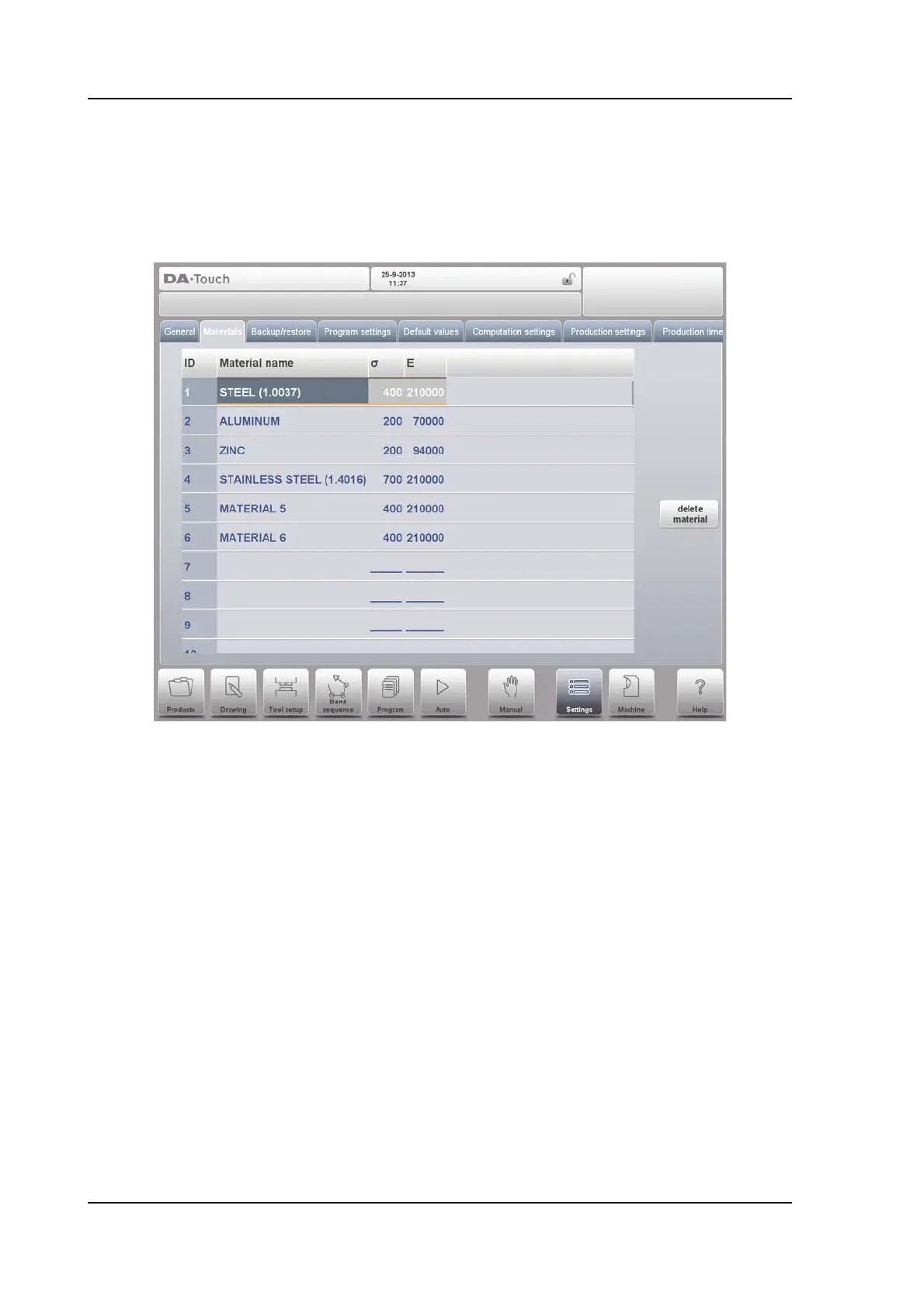
In this tab, materials with their properties can be programmed. Existing materials can be
edited, new materials can be added or existing materials deleted. A maximum of 99 materials
can be programmed on the control.
For each material, three properties are present and can be viewed and edited.
Material name
Name of the material, as it will appear in the programming screens. The maximum
allowed length of the material name is 25 characters, the name must begin with a
character (not a numeral).
Tensile strength
Tensile strength of the selected material.
E module
E- module of the selected material.
The materials are initially listed according to their material number, which is shown in the first
column (ID). The list can be sorted according to the different properties by tapping the title of
the column. The materials will be sorted in ascending or descending order of that property.
To change an existing material, select the relevant line and change the values as you see fit.
To delete an existing material, select the relevant line and use Delete Material. This will erase
the values.
To program a new material select an empty line and start programming its values.



 To Next Page