V0913, 2.22
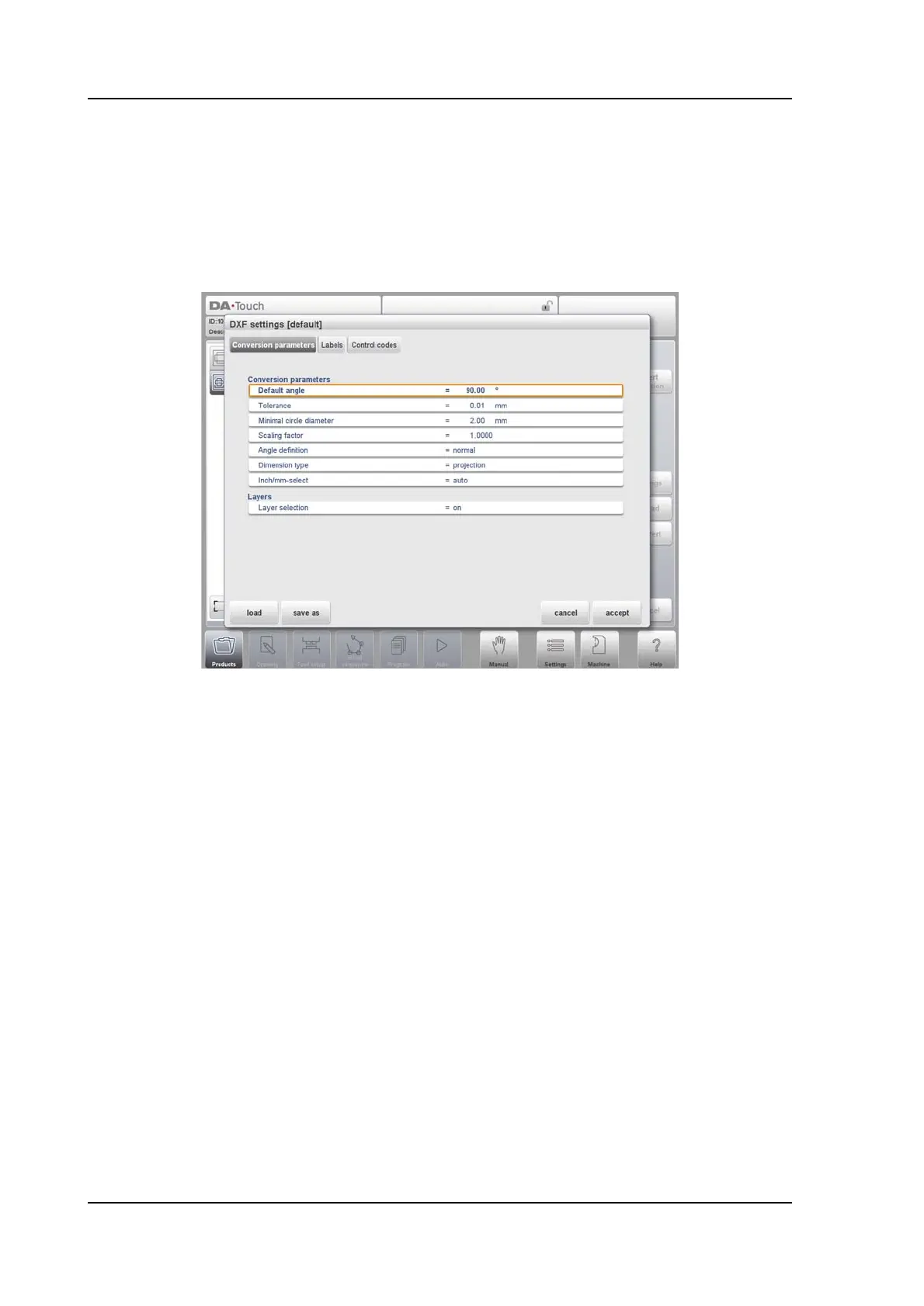
2.2.5. DXF Settings
In the DXF converter settings the conversion parameters can be configured. It is possible to
store multiple settingsfiles for specific drawing types. Save as and load functions are
available.
Conversion parameters
Default angle
Bendlines not being indicated with a bending angle value will be converted with this
default angle.
Tolerance
The tolerance of non connected lines towards boundaries can be set. Lines within the
tolearance will be connected to prevent failure during converting.
Minimal circle diameter
The minimal circle diameter of a circle to be converted, otherwise skipped.
Scaling factor
If the DXF is scaled, this factor can be set to unscale to actual dimensions.
Angle definition
Normal angle definition or complement angles (180-alpha) can be chosen.
Dimension type
Either projection or cutting dimensions can be chosen.
Inch/mm-select
The conversion of the DXF will use mm or inches as a default, when set to auto the
setting of the control will be used.



 To Next Page