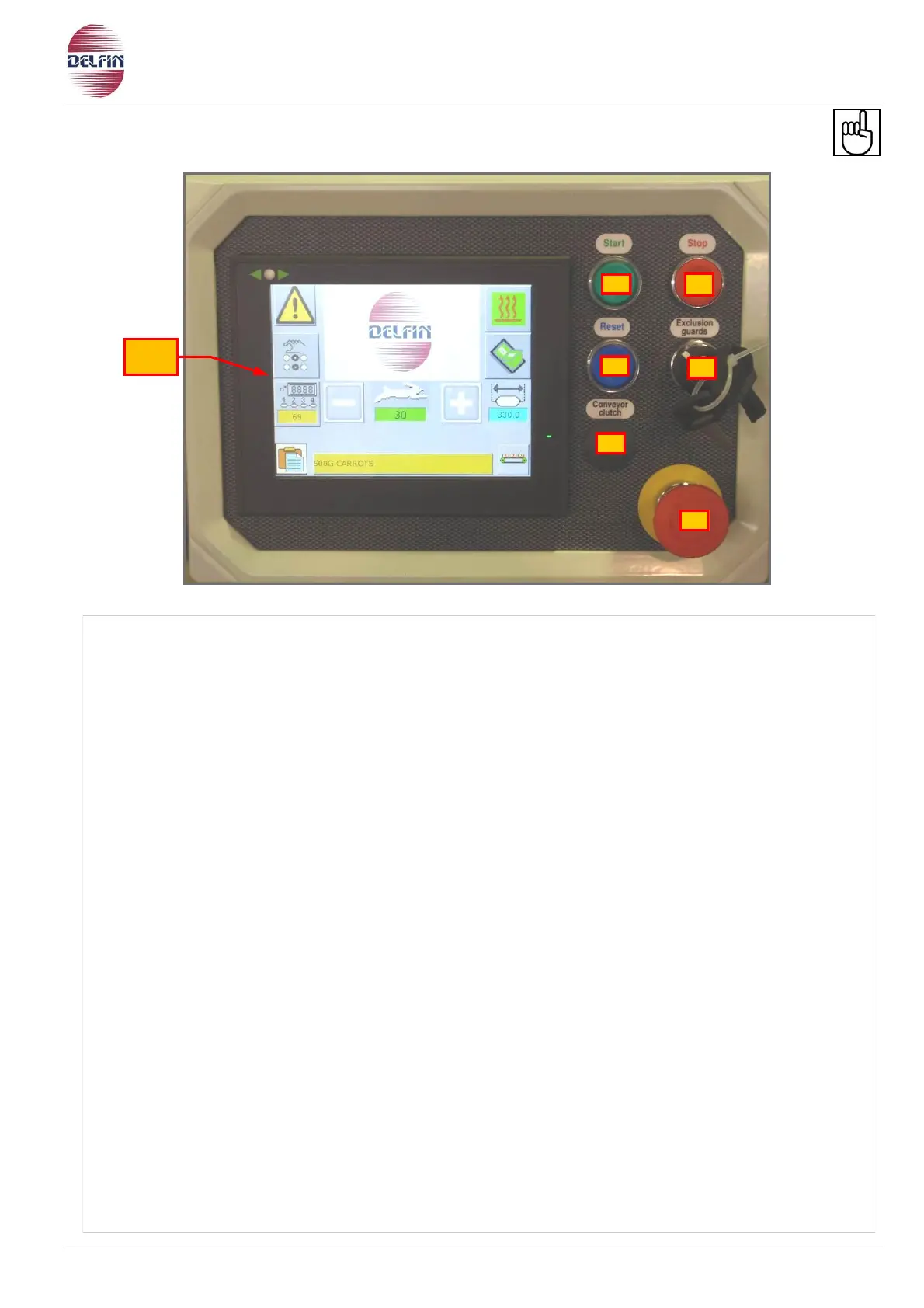
1) Touch screen.
2) Start button.
3) Stop button.
4) Re-set button.
5) Key selector for continues or impulse motion: When turned to the left the machine will run
in continues. Normally in this case once the machine is ready for the production the
personnel responsible for the setting up of the machine is to remove the key.
In this way if the operator opens a guard ext. the machine will come to an immediate halt;
conversely the machine will only run if the start button is kept pressed.
6) Free
7) Emergency stop button: Used to bring the machine to an immediate halt in case of an
emergency.


 To Next Page