Pag 19 / 154
Manuale Lyra 600 sx elettr eng
2.4 Description of the command/control and work stations
2.4.1 Control station
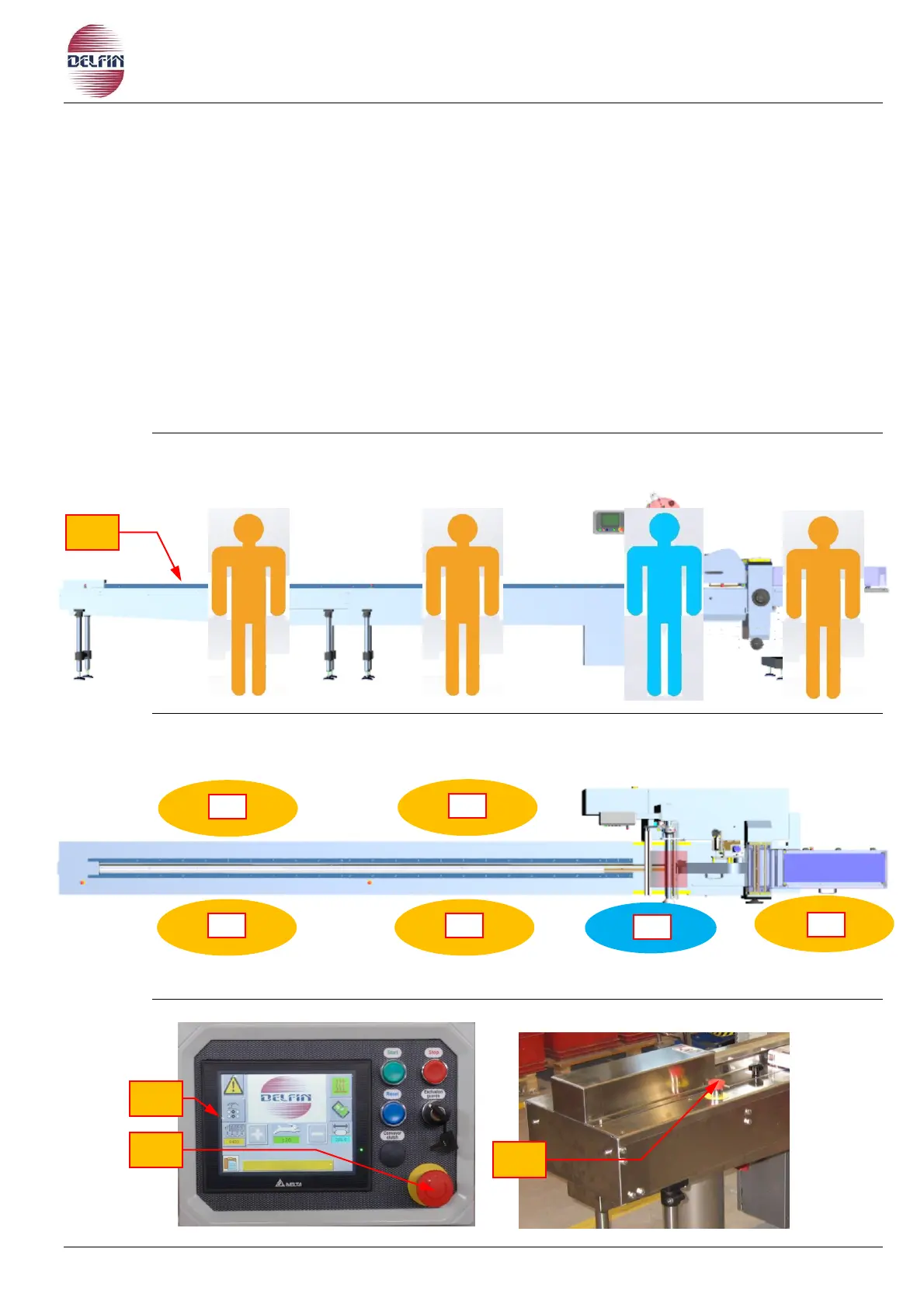
Il control station (PC fig. 2.4.1.1) is located on the front side of the machine, in front of
the control panel (1 fig. 2.4.1.1). From this position the operator commands and
controls the entire machine, sets the work parameters, recalls or edits the programs,
prepares the machine, and starts up the packaging cycle. The control panel is located
outside the machine work zone (Z fig. 2.3.1), therefore in a safe area, easily reached
and very much in view.
From the control station the operator has a complete view of the machine’s work zone (Z
fig. 2.3.1); and therefore can easily check whether or not there are people stationing
nearby or exposed at the time of startup and when the machine is working.
In case of danger, the operator may stop the machine through the emergency stop
button (2 fig. 2.4.1.1).
Fig. 2.4.1.1 Control and work stations


 To Next Page