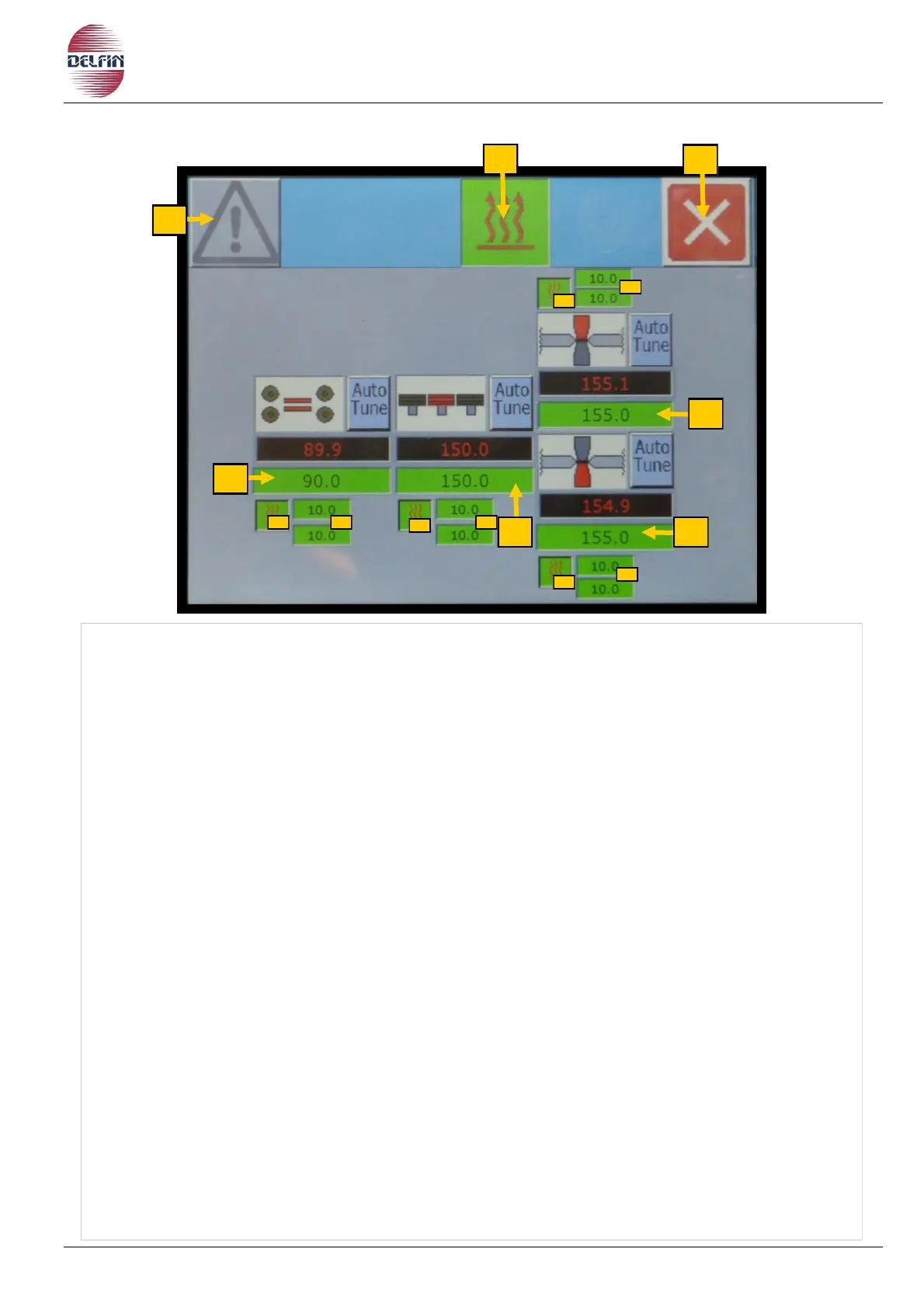
20.4 Temperature control page
1) Button position 1 to go to page with list of alarms. If an alarm is active the colour of the
triangle will be yellow
2) ON/OFF for the temperature controllers, Green colour indicates temperature controllers
are ON, and grey colour means they are OFF.
3) Button position 3 is to exit the page of the temperature controllers.
5) Position 5 is the temperature controller of the fin wheels
5A)
ON/OFF for the temperature controller of the fin wheels.
5B) Buttons to set the temperature range of the fin wheels at which the machine works.
7) Position 7 is the temperature controller of the skates.
7A) ON/OFF for the temperature controller of the skates.
7B) Buttons to set the temperature range of the skates at which the machine works.
8) Position 8 is the temperature controller of the upper transverse sealing jaw.
8A) ON/OFF for the temperature controller of the upper transverse sealing jaw.
8B) Buttons to set the temperature range of the
upper transverse sealing jaw
at which the
machine works.
9) Position 9 is the temperature controller of the bottom transverse sealing jaw.
9A) ON/OFF for the temperature controller of the bottom transverse sealing jaw.
9B) Buttons to set the temperature range of the
bottom transverse sealing jaw
at which the
machine works.
The temperature indicated by the red numbers is the actual temperature.
The temperature indicated by the green rectangle is the temperature imposed.


 To Next Page