Pag 57 / 154
Manuale Lyra 600 sx elettr eng
5 Controls
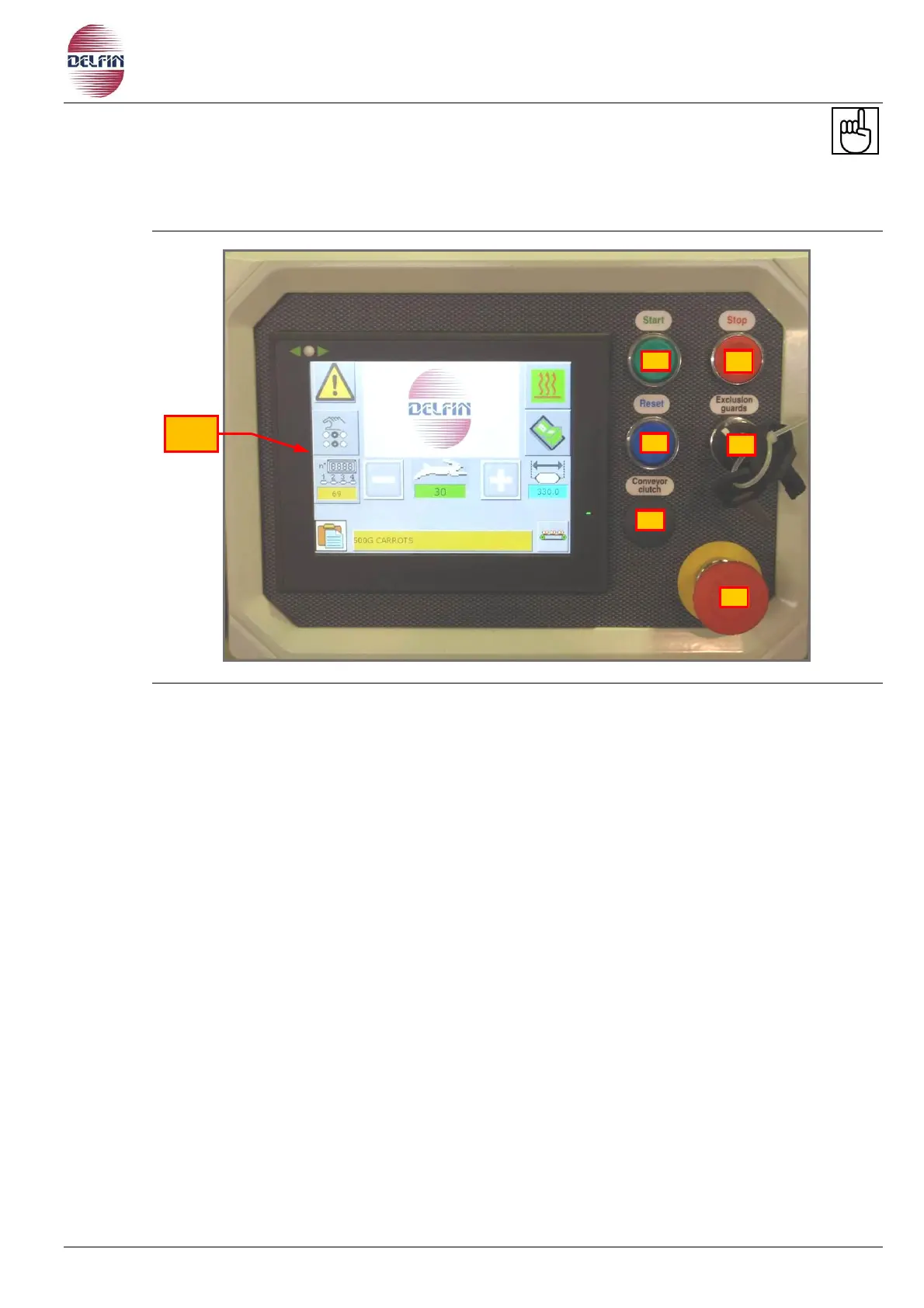
5.1 Touch screen control panel
Fig. 5.1.1 Touch screen control panel
1) Touch screen.
2) START BUTTON When pressed the button will light up and the machine start running at
the pre-selected speed. Turn the key to enable the machine operating before and hold
the button pressed until the machine starts running.
3) STOP BUTTON The button is pressed when you want to stop the machine during a
working cycle the button is not to be pressed in case of emergency. When you press this
button the machine will stop running if the machine is equipped whit a stop in phase of
the jaws, the machine will run until the jaws are in an open position, only then will the
machine stop. This feature is to avoid the heated jaws from remaining closed on the film
once the machine stops, and thus avoids the film from burning.
4) RESET BUTTON Press this button any time you need to reset the machine for example,
after an emergency stop (emergency stop button pressed), or after a safety guard has
been opened, after the safety clutch triggering or the motor heat control tripping ( Ask
the advice of electrician in the last case).
5) KEY SELECTOR TURNED TO THE RIGHT FOR JOGGING THE MACHINE. This function is
used to run the machine at low speed during setting operations (e.g. on tunnel, etc.).
Keep the START button pressed to set the machine into running mode. When this button
is released, the machine stops.
The machine can run only at a low safety speed pre-determined by the manufacturer.
When the key selector is set to this position, you can run the machine with the safety
guards open (if required for carrying out setting operations on the machine).


 To Next Page