Pag 98 / 154
Manuale Lyra 600 sx elettr eng
14 Adjustment of the bag length with print
‐
registered
film (optional)
ATTENTION
During this process the photocell is to be switched OFF
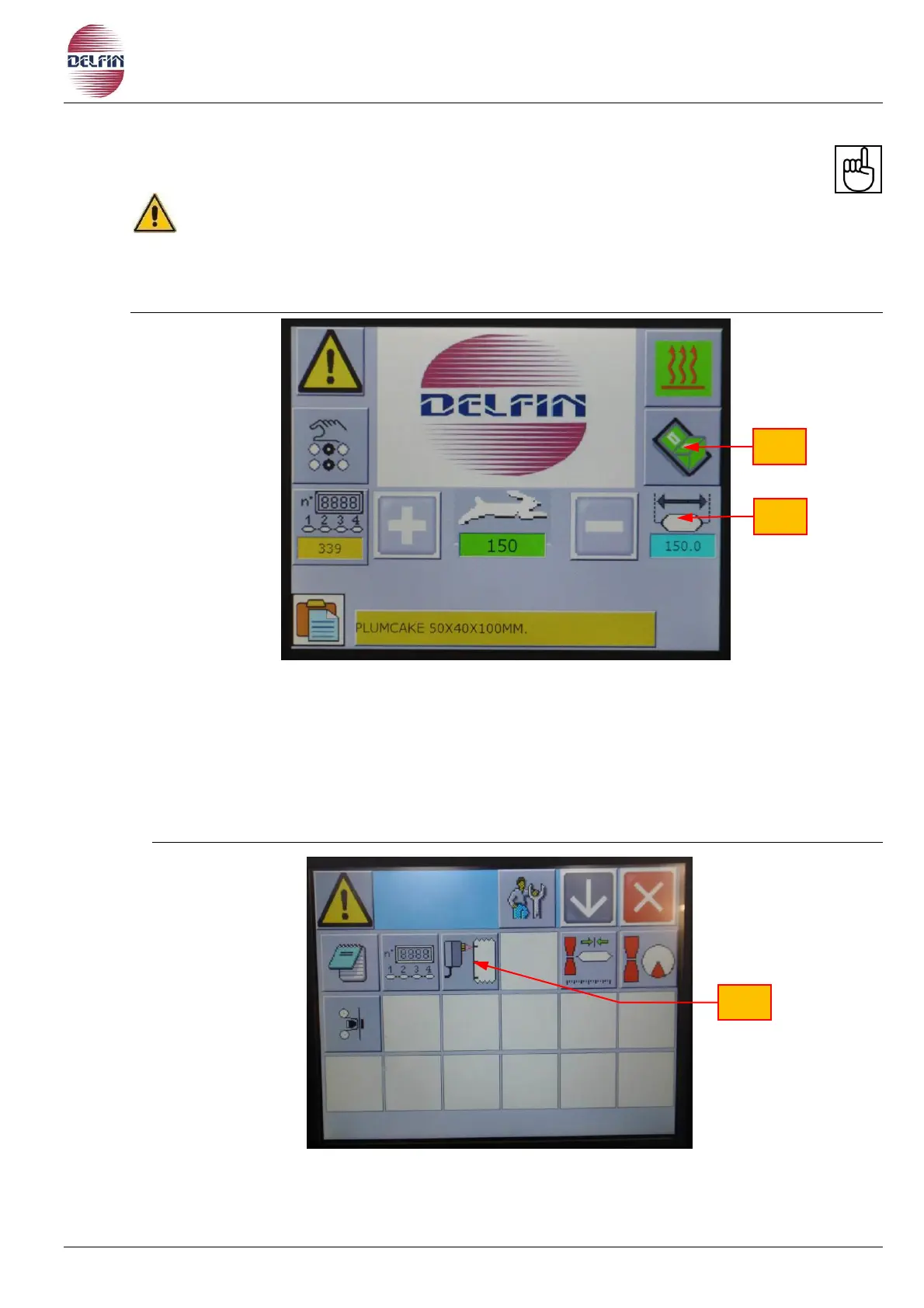
a) Select the HOME PAGE on the touch screen control panel (see photo below).
b) To adjust the length proceed as follows:
Press on position 1 in order to open a numerical table.
Digit the length according to the distance from notch to notch on the wrapping
material.
Press ENTER to confirm.
c) Produce some empty bags, and make sure that they are equal to the distance from one
notch to the other, if the length is not correct correct the value as explained above.
d) Push the button position 2 in order to open the page shown below in the photo.
e) Push the button position 3, the page relative to the photocell for print-registered film will
appear.


 To Next Page