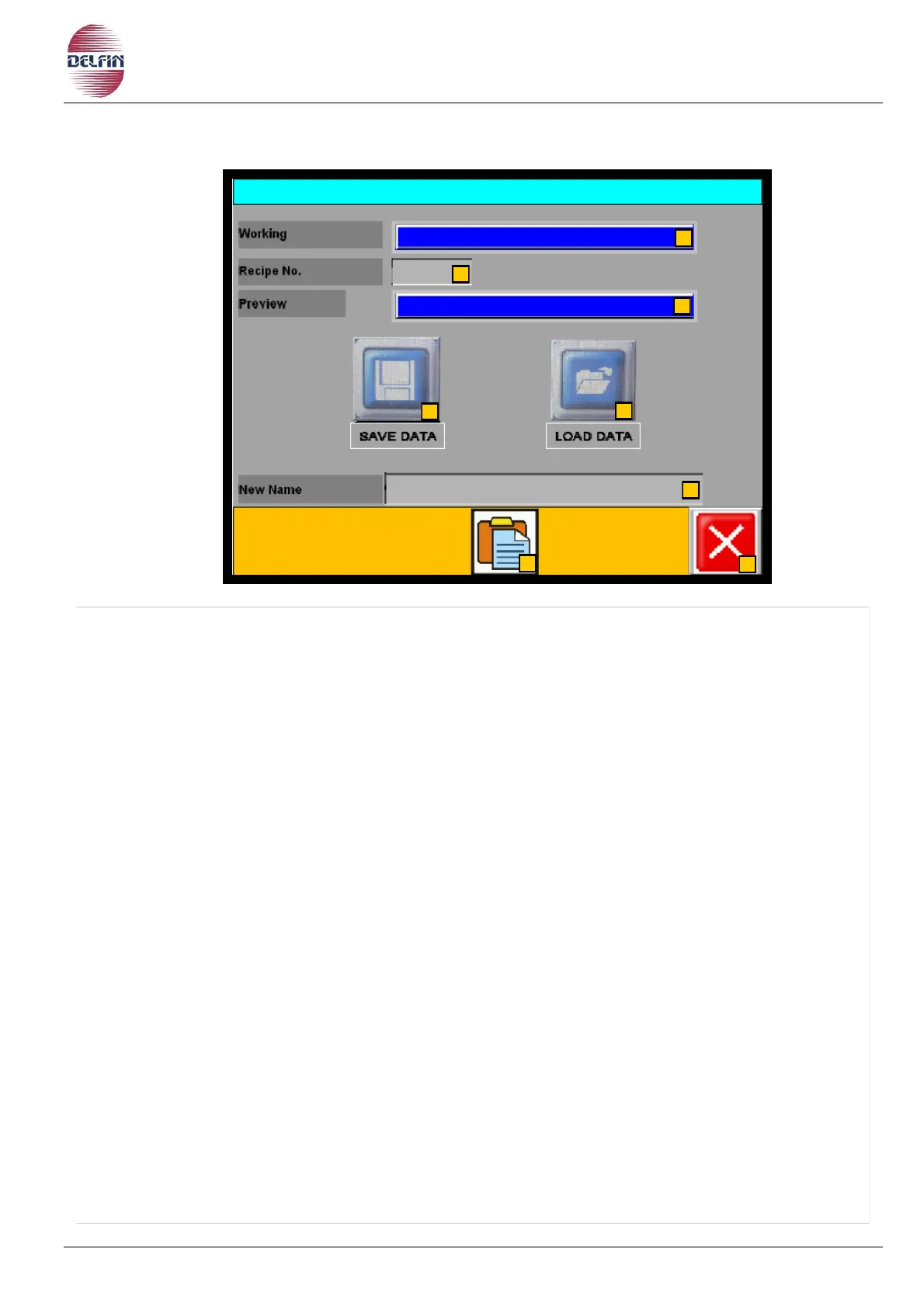
1) This box shows the actual recipe.
2) This box shows the number of the recipe selected.
3) This box shows the preview of the recipe selected.
4) Button to save a recipe.
5) Button to load a recipe.
6) Button to naming a new recipe.
7) Button to pass to the page of the list of recipes.
8) Button to close this page.
When you want to change to another recipe number proceed as follows:
Choose the recipe number in the recipe number box, position 2.
Load the recipe by pressing the button position 5.
ATTENTION! This operation must be carried out with the machine in stop.
Use the password 28028 to save / modify the recipes, when requested.


 To Next Page