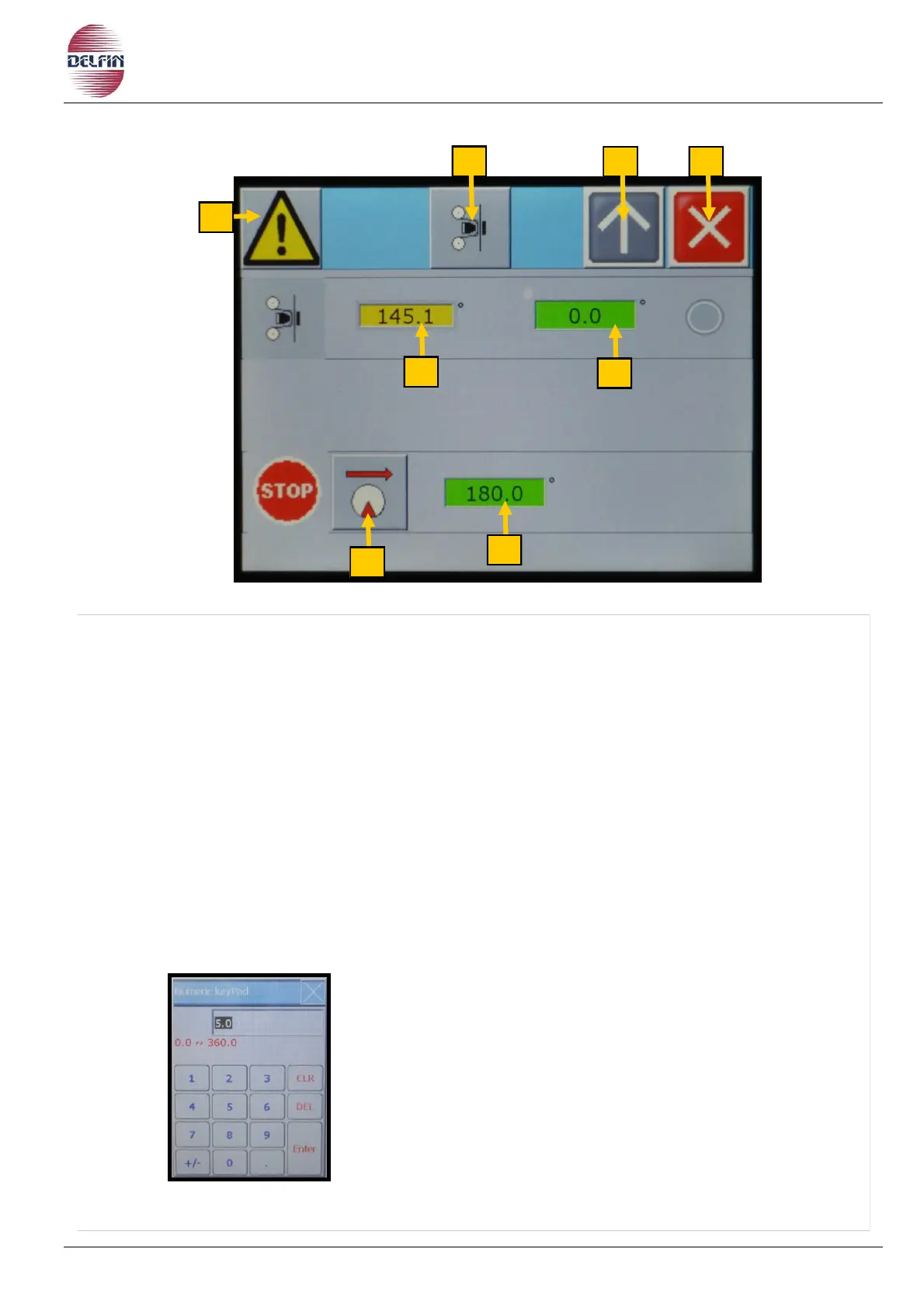
1) Button to go to the alarms page.
In the presence of an active alarm the color of the triangle button is yellow.
2) ON / OFF of the printer. Green button = ON, Gray button = OFF.
3) Button to return to the previous page.
4) Button to close this page.
5) See the position of the machine, value given in degrees.
6) Start printing after each machine cycle, a value expressed in degrees.
7) Button ON/OFF for phasing between printer and transversal cut-seal unit (if required).
8) Phasing adjustment, in cam degrees (if required).
To set the desired value, proceed as follows:
- Press the desired button.
- You will see a table of numbers, type the given.
- Confirm with Enter.


 To Next Page