Scanning 353
FILE LOCATION: C:\Users\fxstdpc-
admin\Desktop\0630_UG??\Mioga_AIO_UG_FM\Mioga_AIO_UG_FM\section19.fm
DELL CONFIDENTIAL – PRELIMINARY 9/13/10 - FOR PROOF ONLY
5
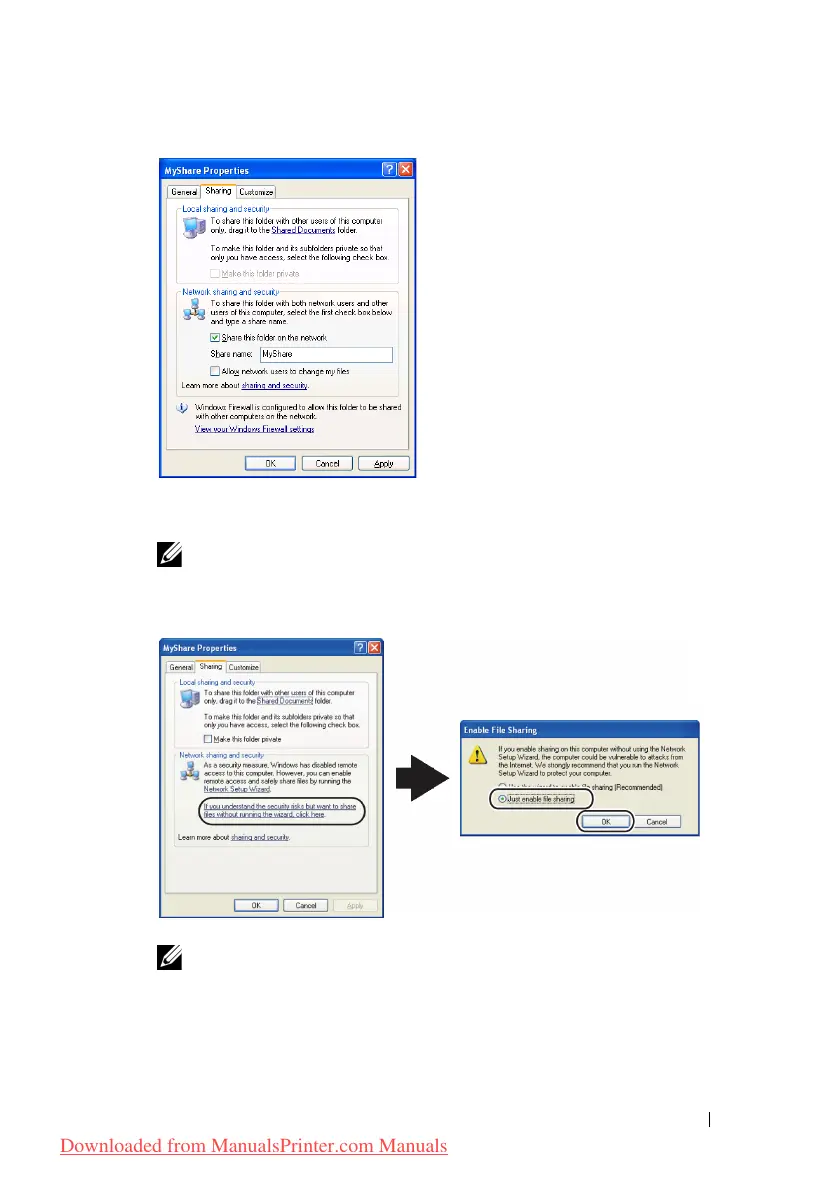
Select the
Allow network users to change my files
check box, and click
OK
.
NOTE: When the following screen appears, click If you understand the
security risks but want to share files without running the wizard, click
here, then select Just enable file sharing, and then click OK.
NOTE: To add sub-folders, create new folders in the shared folder you have
created.
For example:
Folder name:
MyShare,
Second-level folder name:
MyPic, Third-level
Downloaded from ManualsPrinter.com Manuals











 To Next Page