666 Clearing Jams
FILE LOCATION: C:\Users\fxstdpc-
admin\Desktop\0630_UG??\Mioga_AIO_UG_FM\Mioga_AIO_UG_FM\section30.fm
DELL CONFIDENTIAL – PRELIMINARY 9/13/10 - FOR PROOF ONLY
3
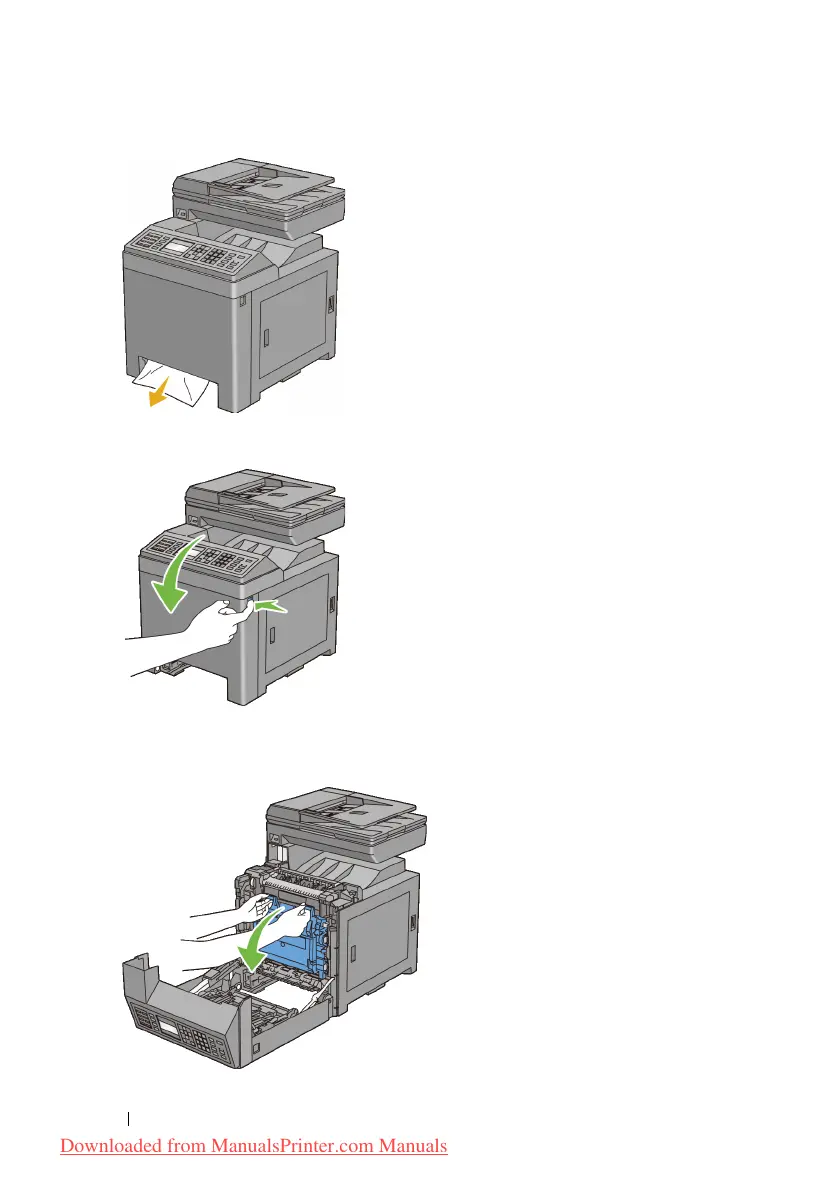
Push the side button to open the front cover.
4
Open the belt unit until it stops and remove the jammed paper. Confirm that
there are no scraps of paper remaining inside the printer.
Downloaded from ManualsPrinter.com Manuals











 To Next Page