FrameMaker Ver.5.5E(PC) DIS/REASSEMBLY, ADJUSTMENT FOR Di152/Di183
01.09.03
D-69
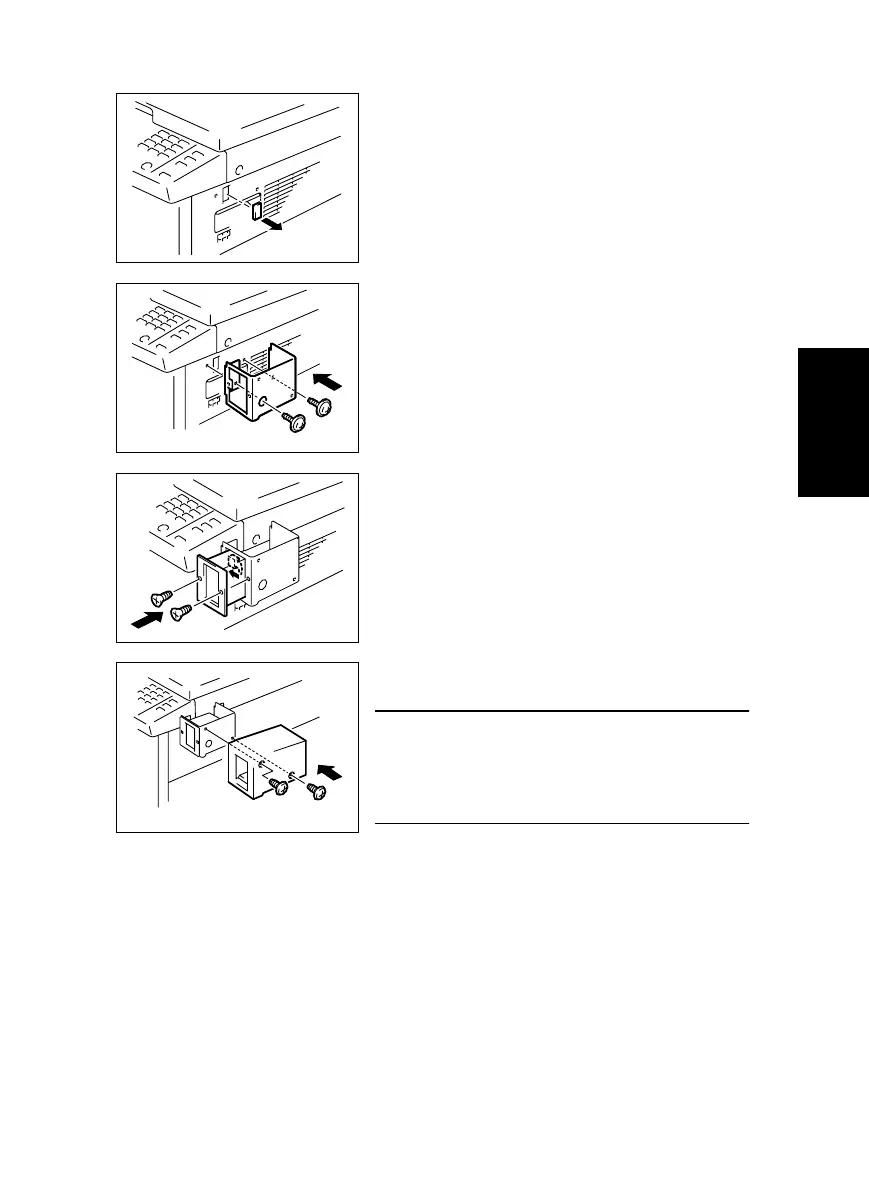
(2) Installation of the Plug-In Counter Socket (Option)
1. Cut out the knockout from the Right Cover.
2. Using two screws, secure the counter mounting
bracket.
3. Connect the Plug-In Counter Socket connector.
4. Using two screws, secure the counter socket.
5. Using two screws, secure the Plug-In Counter
cover.
NOTE
• When the Plug-In Counter Socket is mounted, set
“Plug-In Counter” of the Security mode to “1.” (For
details, see SWITCHES ON PWBs/TECH. REP.
SETTINGS.)



 To Next Page