FrameMaker Ver.5.5E(PC) DIS/REASSEMBLY, ADJUSTMENT FOR Di152/Di183
01.09.03
D-70
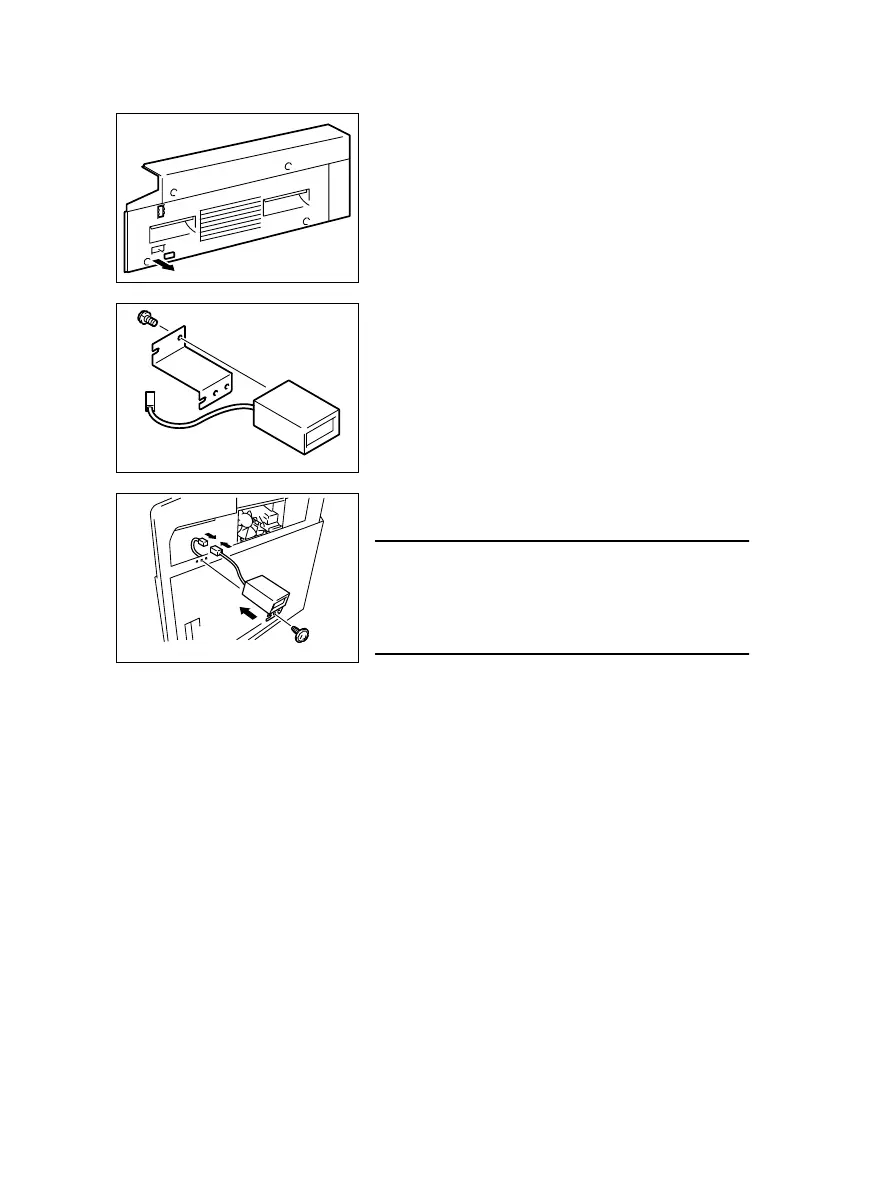
(3) Installation of the Mechanical Counter (Option)
1. Remove the control panel, Front Cover, Rear Cover, and Right Cover.
2. Cut out the knockout from the Right Cover.
3. Using one screw, secure the Mechanical Counter
to its mounting bracket.
4. Connect the Mechanical Counter connector.
5. Using one screw, secure the Counter Assy.
NOTE
• When the Mechanical Counter is mounted, set
“Mechanical Total Counter” of the Security mode to
“1.” (For details, see SWITCHES ON PWBs/
TECH. REP. SETTINGS.)



 To Next Page