User's Guide
- 23 -
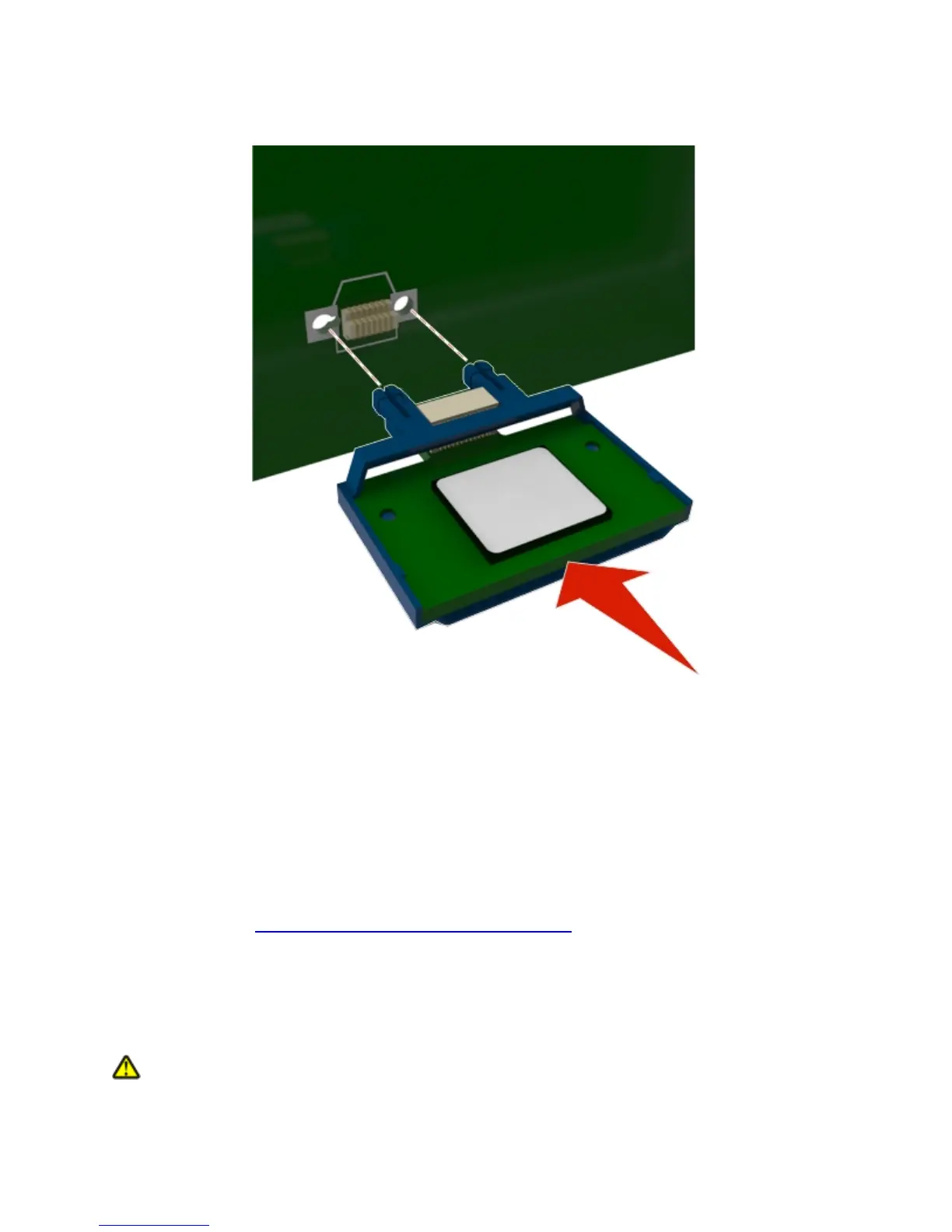
4. Push the card firmly into place as shown in the illustration.
Warning—Potential Damage: Improper installation of the card may cause damage to the card and
the controller board.
Note: The entire length of the connector on the card must touch and be flushed against the controller
board.
5. Close the controller board shield, and then the controller board access door.
Note: When the printer software and any hardware options are installed, it may be necessary to
manually add the options in the printer driver to make them available for print jobs. For more
information, see
Updating available options in the printer driver.
Installing hardware options
Order of installation
CAUTION—POTENTIAL INJURY: The printer weight is greater than 18 kg (40 lb) and requires two
or more trained personnel to lift it safely.



 To Next Page