User's Guide
- 27 -
- To uninstall the optional trays, slide the latch on the right side of the printer toward the front of the
printer until it clicks into place, and then remove stacked trays one at a time from the top to the
bottom.
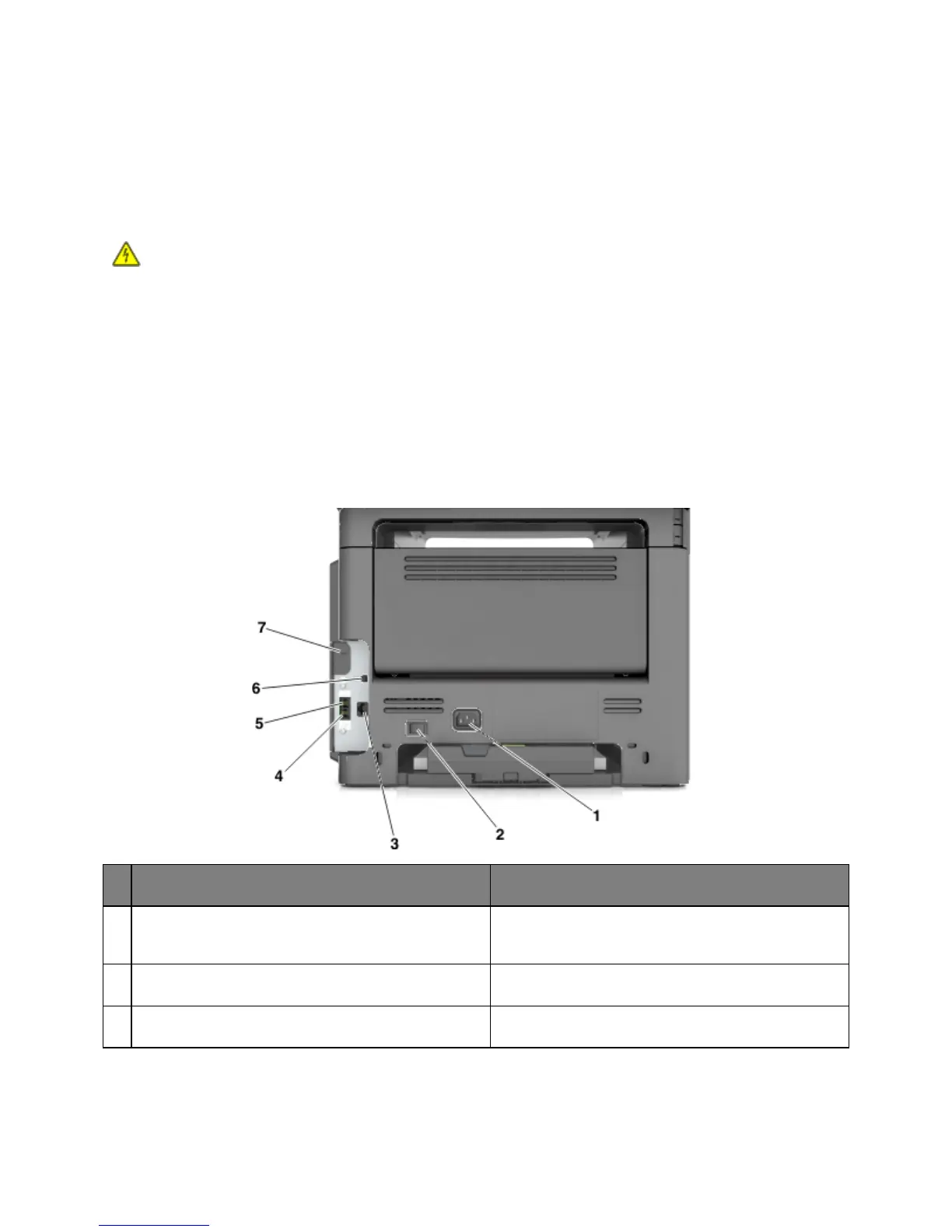
Attaching cables
CAUTION—SHOCK HAZARD: Do not use the fax feature during a lightning storm. Do not set up
this product or make any electrical or cabling connections, such as the fax feature, power cord, or
telephone, during a lightning storm.
Connect the printer to the computer using a USB cable or to the network using an Ethernet cable.
Make sure to match the following:
• The USB symbol on the cable with the USB symbol on the printer
• The appropriate Ethernet cable with the Ethernet port
Warning—Potential Damage: Do not touch the USB cable, any network adapter, or the printer in the
area shown while actively printing. Loss of data or a malfunction can occur.
Use the To
Printer power cord socket Connect the printer to a properly grounded electrical
outlet.
Power switch Turn the printer on or off.
Ethernet port Connect the printer to an Ethernet network.



 To Next Page