User's Guide
- 47 -
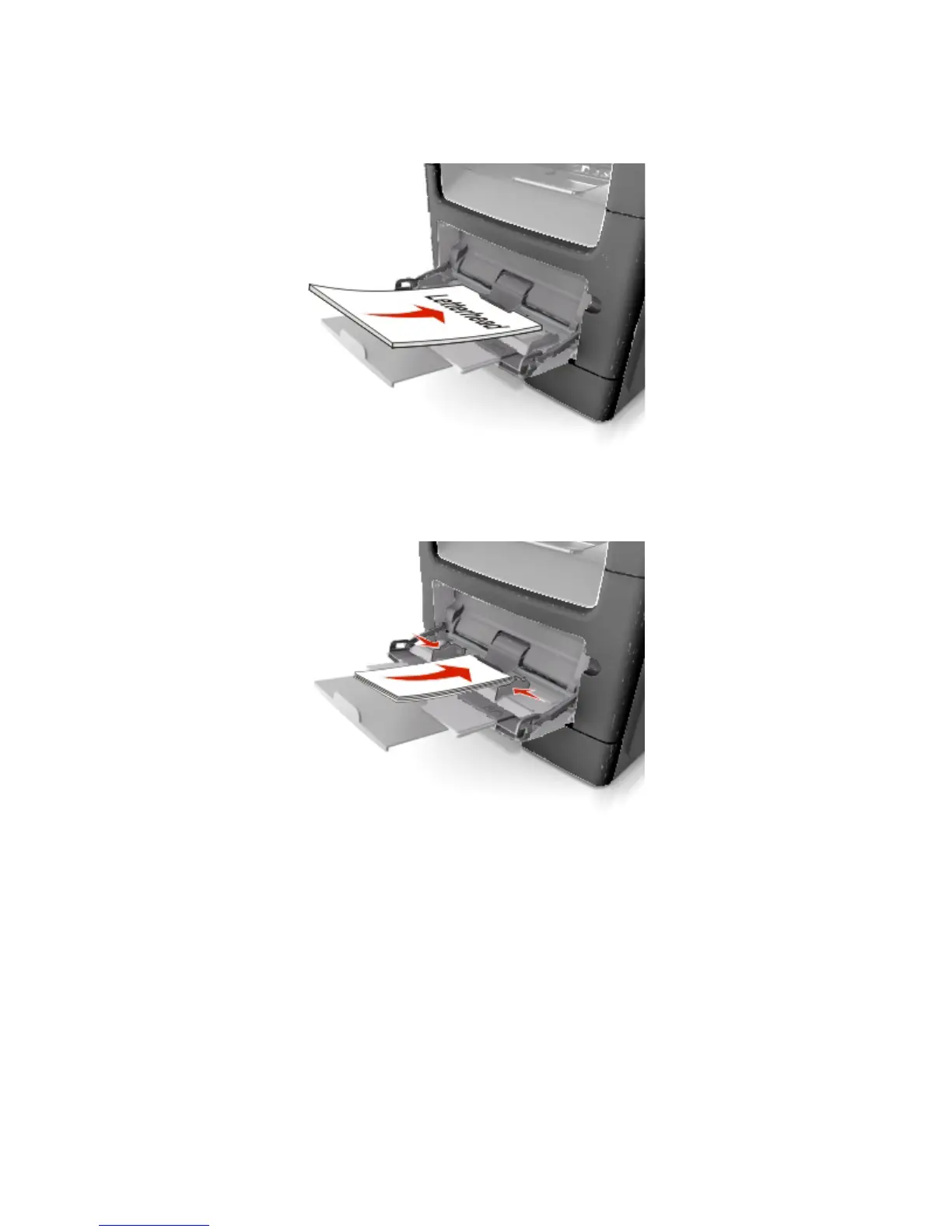
- Load letterhead faceup with the top edge entering the printer first. For two-sided (duplex) printing,
load letterhead facedown with the bottom edge entering the printer first.
- Load envelopes with the flap on the left side facedown.
Warning—Potential Damage: Never use envelopes with stamps, clasps, snaps, windows,
coated linings, or self-stick adhesives. These envelopes may severely damage the printer.
5. From the printer control panel, set the paper size and paper type in the Paper menu to match the
paper or specialty media loaded in the multipurpose feeder.
Linking and unlinking trays
When one linked tray becomes empty, paper feeds from the next linked tray. We recommended giving all
custom paper, such as letterhead and different colored plain papers, a different custom type name so that
the trays they are in do not automatically link.



 To Next Page