User's Guide
- 83 -
5. Click Submit.
Choosing a fax connection
Scenario 1: Standard telephone line
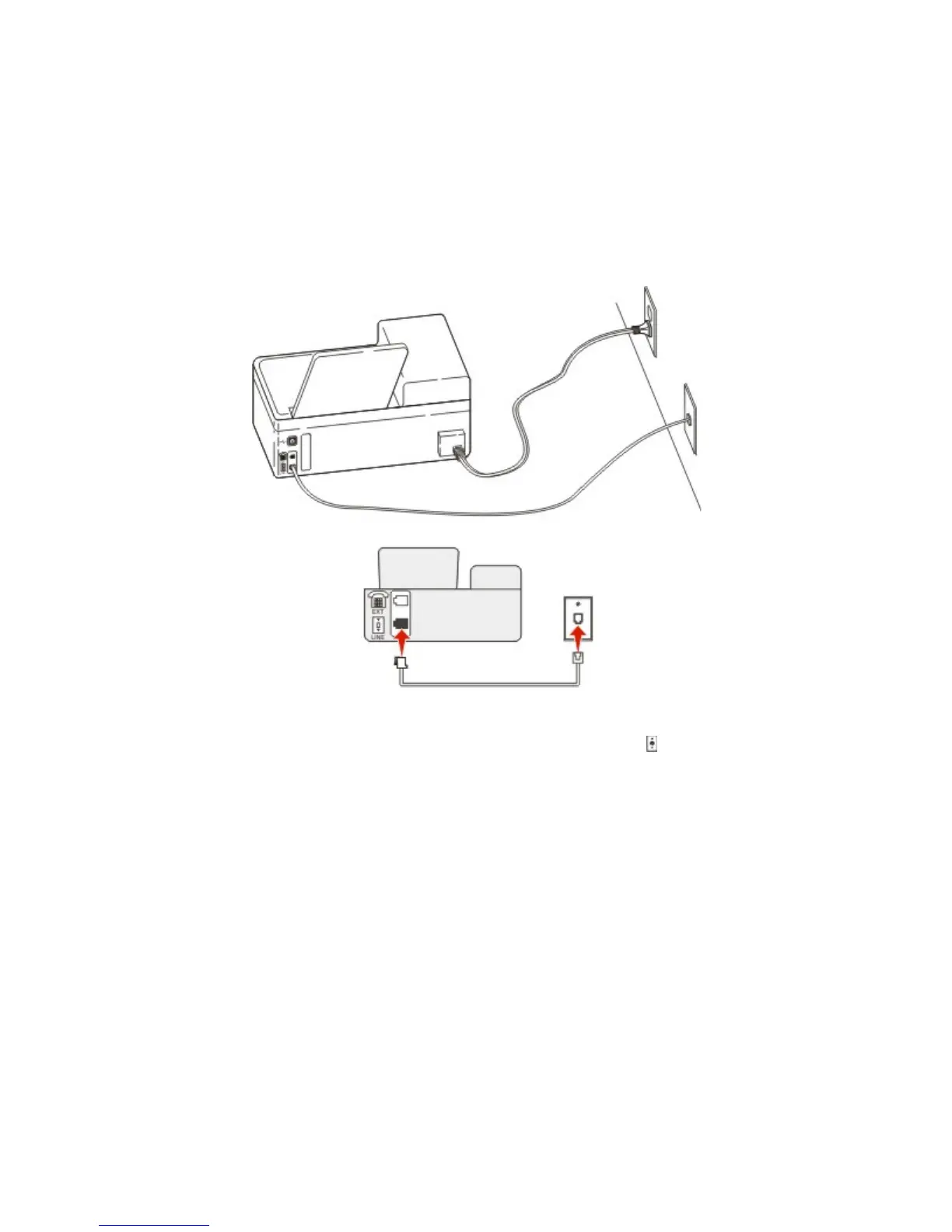
Setup 1: Printer is connected to a dedicated fax line
To connect:
1. Connect one end of the telephone cable that came with the printer to the
port of the printer.
2. Connect the other end of the telephone cable to an active analog wall jack.
Tips for this setup:
• You can set the printer to receive faxes automatically (Auto Answer On) or manually (Auto Answer
Off).
• If you want to receive faxes automatically (Auto Answer On), then set the printer to pick up on any
number of rings that you want.
Setup 2: Printer is sharing the line with an answering machine
Connected to the same telephone wall jack



 To Next Page