Subnetwork Installation Guidelines
146 ECLYPSE User Guide
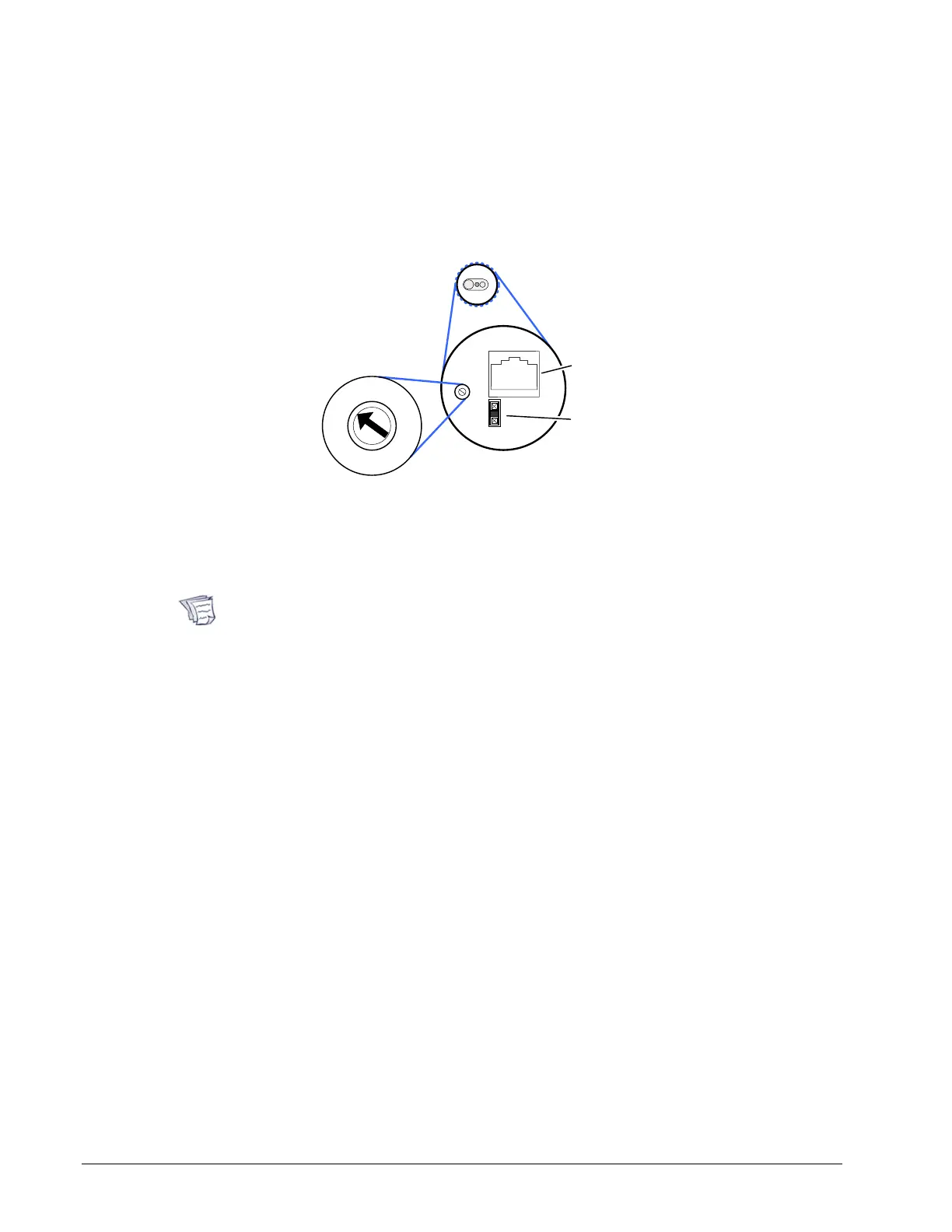
Setting the EC-Multi-Sensor Series’ Subnet ID
Address
Each EC-Multi-Sensor connected to a controller’s Subnet Port must be set to a unique
subnet ID address. This address should correspond to the block number of the associated
Multi Sensor block in EC-gfxProgram. The address is set through the rotary selector located
next to the Subnet Port connector.
Back of
EC-Multi-Sensor
EOL Jumper: EOL is enabled
when present; remove to
disable EOL
RJ-45 Subnet Connector
Set the Subnet
ID Address with
a Small
Screwdriver
1
0
2
3
4
5
6
7
8
9
Figure 12-11: Setting the EC-Multi-Sensor Series’ Subnet ID Address
Use a small screwdriver (for example, a precision or jeweler’s screwdriver) to set the
selector. Figure 12-11 shows an example of how to set the EC-Multi-Sensor Series’ Subnet
ID address DIP switch to 1 and the EOL termination is ON.
Once an EC-Multi-Sensor is installed, the following tip can be used during system
commissioning to verify if the EC-Multi-Sensor is set to the correct subnet ID
address for the zone in which it is physically located.
Run EC-gfxProgram in debug mode for the controller with 4 Multi Sensor block
instances, 1 to 4. Set a remote control to zone ID 0, then aim it at the
EC-Multi-Sensor and press a command (fan speed button for example). In
EC-gfxProgram, see which block instance shows an output (RemoteFanSpeed).
Usually it is easier to reassign Multi Sensor block numbers in EC-gfxProgram
code than it is to change the Subnet ID Address of an installed EC-Multi-Sensor.



 To Next Page