First Time Connection to an ECLYPSE Controller
ECLYPSE User Guide 55
To Router /
Next IP Device
To Next IP
Device
RJ-45
Connector
Cat 5e
Network
Cable
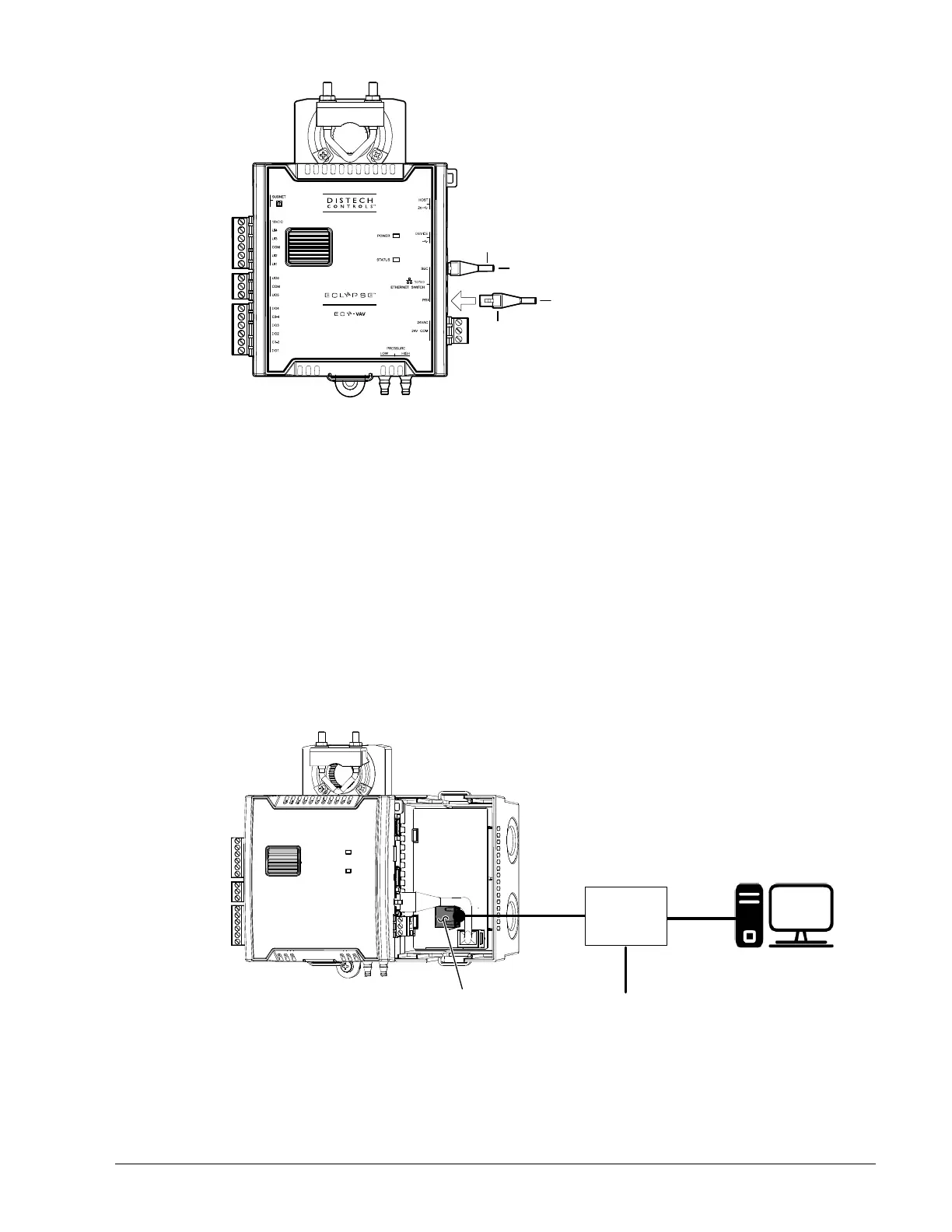
Figure 6-3: ECY-VAV Wired Network Connection: Cat 5e Cables with RJ-45
Connectors are used
2. Connect power to the controller(s). See the controller’s Hardware Installation Guide for
how to do so.
Network Connections for ECY-VAV-PoE Model Controllers
The ECY-VAV-PoE controller is powered through the Ethernet network cable by using a
technique called Power over Ethernet (PoE). A single network cable provides both data and
power to the controller.
The ECY-VAV-PoE Controller must be used with an IEEE 802.3at type 2 certified network
switch that can supply 25.5 W at the powered device. Each of the switch’s ports must be
configured for static (hardware) power negotiation (that is, Data Link Layer Classification is
not supported).
Connect your PC’s network card to the network PoE switch using a Category 5e Ethernet
cable as shown in Figure 6-4 and then connect the controller to the network PoE switch.
Network Data
Only
Network
Data
with PoE
PoE
Circuit
Board
PoE Network
Connection
Power
Network PoE
Switch
PC
Cat 5e
Network
Cable
Figure 6-4: ECY-VAV-PoE Wired Network Connection: Cat 5e Cables with RJ-45
Connectors are used
The network connection to each PoE controller must go straight to the network PoE switch.
Daisy-chaining controllers is not permitted.



 To Next Page