ECLYPSE Web Interface
80 ECLYPSE User Guide
Foreign Device Registration allows a BACnet/IP device to send
broadcast messages to a device with BBMD enabled. See Foreign
Device Settings on page 81.
To enable this feature, set Enable Foreign Devices on only one
device on each subnet.
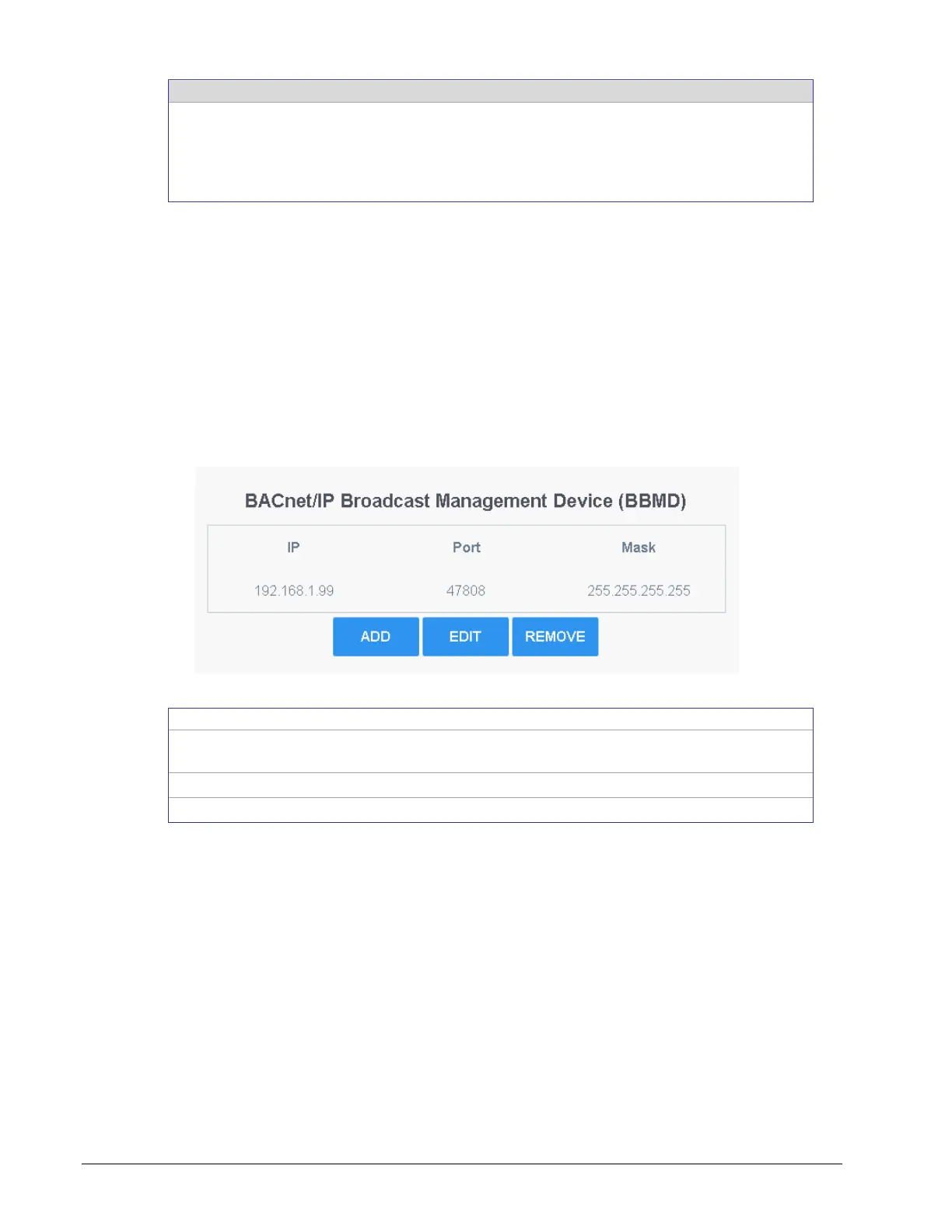
BBMD Settings
BACnet/IP devices send broadcast discovery messages such as “Who-Is” as a means to
discover other BACnet devices on the network. However, when there are two or more
BACnet/IP subnetworks, broadcast messages do not pass through network routers that
separate these subnetworks.
BBMD allows broadcast message to pass through a router: on each subnet, a single device
has BBMD enabled. Each BBMD device ensures BACnet/IP connectivity between subnets
by forwarding broadcast messages found on its subnetwork to each other, and then onto the
local subnetwork as a broadcast message.
In the BBMD table, add the BBMDs-enabled controllers of all other subnetworks.
Figure 8-10: BBMD Settings
Add another subnetwork’s BBMD to this controller’s a Broadcast
Distribution Table.
Edit a BBMD’s information.
Remove a BBMD from this controller’s Broadcast Distribution Table.



 To Next Page