ECLYPSE Web Interface
84 ECLYPSE User Guide
Firmware Update
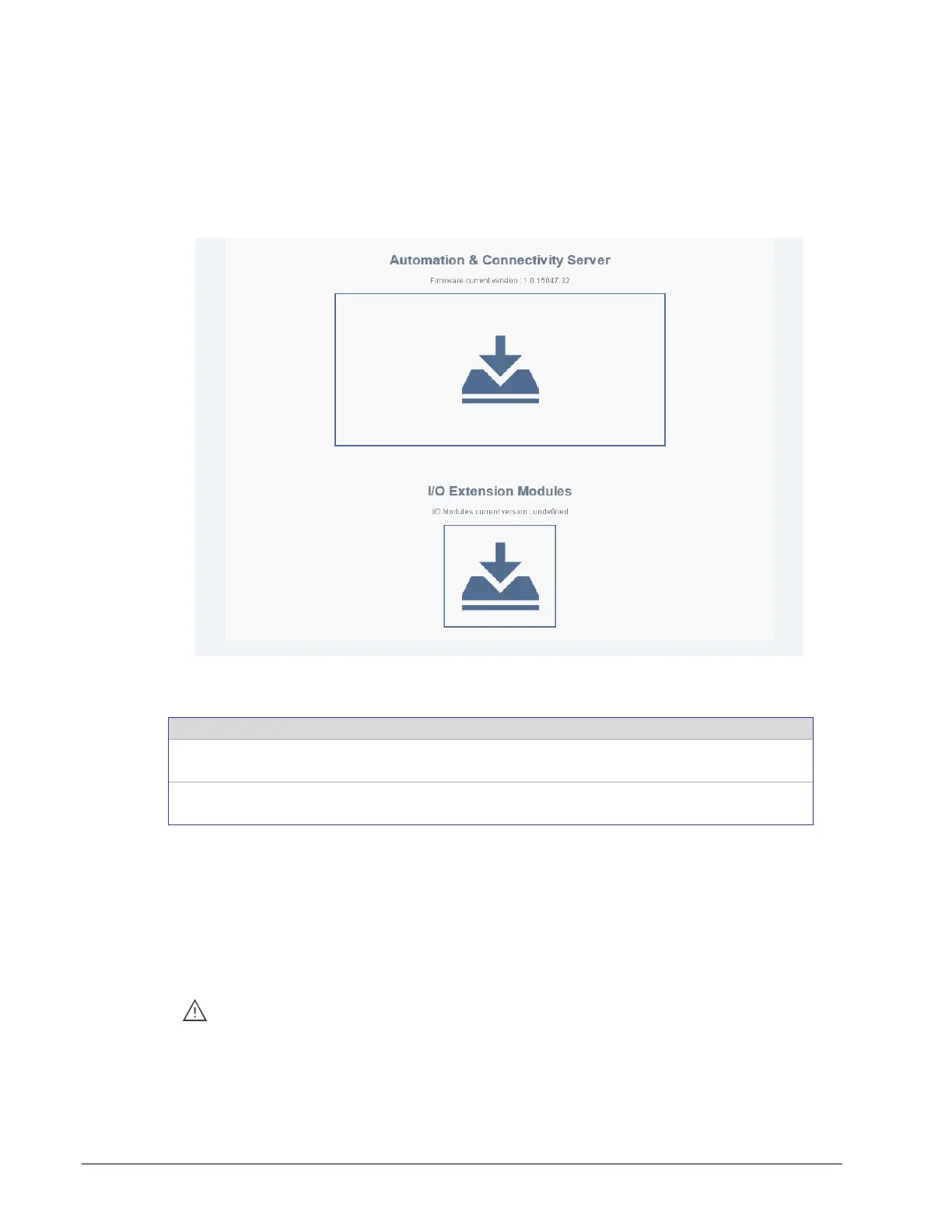
The controller’s firmware can be updated through the Web Update file upload interface. The
firmware can be uploaded for:
The ECLYPSE series controller under the “Automation & Connectivity Server” icon.
The ECY Series Controller’s I/O modules under the “I/O Extension Modules” icon.
Figure 8-15: The Web Update File Upload Interface
The following firmware upload options are available.
Automation &
Connectivity Server
Use this option to update the ECY series’ firmware.
Use this option to update the Connected System Controller’s I/O
modules’ firmware.
Two file upload methods are supported:
Click the box to open the File Upload window. Find the firmware file on your PC and
click Open.
In Windows Explorer, find the firmware file on your PC and drag and drop it onto the
firmware update icon.
The file upload starts and the firmware upgrade then starts. Once the upgrade is complete,
the controller will reboot.
Do not remove power from the controller or interrupt the network connection to
the controller during the firmware upgrade process. Failing to do so may render
the controller unusable.



 To Next Page