Subnetwork Installation Guidelines
ECLYPSE User Guide 147
Setting the ECx-Light and ECx-Blind Series’ Subnet
ID Address
Each ECx-Light and ECx-Blind Series’ connected to a controller’s Subnet Port must be set
to a unique subnet ID address. The address is set through the DIP switch located next to the
Subnet Port connectors.
↓
O
N
1 2 3 4
↓
O
N
1 2 3 4
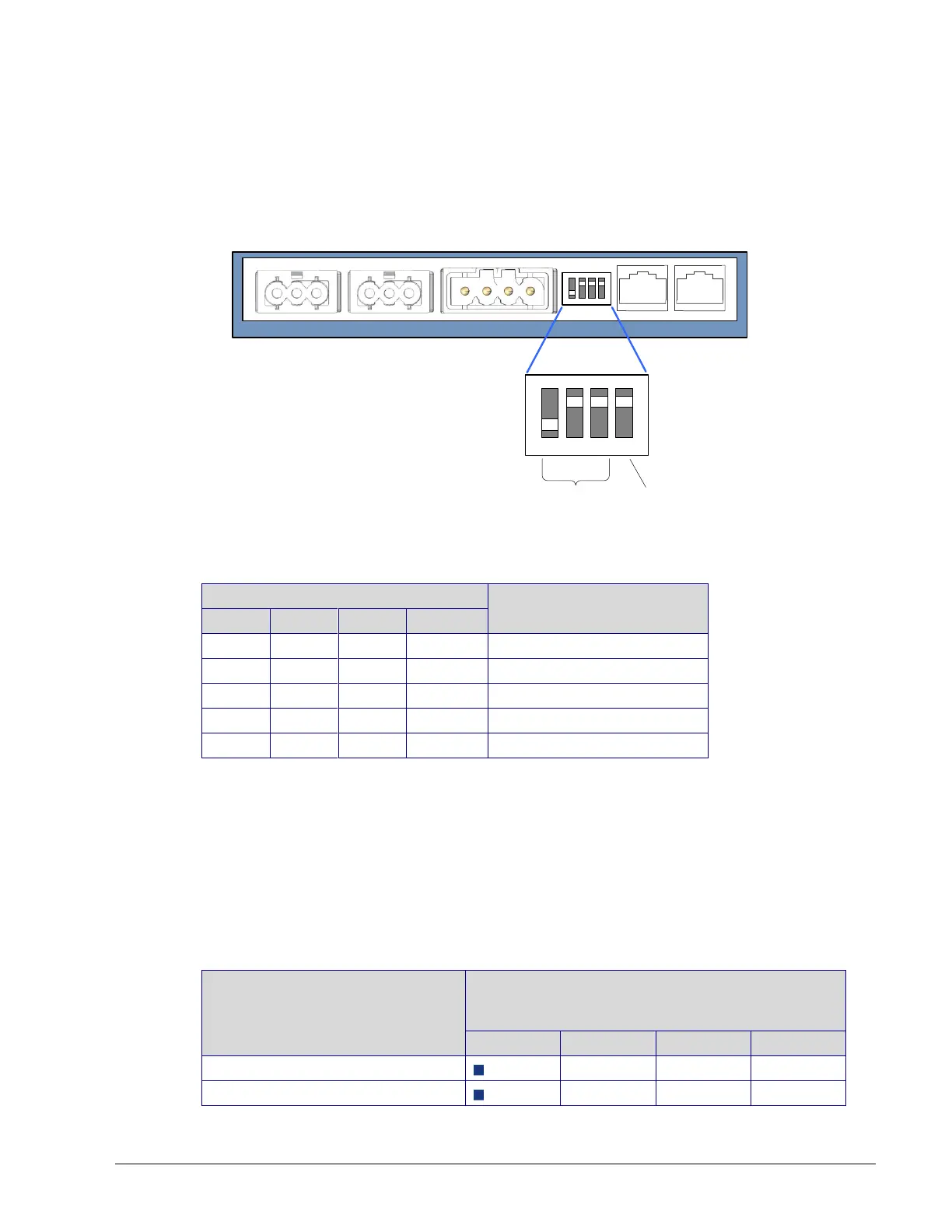
Side view of ECx-Light or ECx-Blind Series Module
(typical)
Set the Subnet
ID Address
EOL
Termination
MAC
Figure 12-12: Setting the ECx-Light and ECx-Blind Series’ Subnet ID Address
(Typical)
Expansion Module’s
Subnet ID (MAC) Address
Table 12-8: ECx-Light and ECx-Blind Series’ Subnet ID Address DIP Switch
Settings
Figure 12-12 shows an example of how to set the ECx-Light and ECx-Blind series’ Subnet
ID address DIP switch to 1 and how to set the EOL termination to OFF.
Auto-assigned Subnet ID Address for Light and Blind Expansion Modules
Often only one type of expansion module is connected to the controller; for example, one
ECx-Light-4 and one ECx-Blind-4 model. By leaving the Subnet ID address DIP switch at 0
(factory default position) for these two expansion modules, the ECx-Light and ECx-Blind
room device sets its own Subnet ID Address according to its model type so no configuration
is necessary.
Expansion Module Model Type
Auto-assigned Subnet ID Address when the
expansion modules’ MAC DIP Switch is set to 0
(factory default position)
ECx-Light-4 (4 lights 230V)
ECx-Light-4DALI (4 DALI buses)



 To Next Page