Connecting IP Devices to an IP Network
ECLYPSE User Guide 47
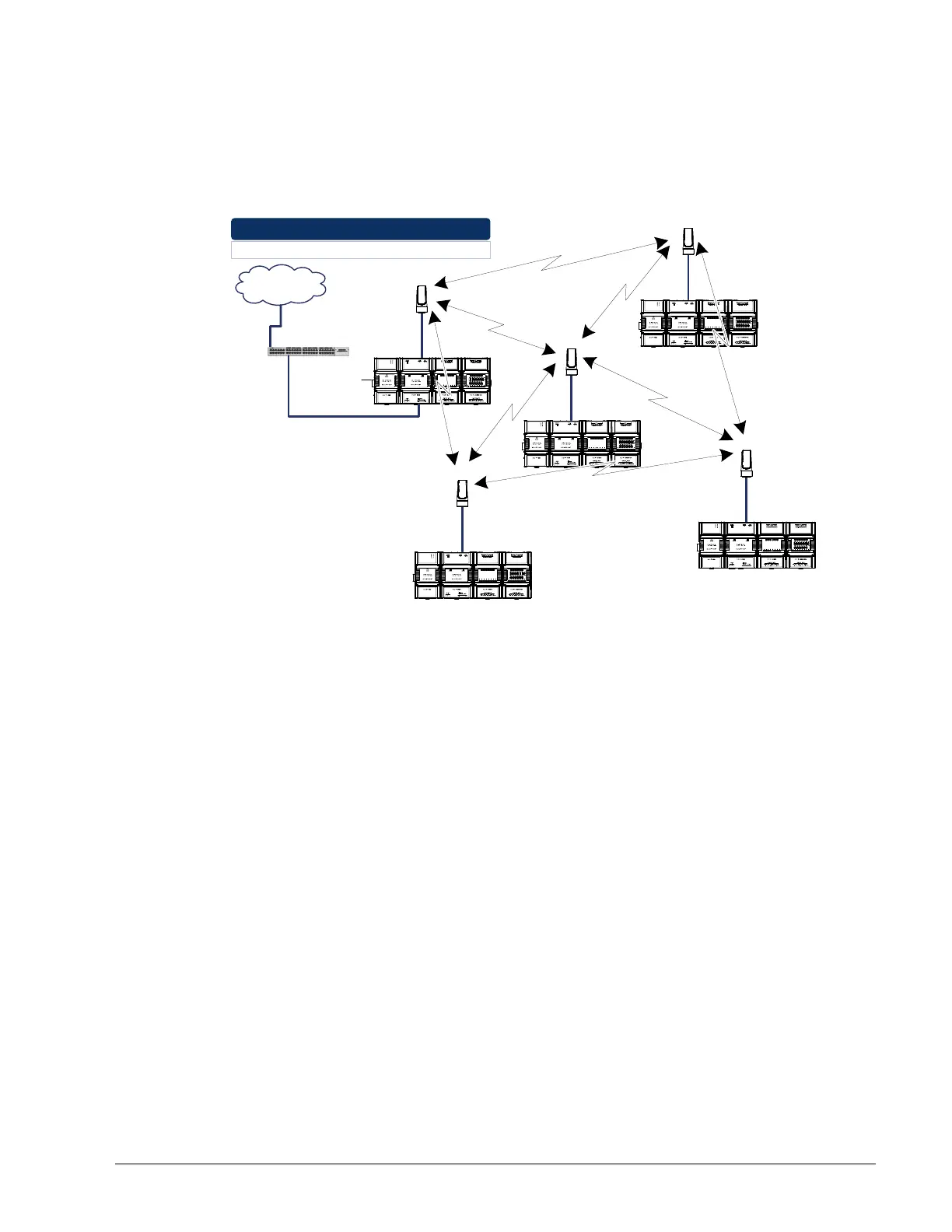
Mesh Network
A mesh network increases communication reliability and provides redundancy. When one
node drops out, the remaining nodes can still communicate with each other, either directly or
through one or more intermediate nodes, thus allowing the mesh network to self-heal,
resulting in increasing network availability. To configure the Wi-Fi mesh connection mode,
see Setting up a Wi-Fi Mesh Wireless Network on page 101.
Router
Internet
Controller-to-Controller Wi-Fi Mesh Interconnection:
Use Wi-Fi Mesh to Wirelessly Connect other Controllers
Controller Interconnection
Through Wi-Fi Mesh
Wired-to-
Wireless Bridge
Figure 5-22: A Mesh Network Increases Wireless Communication Reliability
Avoid Network Broadcasts with a Mesh Network
When ECLYPSE controllers are connected in a Wi-Fi mesh network, it is best to prevent
broadcast packets from being sent across a Wi-Fi mesh network. The following are the
most common sources of network broadcast messages.
PCs are continuously looking for services (printers, file servers, etc.) and each other
on the network. The solution is to use a router to separate networks for ECLYPSE
controllers that use a Wi-Fi mesh from PC networks: put the PCs on the WAN side
of the router with the controllers on the LAN side of the router.
BACnet controllers broadcast notification messages and network time updates. A
broadcast from a BACnet MS/TP controller will be rebroadcasted on the BACnet/IP
network by an ECLYPSE Connected System Controller. If the IP network has
ECLYPSE controllers that use a Wi-Fi mesh, make use of BACnet Broadcast
messages as infrequently as possible, whether the BACnet Broadcast message
comes from a BACnet MS/TP or BACnet/IP controller.



 To Next Page