Configuring the ECLYPSE Wi-Fi Adapter Wireless Networks
ECLYPSE User Guide 97
Setting up a Wi-Fi Client Wireless Network
This connects the controller as a client of a Wi-Fi access point. See Wi-Fi Client Connection
Mode on page 45 for more information.
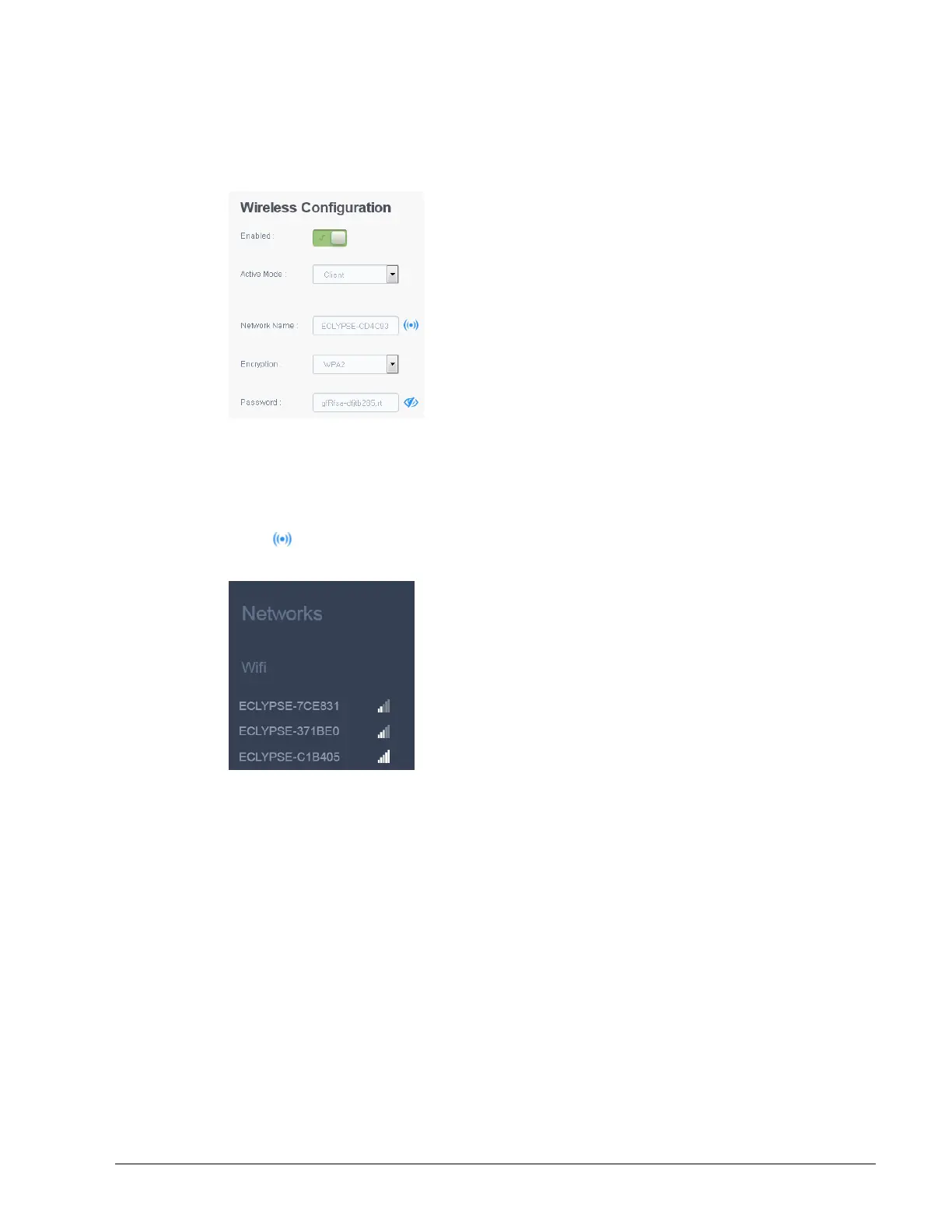
Figure 9-1: Client Wireless Network Settings
Configure the controller’s ECLYPSE Wi-Fi adapter mode as a Wi-Fi client as follows.
1. Set Enabled.
2. Set the Active mode to Client.
3. Click for the controller to search for available access points that are within range.
The access points are listed on the right.
Figure 9-2: List of Available Access Points to Pair With
4. Select an access point to pair with from the access point list. The Encryption mode is
provided by the access point.
5. Set the access point’s authentication password in Password. This password is set in the
access point’s (or wireless router’s) configuration.
6. Click Apply.



 To Next Page