Connecting IP Devices to an IP Network
36 ECLYPSE User Guide
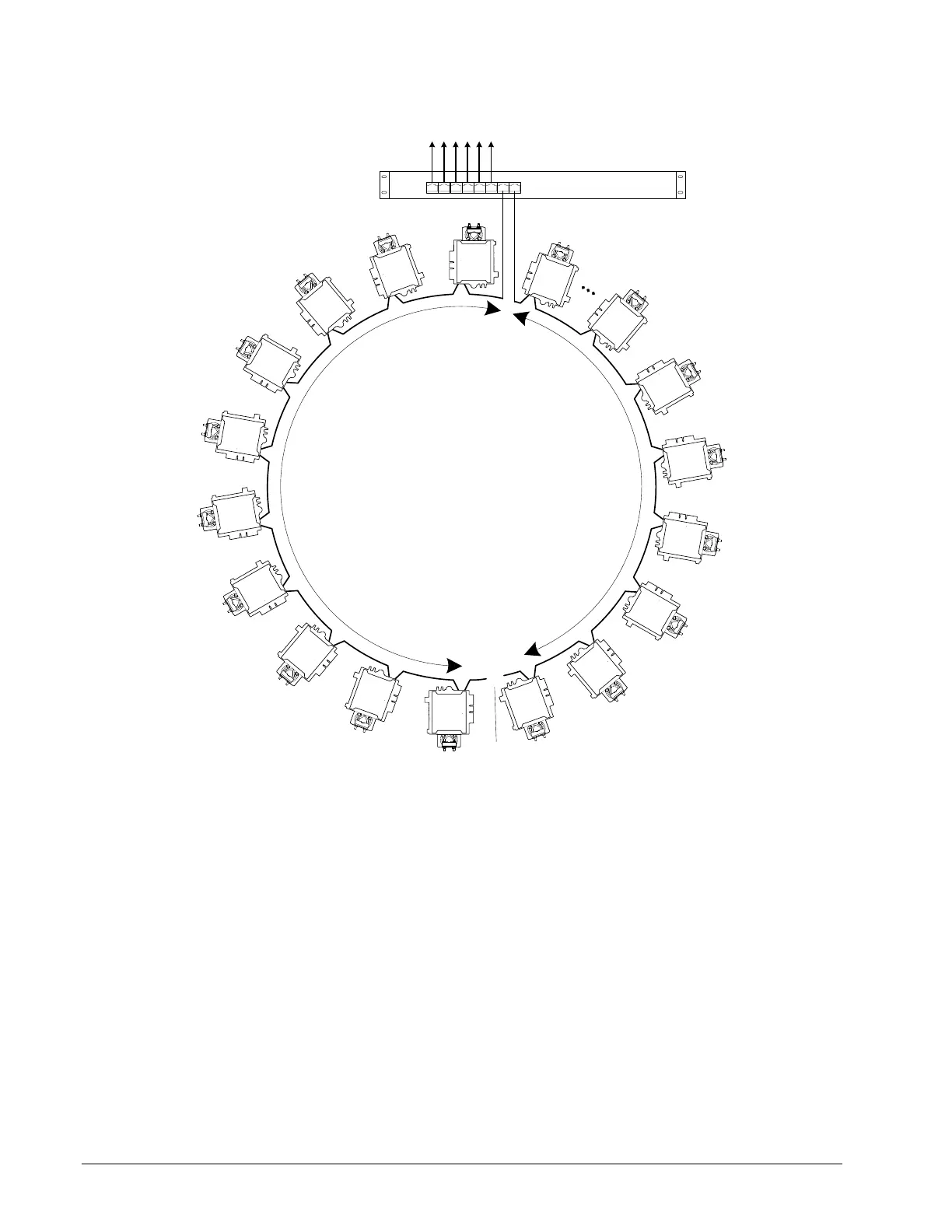
When a network wire is cut, the ring is split into two – the switch / router automatically
enables the port to maintain service. This is shown below.
The Port is Automatically Enabled
To Other IP Devices
Wired Router / Switch
Daisy-Chained BACnet/IP
Controllers
X
Cut Network Wire
Figure 5-5: Wired Network Connection: Spanning Tree Protocol – Failover
Operation
The switch / router can be configured to send an email message when port blocking is
disabled thus signaling that a network wire has been cut.
Connecting the Network Cable to the ECLYPSE Controller
To connect controllers to an Ethernet network and then discover them, see First Time
Connection to an ECLYPSE Controller on page 52.



 To Next Page