First Time Connection to an ECLYPSE Controller
ECLYPSE User Guide 57
Wi-Fi Network Connection
Once the ECLYPSE Wi-Fi Adapter has been connected to a powered controller, a Wi-Fi
hotspot becomes available that allows you to connect to the controller’s configuration Web
interface with your PC.
On your PC’s wireless networks, look for an access point named ECLYPSE-XXYYZZ where
XXYYZZ are the last 6 hexadecimal characters of the controller’s MAC address. To find the
controller’s MAC address, see Controller Identification on page 53. The default password for
the wireless network is: eclypse1234
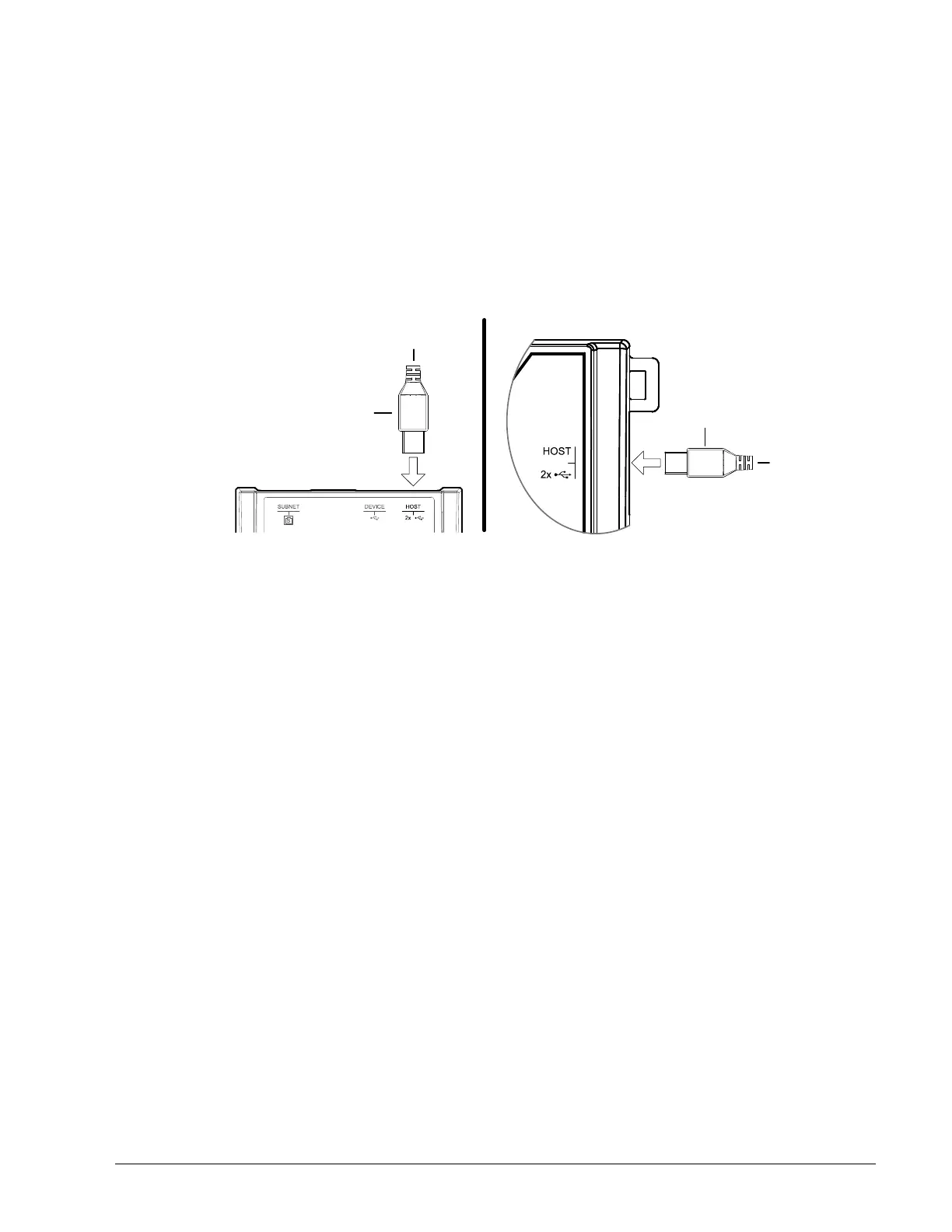
Either of the controller’s two USB HOST ports can be used to connect the wireless adapter.
Cable Assembly
USB Plug
To Wireless
Adapter
Connected System Controller
Connected VAV Controller
Cable Assembly
USB Plug
To Wireless
Adapter
Figure 6-5: Connecting the Wireless Adapter to the Controller’s USB HOST Port



 To Next Page