ECLYPSE Web Interface
70 ECLYPSE User Guide
Web Configuration Interface
This allows you to view and set the controller’s configuration settings including its IP
address, Wi-Fi settings, and to update the controller’s firmware. These configuration
parameters are password protected.
Main Screen
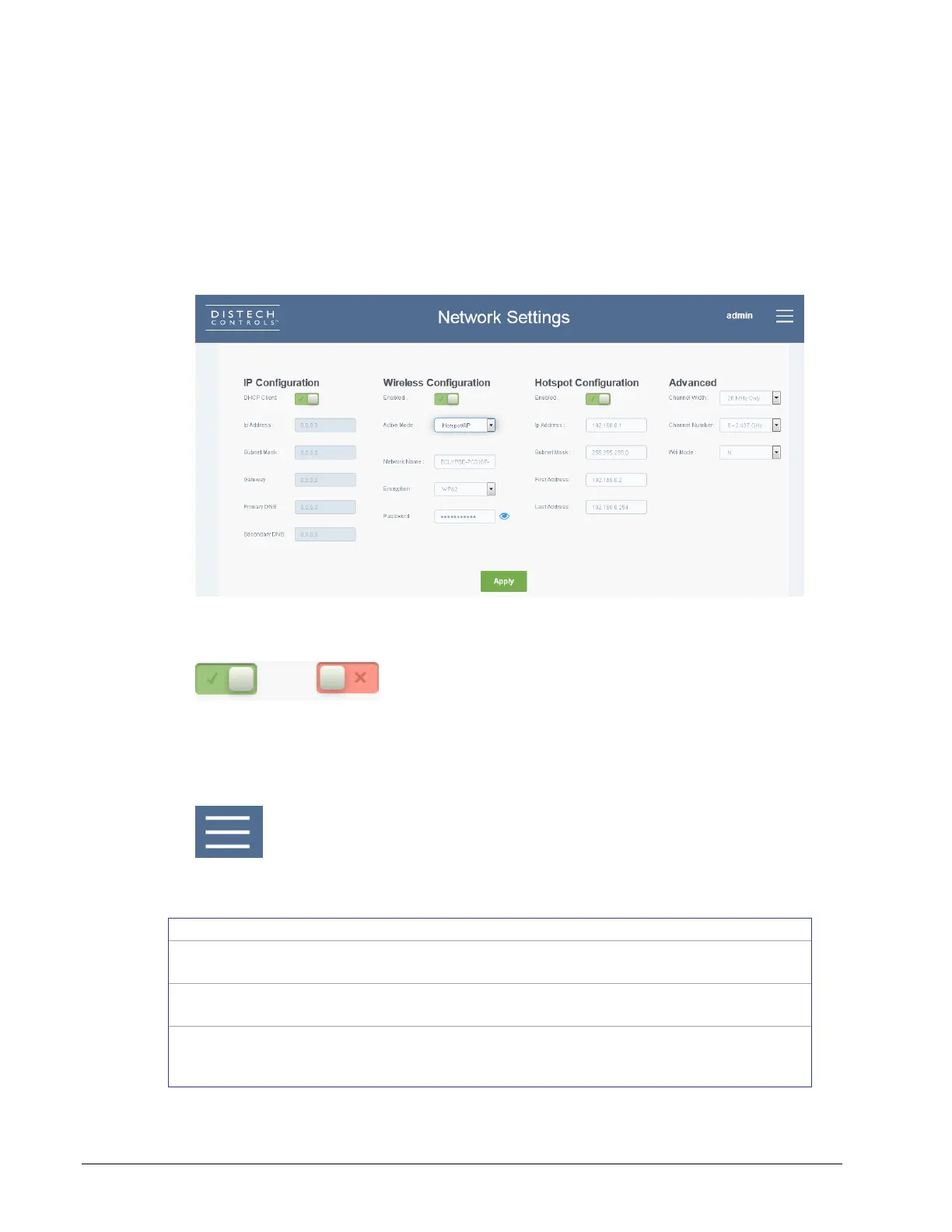
The ECLYPSE controller’s network interface and wireless configuration parameters are
configured through this web interface.
Figure 8-3: Network Settings
Certain settings are enabled and disabled as follows.
Figure 8-4: Setting Enabled on Left and Disabled on Right
Menu Button
In the upper right corner is the menu button.
Figure 8-5: The Menu Button
The menu button displays the following menus:
This is where wired and wireless network
configuration parameters are set.
Network Settings on
page 72
This is where the BACnet interface parameters
are set.
BACnet Settings on
page 77
This allows you to update the controller’s or IO
Module’s firmware by uploading a ZIP or DFF
file to the controller.
Firmware Update on
page 84



 To Next Page