IPv4 Communication Fundamentals
ECLYPSE User Guide 19
DHCP versus Manual Network Settings
The following methods can be used to set the network settings:
Manually set network settings allow precise control over the network’s configuration.
This option may require an in-depth understanding of arcane networking details –
much of which is covered in this guide. See Networking Basics on page 20.
Use the router’s DHCP setting to automatically connect devices to the network by
negotiating the appropriate settings with the device. This option may not be
applicable to all networks; for example, the network administrator does not want to
use DHCP and has supplied information to manually configure the device’s IP
interface.
No matter which option is chosen, it will be necessary to coordinate with Information
Technology (IT) department personnel the use of shared network resources.
Dynamic Host Configuration Protocol (DHCP)
The Dynamic Host Configuration Protocol (DHCP) is a router feature that dynamically
allocates configuration parameters to connected devices such as IP, DNS, and default
gateway addresses. Enabling DHCP on a router normally eliminates the need to manually
configure network settings on connected devices. The implementation of DHCP on most
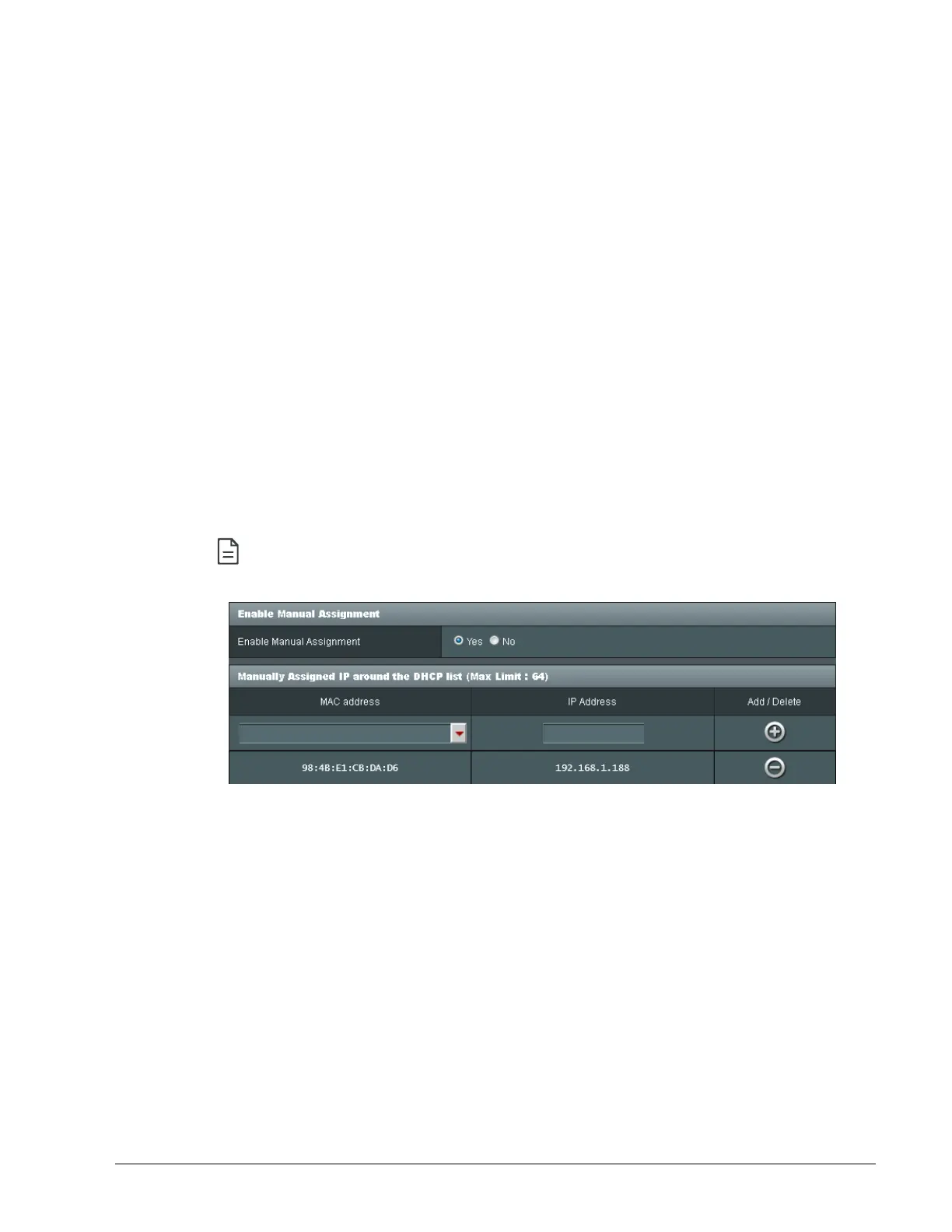
routers allows a device to be assigned a fixed IP address by associating a specific IP
address to a device’s MAC address.
Devices that use ECLYPSE’s internal router with the DHCP option (Hotspot/AP
mode) cannot be assign a fixed IP addresses according to the device’s MAC
address.
Figure 3-1: Typical Router Configuration to Assign a Device’s MAC Address to a
Fixed IP Address
If your router supports DHCP and you have access to the router’s configuration interface,
this is the most straight-forward way to configure your network. Ensure that all devices that
require a fixed IP address use a manually assigned IP address.
Why Should ECLYPSE IP Controllers use a Fixed IP Address
or Hostname Management
To program or to access an IP controller, you must be able to connect to it. Like a postal
address, a fixed IP address that is always assigned to the same device allows you to
consistently connect to and work with the same device.
An alternative to using a fixed IP address is to use the controller’s Hostname Management
which allows a controller to be identified by a nickname such as Office_205 instead of the
controller’s IP address. The hostname can be used in a Web browser’s address bar or in the
EC-gfxProgram’s Connect to screen.



 To Next Page