Connecting IP Devices to an IP Network
ECLYPSE User Guide 37
Wireless Network Connection
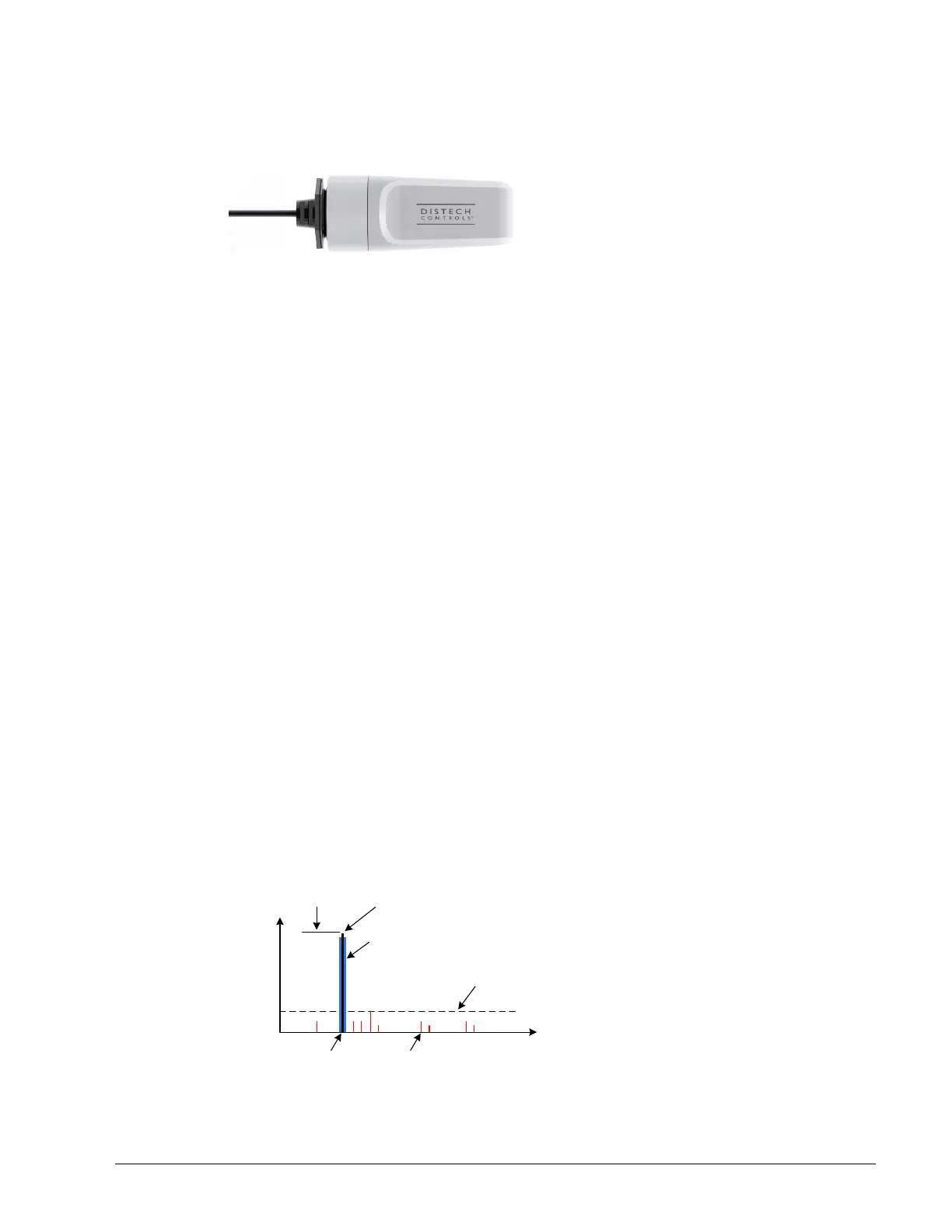
The ECLYPSE Wi-Fi adapter connects to an ECLYPSE controller’s USB port.
Figure 5-6: ECLYPSE Wi-Fi Adapter
It adds wireless IP connectivity to ECLYPSE controllers and it can be used in a number of
wireless topologies and applications.
To wirelessly connect to a controller for the first time, see First Time Connection to an
ECLYPSE Controller on page 52.
To configure an ECLYPSE Wi-Fi adapter, see Network Settings on page 72. See also
Configuring the ECLYPSE Wi-Fi Adapter Wireless Networks on page 96.
Recommendations are provided regarding the radio signal obstructions and factors that
should be avoided to obtain the best Wi-Fi radio signal transmission and reception. Walls
attenuate radio wave propagation by an amount that varies with the construction materials
used. See Radio Signal Transmission Obstructions on page 39 for more information on wall
materials that can reduce range transmission.
About the 2.4 GHz ISM band
The 2.4 GHz ISM (Industrial, Scientific and Medical) band has been allocated worldwide for
the use of radio frequency energy by industrial, scientific, and medical purposes as part of
the device’s method of internal operation and as such may have powerful emissions that
cause interference to radio communications.
For example, microwave ovens operate in the 2.4 GHz ISM band with about 1000W emitted
power and a fraction of a percent of that energy does leak from the oven. While this is not a
health risk, Wi-Fi networks operate at even lower power levels to communicate and can be
overwhelmed by this source of interference.
When setting up a 2.4 GHz band Wi-Fi network, you must take into consideration any
equipment that operates in the 2.4 GHz ISM band such as medical and laboratory
equipment. Other sources of interference are other telecommunications equipment such as
cell phones, GSM/DECT, cordless phones, RFID reader, Bluetooth devices, walkie-talkies,
baby monitors, and so on. Note that equipment that transmits in other frequency bands do
emit spurious emissions at low levels over a wide spectrum so that a radio transmitter in
close proximity to the ECLYPSE Wi-Fi adapter can cause interference, even if its operating
frequency is 1.9 GHz for example.
Frequency
Power (Log)
Transmitted
power
Center
Frequency
Occupied
Bandwidth
Spurious
Emission
Amplitude
Desired Signal Spurious Emissions
Figure 5-7: Typical Radio Transmitter Spurious Emissions



 To Next Page