Connecting IP Devices to an IP Network
38 ECLYPSE User Guide
Distance between ECLYPSE Wi-Fi Adapter and Sources of
Interference
Unrelated transmitters should be more than 6.5 feet (2 m) away from the ECLYPSE Wi-Fi
Adapter to avoid possible interference.
About Wi-Fi Network Channel Numbers
Wi-Fi communications use a slice of radio spectrum or channel width for data transmission.
In general terms, the amount of channel width required is proportional to the data
transmission rate. Wi-Fi networks operate in a number of different frequency ranges or
bands such as the 2.4 GHz band. Each band is divided into a number of industry-standard
channels that represent a center frequency for data transmission. In practice, the center
frequency is the mid-point between the upper and lower cutoff frequencies of the channel
width.
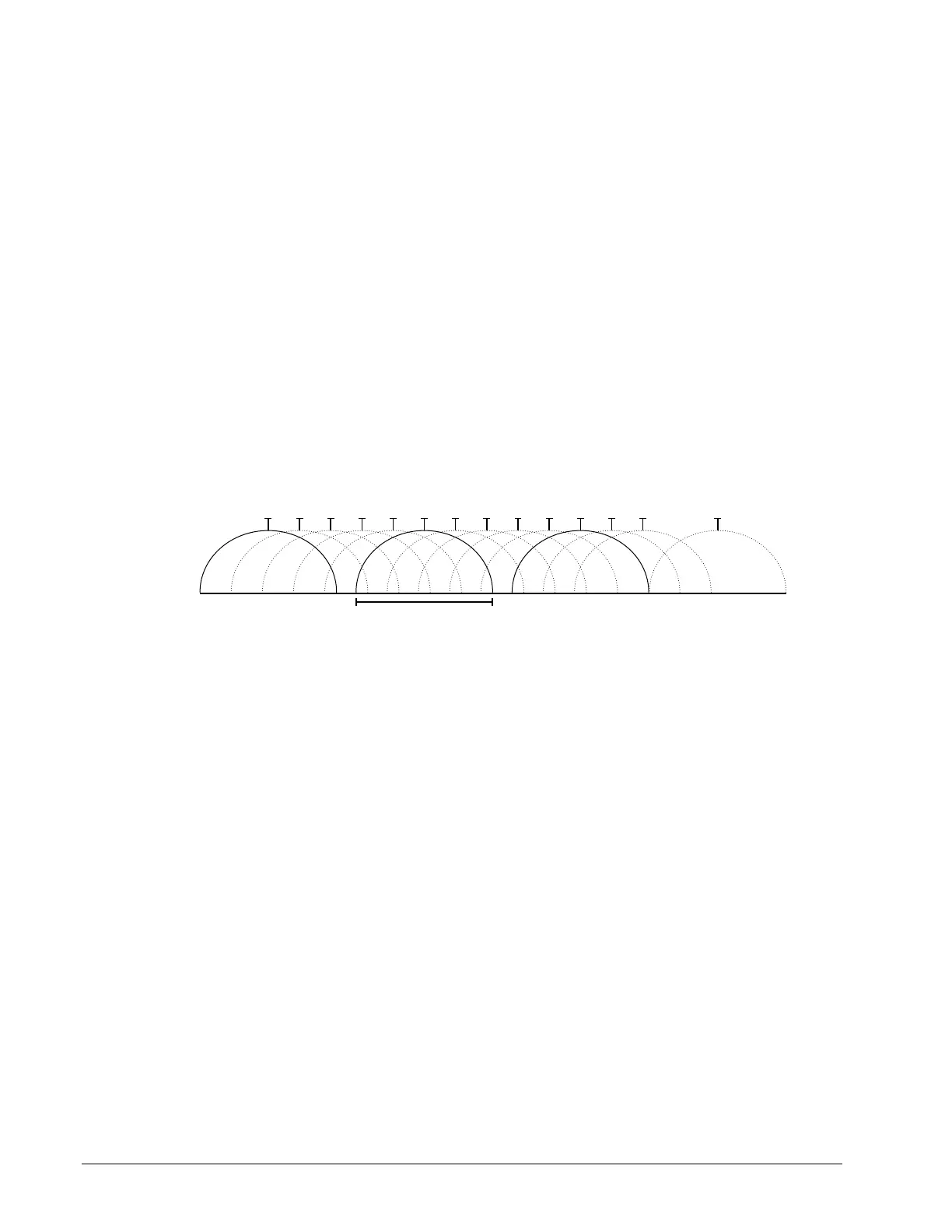
When the channel width is larger than the channel spacing (the space between channels),
overlap between the channels can occur, resulting in inter-channel interference that lowers
overall network throughput. This is shown in the diagram below. For example, in the 2.4 GHz
band using 802.11g, the channel width is 20 MHz while the channel spacing is 5 MHz. If one
Wi-Fi network is using channel 1 that is in close proximity to another Wi-Fi network that is
using channel 2, there will be significant inter-channel overlap and interference. Data
throughput is reduced as a result.
12
2.467
1
2.412
22 MHz
Channel
Center Frequency
(GHz)
2
2.417
3
2.422
4
2.427
5
2.432
6
2.437
7
2.442
8
2.447
9
2.452
10
2.457
11
2.462
13
2.472
14
2.484
Figure 5-8: 2.4 GHz Band 802.11g Radio Spectrum Showing Inter-Channel Overlap
For a 20 MHz channel width in the 2.4 GHz band using 802.11g, the best channels to use to
avoid inter-channel overlap are channels 1, 6, and 11. For a 40 MHz channel width in the
2.4 GHz band using 802.11g, the best channels to use to avoid inter-channel overlap are
channels 3 and 11.
For a 20 MHz channel width in the 2.4 GHz band using 802.11n, the best channels to use to
avoid inter-channel overlap are channels 1, 6, and 11. For a 40 MHz channel width in the
2.4 GHz band using 802.11g, the best channel to use to avoid inter-channel overlap is
channel 3.
For industrial / commercial environments, it is recommended to avoid using a 40 MHz
channel width in the 2.4 GHz band as it occupies a large part of the available radio
spectrum. This means that it will be difficult to co-exist with other networks while avoiding
interference, especially from devices that use mixed mode 802.11 b/g which significantly
degrades 802.11n performance. One solution is to disable the 802.11 b/g mode on all
hotspots to force all wireless clients to 802.11n mode, thereby forbidding the use of legacy
devices.
Radio Signal Range
Range is dependent upon many environmental variables that are present in buildings. In
normal conditions, a radio signal is transmitted at a maximum range between ECLYPSE Wi-
Fi Adapters of 50 feet (15 m) at 2.4 GHz (IEEE 802.11b/g/n).
In certain cases where there are obstructions, the range could be less.
Because radio signals and transmission range can vary according to building and office
setup, you can troubleshoot Wi-Fi network performance issues by running a Wi-Fi surveying



 To Next Page