ECLYPSE User Guide 171
Allure EC-Smart-Vue
sensor motion
detector window
indicator is always
ON
Does the connected
controller have Allure
EC-Smart-Vue sensor
firmware that supports
the motion and CO
2
sensor?
When the Allure EC-Smart-Vue sensor is
connected to a controller, its firmware is loaded
from the controller. In this case, the controller has
an earlier version of Allure EC-Smart-Vue sensor
firmware that does not support the motion or CO
2
sensor. To upgrade to the latest Allure
EC-Smart-Vue sensor firmware, download the
firmware from SmartInstaller and refer to the
firmware upgrade procedure in the EC-gfxProgram
User Guide.
The Motion or CO
2
output of the
associated
ComSensor block
always reads NULL
in EC-gfxProgram
The CO
2
sensor
readings are too
high, too low, or
inconsistent between
sensors
Immediately after
installing the Allure
EC-Smart-Vue sensor
with CO
2
sensors, are
the CO
2
sensor
readings incoherent?
If the CO
2
sensor readings seem unusual or show
inconsistencies between sensors in the same
building right after installation, the following
reasons should be taken into consideration:
Concentration levels in each space may be
different
The installer may have unintentionally
blown into the sensor while installing it.
The sensor may have been dropped or
mishandled during shipment causing a
minor shift in the original factory calibration.
Allow up to 14 days of operation (without power
interruptions) for the sensor to calibrate itself
according to its new environment.
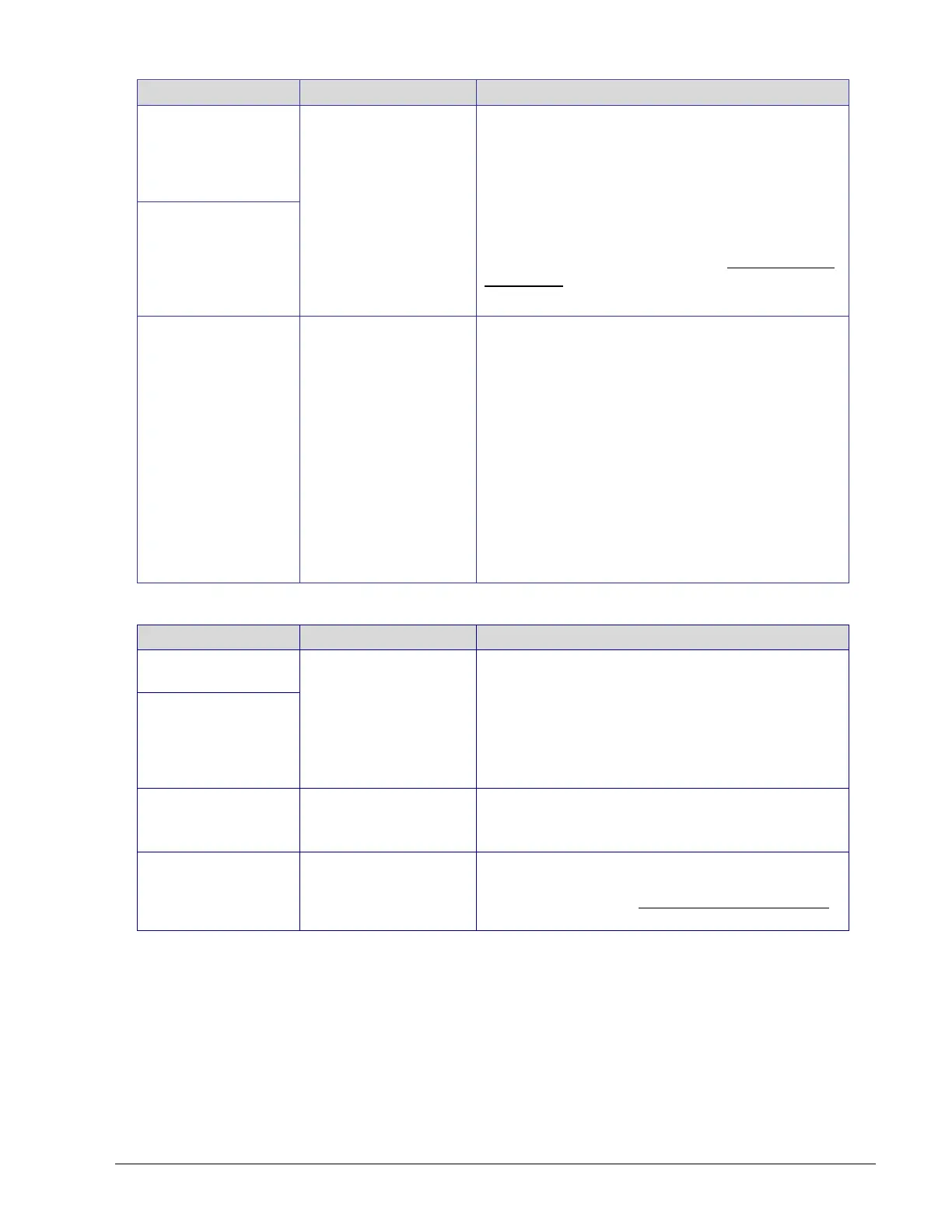
Table 17-3: Error code Interpretation for Allure EC-Smart-Vue Sensor Symptoms
Clock icon flashing
for 15 seconds
Cannot communicate
with controller.
Wait for the communication link to the controller to
be established.
Verify wiring.
Verify that all Allure EC-Smart-Vue sensor’s
Subnet IDs are unique for this controller. See
Setting the Allure EC-Smart-Vue Sensor’s Subnet
ID Address on page 144.
After 15 seconds:
Error code 1 with
Bell icon
Error code 2 with
Bell icon
In EC-gfxProgram, resynchronize the code with the
controller.
Contact Distech Controls Customer Support.
Error code 3 with
Bell icon
Allure EC-Smart-Vue
sensor is not properly
configured in the
controller
With EC-gfxProgram, check the configuration of the
sensor, for example, is the ComSensor block
enabled? Refer to the EC-gfxProgram User Guide
for more information.



 To Next Page