ECLYPSE Web Interface
ECLYPSE User Guide 93
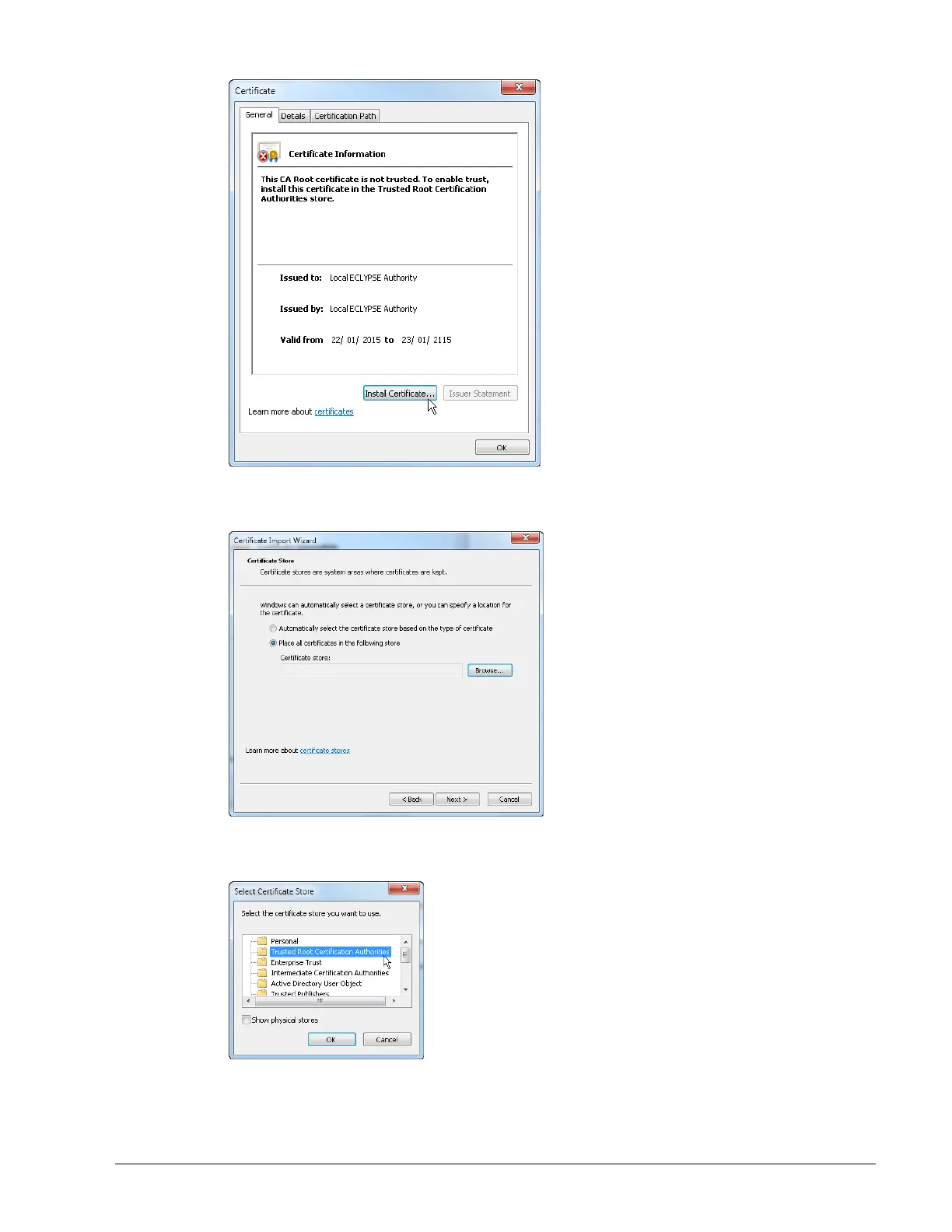
Figure 8-24: Installing the Certificate on the PC
6. Select Place all certificates in the following store. Click Browse.
Figure 8-25: Selecting the Store
7. Select Trusted Root Certificate Authorities and click OK.
Figure 8-26: Selecting the Store
8. Click Next. Click Finish.



 To Next Page