Vigor2760 Series User’s Guide
99
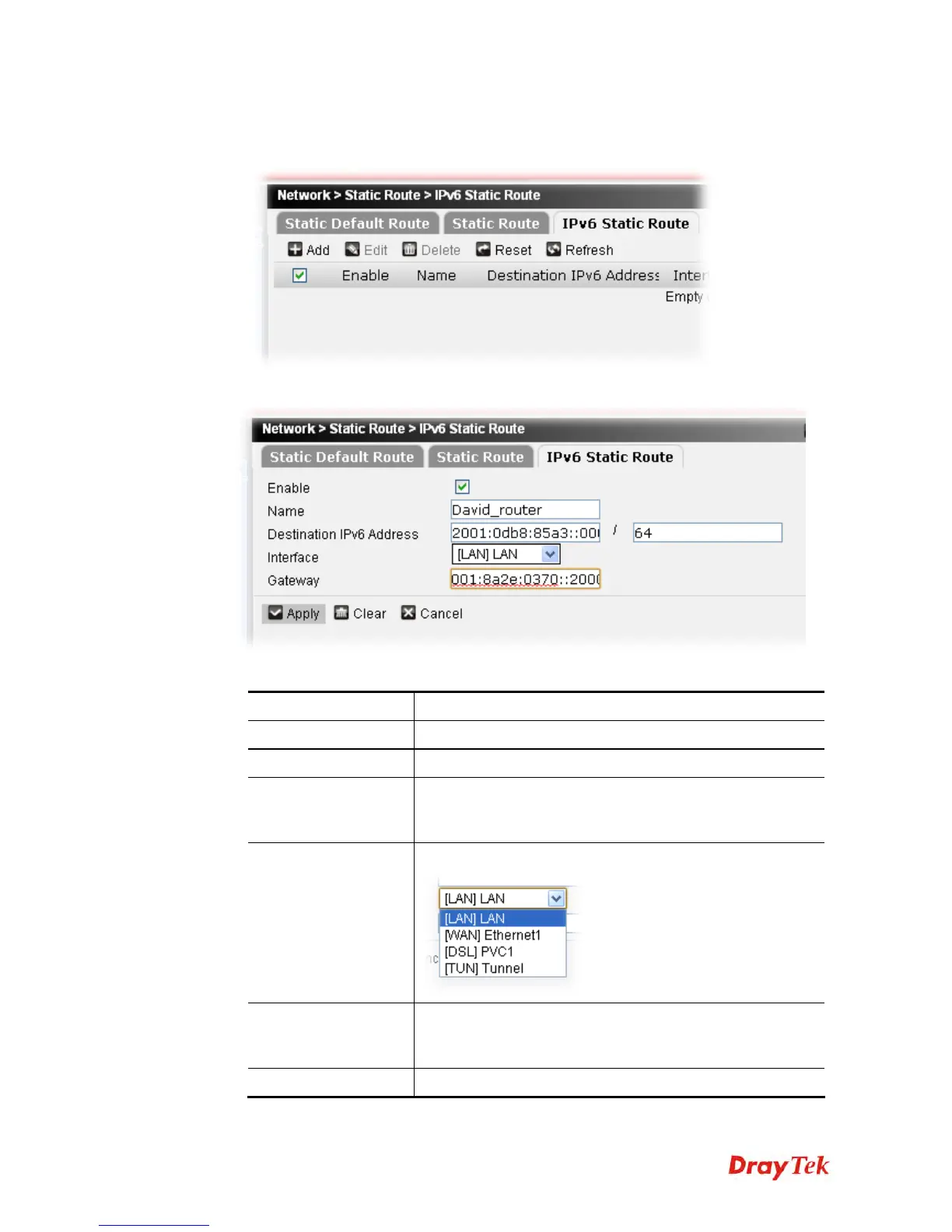
To add a static route profile, please do the following:
1. Click Add.
2. The following page appears.
Available parameters are listed below:
Item Description
Enable
Check the box to enable such profile.
Name
Type a name for such profile.
Destination IPv6
Address
Type the IPv6 address of the destination. All the packets into
such IPv6 address will be forwarded to the gateway specified
in this page.
Interface
Choose an interface for the IPv6 static route.
Gateway
Type an IPv6 address of the other router. All packets
destined to destination IPv6 address/mask will be forwarded
to the gateway specified here.
Apply
Click it to save the settings.











 To Next Page