Vigor2760 Series User’s Guide
193
3. After finished the settings above, click Apply to save the file. Now, a new privilege
profile has been created.
4
4
.
.
6
6
.
.
5
5
A
A
d
d
v
v
e
e
r
r
t
t
i
i
s
s
e
e
m
m
e
e
n
n
t
t
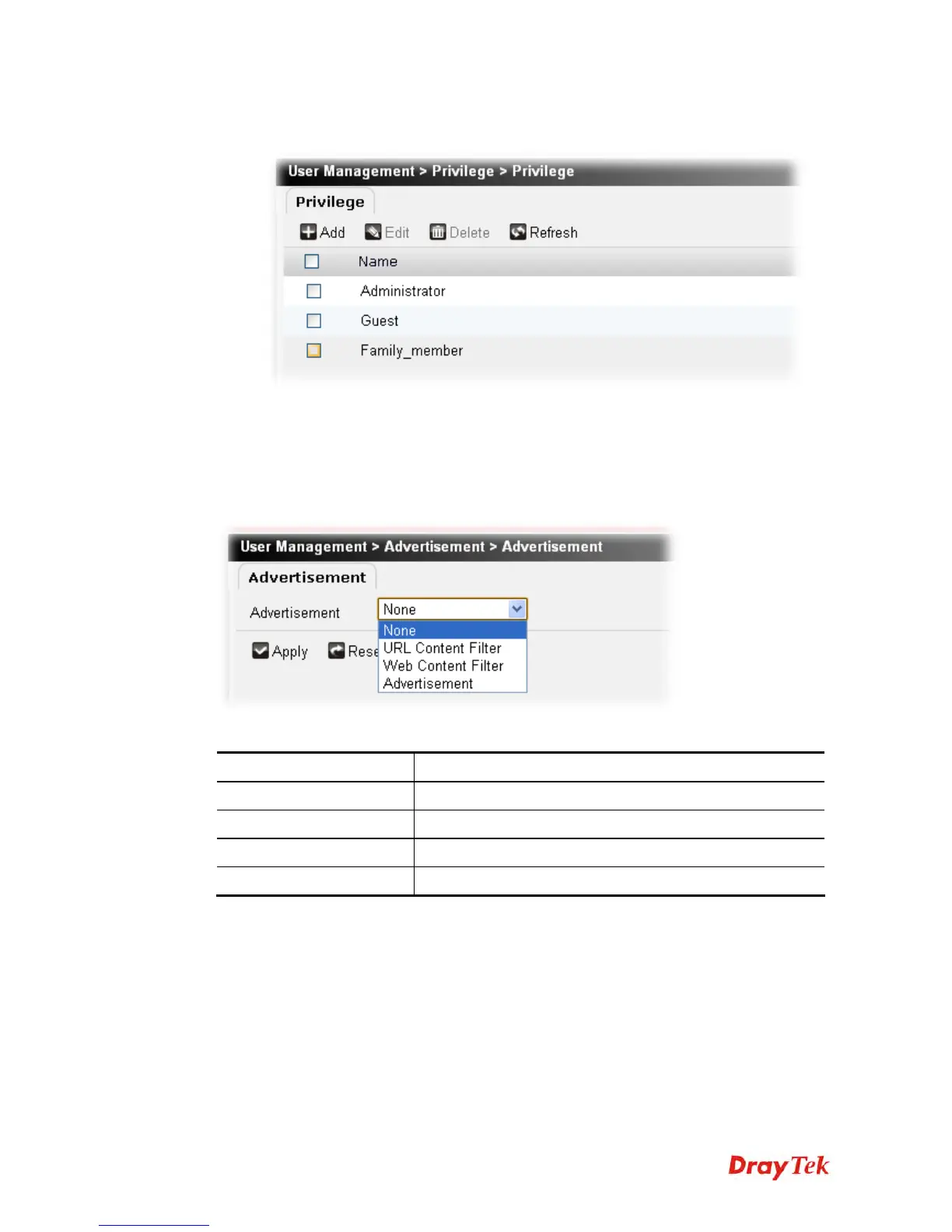
This page allows you to open the advertisement mode for your company or for personal
request. If the function is applied, you will see a pop-up advertisement screen appeared on
your screen according to the condition you defined.
This function shall be used along with System Maintenance>>Administrator Setting.
Each item will be explained as follows:
Item Description
Advertisement
There are three types offered for you to choose.
Apply
Click it to save the settings.
Reset
Click it to retrieve the default settings of this page.
Refresh
Click it to fresh the web page.
4
4
.
.
6
6
.
.
5
5
.
.
1
1
E
E
x
x
a
a
m
m
p
p
l
l
e
e
f
f
o
o
r
r
A
A
d
d
v
v
e
e
r
r
t
t
i
i
s
s
e
e
m
m
e
e
n
n
t
t
Here is an example which will show you how to make a log-in advertisement.
1. Open User Management>>Advertisement.











 To Next Page