Vigor2760 Series User’s Guide
211
4
4
.
.
7
7
.
.
3
3
.
.
2
2
D
D
i
i
g
g
i
i
t
t
M
M
a
a
p
p
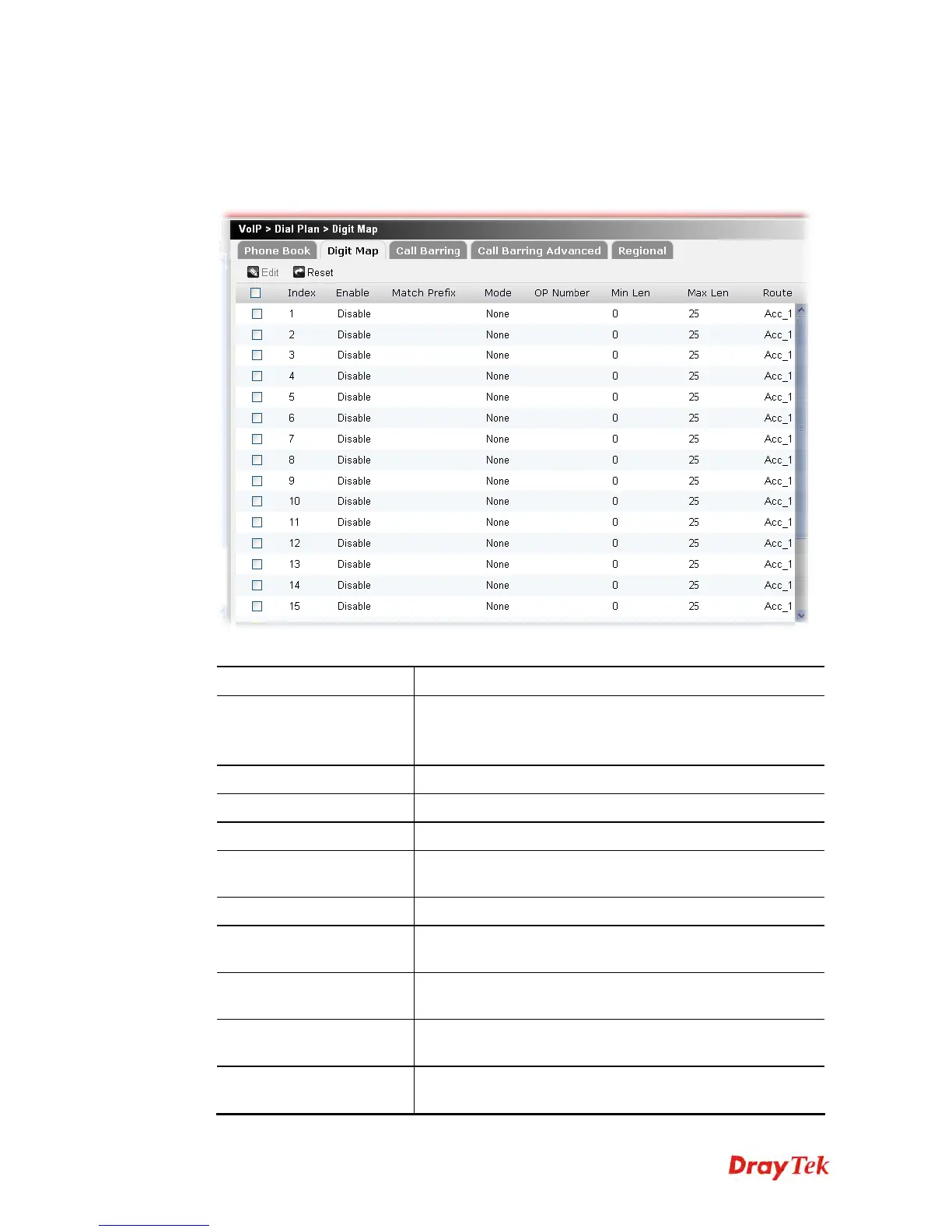
For the convenience of user, this page allows users to edit prefix number for the SIP account
with adding number, stripping number or replacing number. It is used to help user having a
quick and easy way to dial out through VoIP interface.
Each item will be explained as follows:
Item Description
Edit
Edit the selected digit map profile.
To edit the profile, simply check the profile box you want to
edit and then click this button.
Reset
Click it to rest to factory default settings.
Index
Display the sequence number of the profile.
Enable
Display the status (enable or disable) of this profile.
Match Prefix
Display the number which can be modified with the OP
Number.
Mode
Display the mode chosen for such profile.
OP Number
Display the number which will be used for adding, deleting
or replacing according to the mode selected.
Min Len
Display the minimal length of the dial number for applying
the prefix number settings.
Max Len
Display the maximum length of the dial number for applying
the prefix number settings.
Route
Display the one that you want to enable the prefix number
settings from the saved SIP accounts.











 To Next Page