Vigor2760 Series User’s Guide
212
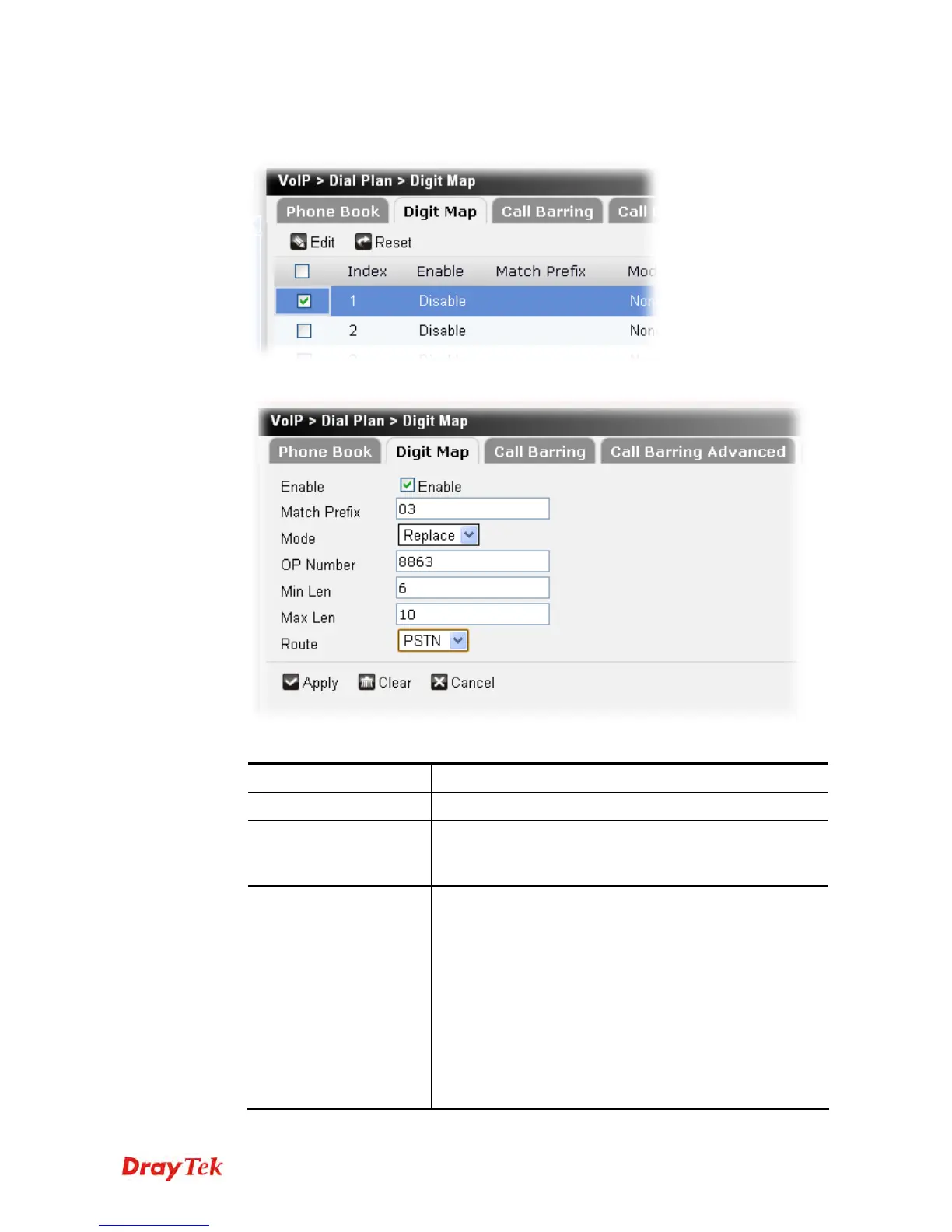
To edit a digit map profile, please do the following:
1. Choose the digit map profile you want and click the check box.
2. Click Edit to open the following page.
Available parameters are listed below:
Item Description
Enable
Click this to enable this entry.
Match Prefix
It is used to match with the number you dialed and can be
modified with the OP Number by the mode (add, strip or
replace).
Mode
None - No action.
Add - When you choose this mode, the OP number will be
added with the prefix number for calling out through the
specific VoIP interface.
Strip - When you choose this mode, the OP number will
be deleted by the prefix number for calling out through the
specific VoIP interface. Take the above picture (Prefix
Table Setup web page) as an example, the OP number of
886 will be deleted completely for the prefix number is set
with 886.
Replace - When you choose this mode, the OP number











 To Next Page